MuADMINS
Solutions
Short fixes for common MU Online server, client and website problems, each with its source and date. “Confirmed” means the person who asked said the fix worked.
14 solutions for “socket items” · Clear
MuEditor (MuEmu S6E3): items made with sockets or excellent options arrive clean in game (+15 with no options)
1. Look at the option 380 check box in the MuEditor item window. 2. Uncheck 380 when you make an item with sockets: with it checked the editor saves the item without its socket and option...
✓ Confirmed by the topic starterTUServerMU · 2019-05-28Item.bmd (Season 8 client): every custom item shows its name in purple like a socket item, editing ItemTooltip does not change it
1. The color does not come from itemtooltip_eng.txt (or the por / spn copies): copying the line of a basic item there changes nothing. 2. Open the client item.bmd with your BMD editor and...
✓ Confirmed by the topic starterCreandoMU · 2020-12-13NuTT MuShop Editor: how to edit .txt NPC shops with full item codes (JoH, ancient, sockets)
1. Copy the item.txt of your server into the ShopEditor folder. 2. Open the shop .txt file and work on it. 3. Unlike older shop editors that write only Group, Index, Level, Dur, Skill, Lu...
MuMaker 1.13: how to use a new item database (.mdb) with tier sets, and socket options that do not appear
1. Replace MuMaker.mdb in the MuMaker folder with the new .mdb and open mumaker.exe. 2. The items only work in game if your server files already have those tier sets. 3. In the shared .md...
IGCN S9 E2 repack: MagicHand does not save item_eng.bmd edits (for example to make socket items for Rage Fighter)
1. Open the Server Manager of the repack and start the client tools, then the BMD decrypter. 2. In the ex803 section pick item.bmd mode, select your item_eng.bmd and decrypt it to a text...
✓ Confirmed by the topic starterRaGEZONE · 2018-02-04MuMaker 13: other item editors break socket items on Louis MuEmu S6 files (items turn ancient colored or normal, options blank)
1. The editors the asker tried could not write socket options for these files correctly. 2. Use the MuMaker 13 build shared on the forum (the reply links it): with it the socket editing w...
✓ Confirmed by the topic starterTUServerMU · 2018-11-07MuMaker: Season 6 Tier 2 sets (Moros, Diones, Hades ...) are missing from the Item Maker list
1. MuMaker reads its item list from mumaker.mdb: use an updated mdb that has the new items (the one shared in the thread adds the Tier 2 sets, socket items and Jewel of Harmony options)....
✓ Confirmed by the topic starterRaGEZONE · 2016-11-13Louis update 32: every socket item shows the option error "0 15 15" (visual only, the item works).
1. Open the MainInfo settings. 2. Disable AllowSocketHarmony. 3. Generate the main info again and copy it into the client.
✓ Confirmed by the topic starterCreandoMU · 2023-01-28KoshGames and Louis S6 files: no armors or weapons drop, although their drop is set to 1 in Item.txt
1. Open MuServer\Data\Item\SocketItemType.txt. 2. In these files almost every item was listed there as a socket item, so normal items stopped dropping. 3. Leave only the real socket items...
✓ Confirmed by the topic starterTUServerMU · 2020-11-11MuEmu MuEditor (Louis 2017): how to make a new wing or custom item show in the editor, and "Error Items 380"
1. The editor has its own item list: convert item.bmd in the editor's Data folder to txt with BMD DEC, add the new items and convert it back. 2. Put the item picture in the editor's item...
GM item code maker: how to make the /item command line for an item and what it cannot make
1. The GameServer must have the GM /item command enabled, and you must be a GM, or the code does nothing. 2. Open maker.exe and pick the item and its options. 3. Click copy to clipboard,...
MU DB Helper: how do I install the item, inventory and vault database editor for Ex702 and newer servers?
1. Requirements: Visual Studio 2013, SQL Server 2012 or newer, ODBC Driver 13 and a MU Online Ex702+ database. 2. Clone the repository and make sure a MuOnline database exists (CREATE DAT...
MagicHand (Magic Hand Editor 1.0.5): how to run it and which client files it edits and converts
1. MagicHand is a PHP editor: it runs on a local web server (AppServ, XAMPP or similar), not as a normal Windows program. 2. Copy the editor into the web root, for example C:\xampp\htdocs...
ImportToEmu (Natzugen): which client .bmd files can it edit and export to MuEmu configs, and what to use for Quest.bmd
1. ImportToEmu edits client .bmd files and exports them straight to MuEmu (X-Team based) config files, built on the zTeam file manager. 2. The author lists support for movereq, gate, Item...
Videos on MUTube
 Beginner's Guide: Socket System
MU online official · 3:32 · 2022
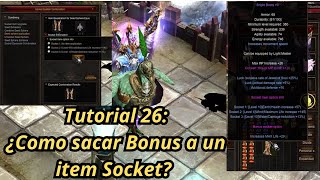 Mu Online Tutorial 26: How to remove the bonus option from a socket item?
NaQuEvEr · 7:52 · 2025
 EVERYTHING ABOUT SEED SPHERE SOCKET ⚔️ MU ONLINE UPDATED | 380LVL ITEMS [part 1]
Almacen Gamer TV · 12:33 · 2022
 MUonline - Seeds & Sockets
Game Auditor · 7:01 · 2016