MuADMINS
Soluções
Correções curtas para problemas comuns de servidor, cliente e site de MU Online, cada uma com a fonte e a data. “Confirmado” significa que quem perguntou disse que a correção funcionou.
84 soluções para “database editor” · Limpar
Titan Editor: cannot connect to the MU database to create accounts (single MuOnline database)
1. Open the Titan Editor config. With only one database (MuOnline) both ODBC names point to it: [Connection] ODBC=MuOnline, ODBC_Me=MuOnline, User=sa, Password=yourpass, SQLServer=(local)...
✓ Confirmado pelo autor do tópicoRaGEZONE · 2013-09-25MuEditor 2.1 / MuMaker: 'SQL Connection failed' with a 97d+99i server, even when run as administrator
1. Running the editor as administrator did not help. 2. The editors connect through the ODBC data sources of the server (MuOnline, MuOnlineJoinDB and so on), so these must be registered c...
✓ Confirmado pelo autor do tópicoDarksTeam · 2016-05-07MU DB Helper: how do I install the item, inventory and vault database editor for Ex702 and newer servers?
1. Requirements: Visual Studio 2013, SQL Server 2012 or newer, ODBC Driver 13 and a MU Online Ex702+ database. 2. Clone the repository and make sure a MuOnline database exists (CREATE DAT...
MFS Database Tool: the backup gives the same error as other backup managers, even with (local), Windows authentication or 127.0.0.1
1. Connect to your SQL Server as usual (the tool supports SQL Server 2000 and 2008 style connections). 2. Do not pick the database with the drop down button: type the database name (for e...
✓ Confirmado pelo autor do tópicoRaGEZONE · 2014-02-11CzF MU Editor 1.5: DBNETLIB error at install; it only finds the SQL Server 2019 instance, not the 2008 R2 one with the MU database
1. The editor setup only lists the database options when it reaches the newer SQL Server instance; with two instances (2008 R2 and 2019) it failed with the DBNETLIB error on the old one....
✓ Confirmado pelo autor do tópicoRaGEZONE · 2020-07-10MuEditor and MuEditorDeCuenta (account editor) cannot connect to SQL Server on the VPS, both show connection errors at start
1. Configure both editors with the IP of your VPS, the SQL user sa and its password. 2. Open the SQL Server port (1433 unless you changed it) in the Windows Firewall of the VPS. 3. In SQL...
✓ Confirmado pelo autor do tópicoCreandoMU · 2023-01-01MuEditor on the host PC cannot connect to the SQL Server that runs inside a local virtual machine
1. In SQL Server Configuration Manager inside the VM enable TCP/IP (and Named Pipes), restart the SQL service and allow port 1433 in the VM firewall. 2. In the editor config fill both blo...
✓ Confirmado pelo autor do tópicoTUServerMU · 2019-11-24MuEmu S8 EP3: the server runs but MuEditor cannot connect to SQL, so I cannot create accounts or items. Changing the SQL password in config.ini did not help.
1. Open the editor's config.ini. 2. In the SERVER field put the name of your computer (right click This PC > Properties shows it), not an IP. 3. Fill in the SQL user (sa) and your passwor...
✓ Confirmado pelo autor do tópicoTuServerMU · 2016-09-14Titan Editor: "Item [0, 107]. Doesnt exist in DB" and custom items do not show in the vault or inventory (TT 6.3)
1. The editor only knows the items listed in its own item database, so custom items (here section 0, index 107) are unknown to it. 2. Add the custom items to the Titan Editor item databas...
✓ Confirmado pelo autor do tópicoRaGEZONE · 2016-05-17CzF MuEditor 1.05a: the editor freezes or hangs on connect (Windows Vista 64 bit, SQL Server 2005)
1. Open the ODBC Data Source Administrator. 2. Make a data source for every database the editor uses: the MU database (MuOnline) as well as Ranking and Event. The asker had only made Rank...
✓ Confirmado pelo autor do tópicoRaGEZONE · 2007-08-20Where are accounts, VIP, credits, resets and bans in the DV-Team Season 19 database (MySQL / MariaDB)?
DV-Team does not use SQL Server: the database is a MySQL / MariaDB dump (Navicat), databases muonline (127 tables) and log (22 tables). There is no MEMB_INFO and no stored procedure, so S...
Not verifiedEscrito pelo MuADMINSCzF Editor: after restoring the databases the editor login fails with 'ID not authenticated or banned' (1.02n + S2)
1. The editor login you created on the first run was lost when the databases were restored. 2. Close the editor and open its folder. 3. Delete (or edit) CzFMuEditor.ini. Its [ODBCConnecti...
✓ Confirmado pelo autor do tópicoImperyus Games Brasil · 2011-06-03MuEditor cannot connect to SQL Server (Louis S6 update 15).
1. Follow the Louis setup video for SQL and ODBC. 2. The missing part was opening the SQL port (1433 by default) in the firewall. 3. Open it and connect again.
✓ Confirmado pelo autor do tópicoCreandoMU · 2020-08-14ENC MuOnline DB Editor (ENCGames): first setup, and why it cannot open item(kor).txt
1. Start the .exe and point it to your server item(kor).txt: the editor builds its item list from that file, so custom items show up too. 2. Wait while it loads the items, then fill in yo...
MuOnline Shop Editor 1.6 (Mu Shop.exe) does not work on 64-bit Windows: the Microsoft.Jet.OLEDB.4.0 provider is not registered
1. The editor reads its item list through the old 32-bit Microsoft.Jet.OLEDB.4.0 provider, so on 64-bit Windows (the asker used Windows Server 2012 x64) it fails; installing .NET Framewor...
✓ Confirmado pelo autor do tópicoDarksTeam · 2020-04-14IGC.EssentialTools opens and closes by itself after about 3 seconds, even with the SQL user, password and server filled in.
1. In the EssentialTools config set IP = (local) when SQL Server is on the same PC (it does not accept DNS names). 2. Port = 1433. 3. SQLInstance empty when there is a single SQL instance...
✓ Confirmado pelo autor do tópicoRaGEZONE · 2020-05-17Nothing is saved in game and editors say the database is read-only
The database that came with a repack can be damaged or incomplete. Here the fix was to use the clean database of the package the files are based on. 1. Download the original package the r...
✓ Confirmado pelo autor do tópicoTUServerMU · 2024-01-28Cash Editor gives an error when editing credits, although the SQL user and password are set
The cash table and column names in the editor config were wrong. 1. Open the editor config file (XTRMu in the thread). 2. [SQLConnection]: SQLHost = (local), SQLUser = your SQL user, SQLP...
✓ Confirmado pelo autor do tópicoTUServerMU · 2020-07-10SQL command to give credits to every account (DarksTeam 97d+99i)
1. Open SSMS / Query Analyzer on the MuOnline database. 2. For all accounts run UPDATE MEMB_CREDITS SET credits=credits+500. 3. For one account run UPDATE MEMB_CREDITS SET credits=credits...
✓ Confirmado pelo autor do tópicoDarksTeam · 2021-12-28MuEditor 2.1 (SkyTeam): how to set it up on another PC to edit the server database remotely (ODBC and DNS.ini)
1. On the PC where you run MuEditor open Control Panel, Administrative Tools, Data Sources (ODBC). 2. In System DSN click Add, choose SQL Server: Name MuOnline, Description MuEditor, Serv...
Vídeos no MUTube
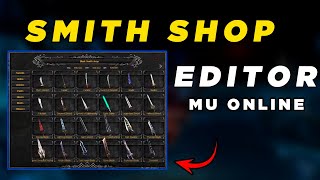 Editor SmithShop Louis Emulator Mu Online
GamesWTeam Solutions · 13:55 · 2024
 Ferramenta para refazer a Message txt MuOnline
GamesWTeam Solutions · 3:11 · 2024
 Criando Servidor de MuOnline Parte 2 http://www.formspring.me/kcajbr
Jacksonds · 7:42 · 2010
 Criar Server de Mu Season4 [2/3] Restaurar DB's,Ligar o Server
Ajuda em MuOnline · 9:59 · 2013