MuADMINS
Soluții
Rezolvări scurte pentru probleme frecvente ale serverelor, clienților și site-urilor MU Online, fiecare cu sursa și data ei. “Confirmată” înseamnă că persoana care a întrebat a spus că rezolvarea a funcționat.
Soluții: 10 pentru “sa password” în Instrumente · Șterge
MuMaker: "Login failed for user 'sa'" although the server runs and the password is right (only one MuMaker build works)
1. Check that the sa login has rights on the MU databases and that the password in the MuMaker Config.ini is right. 2. If it still says login failed, the MuMaker build does not fit your s...
✓ Confirmată de autorul topiculuiRaGEZONE · 2011-06-30MuMaker: "Login failed for user 'sa'. Reason: Not associated with a trusted SQL Server connection."
1. The error means SQL Server only accepts Windows logins, so the sa login that MuMaker uses is refused. 2. Change the SQL Server authentication to SQL Server and Windows Authentication m...
✓ Confirmată de autorul topiculuiRaGEZONE · 2008-01-29MuEmu Editor (2017) + Fixs: an error shows at start although Config.ini has localhost, port 1433, sa and the password
1. Open the editor Config.ini. 2. In the [Me_MuOnline] and [MuOnline] blocks change EnableTrusted = 0 to EnableTrusted = 1. 3. Save and start the editor again: it connects.
✓ Confirmată de autorul topiculuiTUServerMU · 2017-04-29MuEmu S8 EP3: the server runs but MuEditor cannot connect to SQL, so I cannot create accounts or items. Changing the SQL password in config.ini did not help.
1. Open the editor's config.ini. 2. In the SERVER field put the name of your computer (right click This PC > Properties shows it), not an IP. 3. Fill in the SQL user (sa) and your passwor...
✓ Confirmată de autorul topiculuiTuServerMU · 2016-09-14MuMaker: "Cannot open database "MuOnline" requested by the login. The login failed" on SQL Server 2005 Express
1. Enable the sa login: Management Studio > Security > Logins > sa > Properties: untick "Enforce password policy", set a password; on the Status page tick Grant and Enabled. 2. Server Pro...
✓ Confirmată de autorul topiculuiRaGEZONE · 2012-08-18MuMaker: how to fill the first configuration window (SQL user, local or remote, MD5, database names, reset column)
1. Extract MuMaker and start MuMaker.exe. 2. Type any name (server name or yours), the SQL user (sa by default) and its password. 3. Connection type: choose local when MuMaker runs on the...
Titan Editor: cannot connect to the MU database to create accounts (single MuOnline database)
1. Open the Titan Editor config. With only one database (MuOnline) both ODBC names point to it: [Connection] ODBC=MuOnline, ODBC_Me=MuOnline, User=sa, Password=yourpass, SQLServer=(local)...
✓ Confirmată de autorul topiculuiRaGEZONE · 2013-09-25MuEditor and MuEditorDeCuenta (account editor) cannot connect to SQL Server on the VPS, both show connection errors at start
1. Configure both editors with the IP of your VPS, the SQL user sa and its password. 2. Open the SQL Server port (1433 unless you changed it) in the Windows Firewall of the VPS. 3. In SQL...
✓ Confirmată de autorul topiculuiCreandoMU · 2023-01-01MuEditor on the host PC cannot connect to the SQL Server that runs inside a local virtual machine
1. In SQL Server Configuration Manager inside the VM enable TCP/IP (and Named Pipes), restart the SQL service and allow port 1433 in the VM firewall. 2. In the editor config fill both blo...
✓ Confirmată de autorul topiculuiTUServerMU · 2019-11-24MuEditor 2.1 (SkyTeam): how to set it up on another PC to edit the server database remotely (ODBC and DNS.ini)
1. On the PC where you run MuEditor open Control Panel, Administrative Tools, Data Sources (ODBC). 2. In System DSN click Add, choose SQL Server: Name MuOnline, Description MuEditor, Serv...
Videoclipuri pe MUTube
 Criar Server de Mu Season 6 Ep.2 ENCGames [1/3] Config. IP e Senha .
Ajuda em MuOnline · 6:40 · 2012
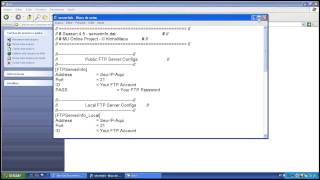 Criar Server de Mu Season4 [1/3] Config.IP e Senha do SQL
Ajuda em MuOnline · 11:13 · 2013
 ⚡ NUEVO BUILD BK / BLADE MASTER 🔥 ARBOL 400 | 800 | STATS 💰 Mu Online 😱
MaseGamesX · 10:54 · 2026
 ⚡ BUILD KUNDUN FARM LEVEL 800 🔥 ARBOL 400 | 800 | STATS 💰 Mu Online 😱
MaseGamesX · 13:09 · 2026