MuADMINS
Lösungen
Kurze Fixes für häufige Probleme mit Server, Client und Website bei MU Online, jeweils mit Quelle und Datum. “Bestätigt” heißt: Die Person, die gefragt hat, hat gesagt, dass der Fix funktioniert hat.
18 Lösungen für “account editor” in Tools · Zurücksetzen
CzF Editor 1.5a: creating a new account gives an error although MD5 is disabled in the editor options
1. With MD5 off in the editor, the password column must be plain text, but in this database memb__pwd was still binary. 2. Open Enterprise Manager (or Management Studio) > Databases > MuO...
✓ Vom Threadersteller bestätigtRaGEZONE · 2007-10-05Titan Editor: cannot connect to the MU database to create accounts (single MuOnline database)
1. Open the Titan Editor config. With only one database (MuOnline) both ODBC names point to it: [Connection] ODBC=MuOnline, ODBC_Me=MuOnline, User=sa, Password=yourpass, SQLServer=(local)...
✓ Vom Threadersteller bestätigtRaGEZONE · 2013-09-25MuEditor and MuEditorDeCuenta (account editor) cannot connect to SQL Server on the VPS, both show connection errors at start
1. Configure both editors with the IP of your VPS, the SQL user sa and its password. 2. Open the SQL Server port (1433 unless you changed it) in the Windows Firewall of the VPS. 3. In SQL...
✓ Vom Threadersteller bestätigtCreandoMU · 2023-01-01IGC.EssentialTools: creating an account fails with "Could not find stored procedure master.dbo.XP_MD5_EncodeKeyVal"
1. The tool hashes the password with the MD5 extended procedure, which is not installed in your SQL Server. 2. Install the MD5 procedure for your SQL Server: the fix in the thread is the...
✓ Vom Threadersteller bestätigtRaGEZONE · 2018-10-21MuEmu Editor: an error appears when searching an account and inventory changes are not saved ('los cambios no han sido guardados')
1. Open the editor Config.ini and check the database names in both blocks: ME_DB under [Me_MuOnline] and MU_DB under [MuOnline]. 2. They must match the real name of your database in SQL S...
✓ Vom Threadersteller bestätigtTUServerMU · 2018-06-04MuEditor (MuEmu): which build works with Louis files Update 31+ where accounts have 10 character slots?
1. Use the MuEditor build that Louis released for accounts with 10 characters: it is required with Louis emulator Update 31 and newer (S4, S6 and S8 sources are included). 2. For Update 2...
CzF Editor: after restoring the databases the editor login fails with 'ID not authenticated or banned' (1.02n + S2)
1. The editor login you created on the first run was lost when the databases were restored. 2. Close the editor and open its folder. 3. Delete (or edit) CzFMuEditor.ini. Its [ODBCConnecti...
✓ Vom Threadersteller bestätigtImperyus Games Brasil · 2011-06-03MuEmu S8 EP3: the server runs but MuEditor cannot connect to SQL, so I cannot create accounts or items. Changing the SQL password in config.ini did not help.
1. Open the editor's config.ini. 2. In the SERVER field put the name of your computer (right click This PC > Properties shows it), not an IP. 3. Fill in the SQL user (sa) and your passwor...
✓ Vom Threadersteller bestätigtTuServerMU · 2016-09-14Flawless Editor: how to set it up to edit WCoinC, WCoinP, Goblin Points, Ruud and Zen of accounts
1. Open Config.ini in the Flawless Editor folder. 2. Add your SQL user name and SQL password. 3. Save the file and start the editor: it edits WCoinC, WCoinP, Goblin Point, Ruud and Zen. 4...
IzsMuEditor 2.1.2 (EX803): the editor does not connect to the database
1. By default IzsMuEditor connects through an ODBC DSN. 2. If it does not connect, open Data\IzsConfig.ini, set Use_ODBC to 0 and fill in your SQL connection data (server, user, password)...
Kayito MuEmu 0.97k files: where is the client BMD editor, and where do I set IP, port, version and serial of the main
1. The open source project (MuEmu adapted to the original 0.97.11 main, by kayito) ships MuServer, Client, Encoder files, the tools and the source code on its GitHub. 2. The BMD / TXT edi...
Cash Shop and VIP Editor (Dino): how to connect it to SQL Server and which columns it needs
1. Enter the SQL Server IP, login, password and port, then click Connect. 2. Leave the filter empty to list all accounts, or type an account name. 3. Choose the VIP type and the amount of...
ENC MuOnline DB Editor (ENCGames): first setup, and why it cannot open item(kor).txt
1. Start the .exe and point it to your server item(kor).txt: the editor builds its item list from that file, so custom items show up too. 2. Wait while it loads the items, then fill in yo...
OpenMU admin panel: how do I make an account a game master or ban a player?
1. Open Accounts (/accounts) and search the login name. 2. Click Edit and set the state: GameMaster (or GameMasterInvisible) unlocks the game master chat commands; Banned or TemporarilyBa...
MuMaker for Season 6 (TMT, TRN edit): what each module does and how it connects (local, remote IP or no-ip DNS)
1. It supports Season 1 to Season 6, including Rage Fighter and the first master quest classes. 2. AccountMaker edits accounts and characters (stats, quest, class, PK) and supports MD5; I...
Resolution Changer (HTA, Mr-K): how it sets the client resolution and how to make it fill in the saved account ID
1. The tool is an HTA (HTML application): it runs on any Windows and you edit it with right click, Edit, in any text editor. 2. It writes the resolution (and a saved account) into the Win...
MuMaker: how to fill the first configuration window (SQL user, local or remote, MD5, database names, reset column)
1. Extract MuMaker and start MuMaker.exe. 2. Type any name (server name or yours), the SQL user (sa by default) and its password. 3. Connection type: choose local when MuMaker runs on the...
SkynetMU Full Option Cleaner: how do I find and remove full excellent items from warehouses and inventories of a 97/97D SQL database?
1. Install Python 3.11 or 3.12 on Windows, then run py -m pip install -r requirements.txt and py SkynetMU_FullOption_Cleaner.py. 2. For ODBC install Microsoft ODBC Driver 17 or 18 for SQL...
Videos auf MUTube
 Mu World Editor, Pentium Tools und MuToolkit......d3zc4rg4
Josue Ochoa · 2:45 · 2024
 [EP-Launcher 2026] Launcher AutoUpdate Mu Online + MuLauncher Editor + Automatischer Update-Generator.
Victhorinox · 9:57 · 2026
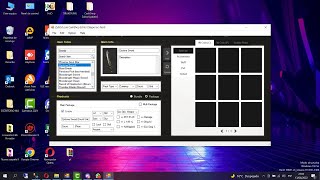 Agregando Items al Editor Cash Shop de Louis
[GM]KING · 23:25 · 2022
 Maps bearbeiten mit dem Editor C4nab1s
Josue Ochoa · 26:29 · 2022