MuADMINS
Soluções
Correções curtas para problemas comuns de servidor, cliente e site de MU Online, cada uma com a fonte e a data. “Confirmado” significa que quem perguntou disse que a correção funcionou.
46 soluções para “m window” em Configuração do servidor · Limpar
"error-L1 : CloseClient INVALID_SOCKET": after some time online the GameServer disconnects all players (97d+99i, after moving from Windows Server 2003 to Windows Server 2012 R2)
Reinstalling Windows, all updates and compatibility modes did not help; the fix was the newer DLL for the files. 1. Download the newer DLL that the developer uploaded for these 97d+99i fi...
✓ Confirmado pelo autor do tópicoDarksTeam · 2017-02-14DarksTeam 97d+99i on Windows 10 64-bit: servers say they cannot connect to SQL after installing SQL 2008. Editing the ODBC .reg did not help.
1. Uninstall the SQL Server 2008 instance that was installed with Windows authentication only. 2. Reinstall it choosing Mixed Mode and give sa a password. 3. Restore the MuOnline database...
✓ Confirmado pelo autor do tópicoTuServerMU · 2018-08-05RMST Season 4.6: new moves added to the M (warp) window do not work
1. Check the matching lines of gate.txt (server) and gate.bmd (client) for those moves (lines 114 and 294 in the asker's files): if they are right, the server simply has no free moves lef...
✓ Confirmado pelo autor do tópicoImperyus Games Brasil · 2010-12-30My GameServer (port 55901 and up) sometimes fails to start because the port is already in use. How do I check the Windows dynamic port range?
1. Since Windows Vista and Server 2008, outgoing connections use local ports 49152 to 65535 by default, which includes 55901, 55960, 55970. 2. Show the range: netsh int ipv4 show dynamicp...
How do I open the MU server ports (44405, 55901, 55919 and others) in Windows Firewall quickly and correctly?
1. Open PowerShell as administrator on the server. 2. Create one inbound rule for all TCP ports, for example: New-NetFirewallRule -DisplayName "MU Server" -Direction Inbound -Protocol TCP...
DarksTeam 97d+99i moved to a VPS (Windows Server 2012 R2, SQL 2008 R2): RankingServer shows an error although the config did not change
The VPS firewall was blocking the RankingServer connections. 1. In Windows Firewall (and the VPS provider firewall, if any) allow the RankingServer program, or open the port it uses, for...
✓ Confirmado pelo autor do tópicoTUServerMU · 2020-07-08SQL 2000 will not install on Windows 7, so how do I run DarksTeam 97d files on SQL Server 2008 R2 instead?
1. Install SQL Server 2008 R2 and set a password for sa during setup (do not skip it). 2. Restore the MuOnline database from the files. 3. Open the ODBC admin (32-bit one on 64-bit Window...
✓ Confirmado pelo autor do tópicoTuServerMU · 2018-08-06Files 99B DarksTeam on Windows 7: MuServer startup throws an ODBC error even with the 64-bit ODBC .reg applied. How was it solved?
1. Use the ODBC .reg (or manual DSN) that matches your Windows: 32-bit or 64-bit. 2. Make sure the databases were created or restored in SQL Server. 3. Right click the startup shortcuts (...
✓ Confirmado pelo autor do tópicoTuServerMU · 2018-06-16OpenMU in Docker on Windows: the client sees the server list but is disconnected when joining a server.
1. Use the client version the server targets (1.04d English, Season 6 E3). 2. Open the ports in the Windows firewall (and allow NAT edge traversal). 3. The connect server hands out the IP...
✓ Confirmado na issueGitHub (MUnique/OpenMU) · 2019-11-12'You are disconnected from the server' at server select on an Amazon AWS VPS, even with all ports open in the Windows firewall (MuDevs S16 free files).
Open the ports in the AWS console too: Security Groups > pick the right VPC/instance group > add inbound rules for the game ports. AWS blocks inbound traffic by default even when Windows...
✓ Confirmado pelo autor do tópicoTuServerMU · 2021-04-27IGCN license system: which ports to open and why the Windows time must be synchronized before activating the server license
1. Every IGCN application connects to the IGCN servers for activation, verification and normal use, so the license needs constant internet access. 2. Open these ports in the firewall: TCP...
GameServer.exe loads for a long time and then Windows shows "Send error report / Don't Send" with every server pack
The PC was infected with the Win32.Parite (A to C) file infector, which damages .exe files. 1. Download a Parite removal tool (the thread used AntiParite) and let it scan the processes. 2...
✓ Confirmado pelo autor do tópicoDarksTeam · 2008-06-19Disconnect when entering my own server behind a router, although it worked before (after a Windows startup problem)
The PC got a different local IPv4 address, so the router's DMZ still pointed to the old one. 1. Open cmd and run ipconfig /all; note the IPv4 address. 2. In the router, set the DMZ (or th...
✓ Confirmado pelo autor do tópicoDarksTeam · 2012-04-30Louis S6 Up13 GameServer window never opens, shows an error and fills the folder with .dmp files after editing configs.
1. Restore the original Data folder; if the server starts, the bad file is in there. 2. Put your edited files back one by one, starting with the ones you changed, until it fails again. 3....
✓ Confirmado pelo autor do tópicoTuServerMU · 2021-10-11Files 99b MC v3 on Windows 7 32-bit: DataServer shows "has stopped working" as soon as it starts.
1. Temporarily disable the antivirus or add the MuServer folder to its exclusions. 2. Open System Properties > Advanced > Performance Settings > Data Execution Prevention. 3. Pick Turn on...
✓ Confirmado pelo autor do tópicoTuServerMU · 2018-01-09IGC DataServer stays on its loading window and never finishes starting.
1. Check the ODBC/SQL settings of the DataServer. 2. The SQL instance name was wrong. When SQL Server is on the same PC use (local) as the instance/host. 3. Start the DataServer again.
✓ Confirmado pelo autor do tópicoTuServerMU · 2017-04-21The ODBC data source exists but the server says it cannot find it (64-bit Windows)
64-bit Windows has two ODBC administrators and each keeps its own list of System DSNs. Most MU server programs (JoinServer, DataServer, GameServer) are 32-bit, so they only see data sourc...
GameServer, DataServer or JoinServer will not start: MSVCR100.dll, MSVCP120.dll or VCRUNTIME140.dll is missing. Which runtime do I install?
1. The number in the DLL name tells the Visual C++ version: 80 = 2005, 90 = 2008, 100 = 2010, 110 = 2012, 120 = 2013, 140 = 2015 to 2026. 2. Download the matching Visual C++ Redistributab...
PerfectZone Season 5.5 files: MSVCP110.dll error and players cannot enter the game (copying the DLL does not help)
1. Copying MSVCP110.dll by hand is not enough: install the Visual C++ 2012 Redistributable. 2. Install both the x86 and the x64 packages (the x86 one is the one these files need, even on...
✓ Confirmado pelo autor do tópicoRaGEZONE · 2019-06-28MuEmu (Louis) files: where do I enter the SQL user and password? I cannot find it in any server config
MuEmu servers do not keep the SQL login in their config files: JoinServer and DataServer reach the database through ODBC. 1. Run the ODBC .reg file that comes with the files, or create th...
✓ Confirmado pelo autor do tópicoTUServerMU · 2020-07-12
Vídeos no MUTube
 COMO CRIAR SERVIDOR DE MUONLINE 97D CLASSICO WINDOWS 10
Kiuzs · 18:21 · 2021
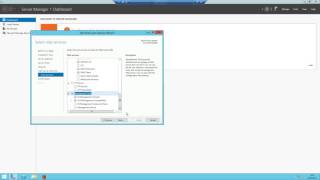 Como instalar SQL Server 2008/2012 no Windows? [MuOnline, Cabal, etc]
FireServers · 5:36 · 2017
 MuOnline Remaster / Mu-Classic Beta World showcase / Windows,MacOs,Linux
MuClassic · :46 · 2026
 Servidor MU 97x en 2026 + SQL Server 2019 en Windows 11
ReyLoco · 29:40 · 2026