MuADMINS
Solutions
Short fixes for common MU Online server, client and website problems, each with its source and date. “Confirmed” means the person who asked said the fix worked.
29 solutions for “database editor” in Server setup · Clear
Where are accounts, VIP, credits, resets and bans in the DV-Team Season 19 database (MySQL / MariaDB)?
DV-Team does not use SQL Server: the database is a MySQL / MariaDB dump (Navicat), databases muonline (127 tables) and log (22 tables). There is no MEMB_INFO and no stored procedure, so S...
Not verifiedWritten by MuADMINSMuEditor cannot connect to SQL Server (Louis S6 update 15).
1. Follow the Louis setup video for SQL and ODBC. 2. The missing part was opening the SQL port (1433 by default) in the firewall. 3. Open it and connect again.
✓ Confirmed by the topic starterCreandoMU · 2020-08-14Nothing is saved in game and editors say the database is read-only
The database that came with a repack can be damaged or incomplete. Here the fix was to use the clean database of the package the files are based on. 1. Download the original package the r...
✓ Confirmed by the topic starterTUServerMU · 2024-01-28SQL command to give credits to every account (DarksTeam 97d+99i)
1. Open SSMS / Query Analyzer on the MuOnline database. 2. For all accounts run UPDATE MEMB_CREDITS SET credits=credits+500. 3. For one account run UPDATE MEMB_CREDITS SET credits=credits...
✓ Confirmed by the topic starterDarksTeam · 2021-12-28DarksTeam 97d+99i on Windows 10 64-bit: servers say they cannot connect to SQL after installing SQL 2008. Editing the ODBC .reg did not help.
1. Uninstall the SQL Server 2008 instance that was installed with Windows authentication only. 2. Reinstall it choosing Mixed Mode and give sa a password. 3. Restore the MuOnline database...
✓ Confirmed by the topic starterTuServerMU · 2018-08-05MuEmu S6 by Louis: DataServer and JoinServer say 'Could not connect to database' with both included databases, even with correct IPs and open ports.
1. The included ODBC .reg created a data source named MuOnlineS6 pointing to database MuOnlineS6. 2. Edit the ODBC data source (or the .reg) so the name and database match what the server...
✓ Confirmed by the topic starterTuServerMU · 2017-10-10Restoring the MuOnline database fails in SQL Server 2022 (MSPro v17 files)
1. In SQL Server Management Studio right click Databases > Restore Database, choose Device and pick the .bak file that came with the files. 2. Open the Options page. 3. Tick "Overwrite th...
✓ Confirmed by the topic starterTUServerMU · 2026-09-27How do I add WCoin or Goblin Points to an account with a SQL query on IGCN files?
The table is T_InGameShop_Point, but the columns changed between seasons: - Season 9 and 12: AccountID, WCoinC, WCoinP, GoblinPoint (float) - Season 16, 17, 18: AccountID, WCoin, GoblinPo...
Not verifiedWritten by MuADMINSRemote tools or the web cannot reach a SQL Express or named instance on port 1433. How do I make SQL listen on a fixed port?
1. Named instances use dynamic ports by default; only the default instance uses 1433. 2. SQL Server Configuration Manager > SQL Server Network Configuration > Protocols for your instance...
"Account does not exist" or the login fails although the account is in MEMB_INFO: what to check in the database
Check these in order (all read only, nothing changes): 1. Is the server reading the same database? MuEmu, Louis, MSPro, X-Team, MuDevs use the ODBC DSN in JoinServer.ini (JoinServerODBC =...
Not verifiedWritten by MuADMINSWhich databases and procedures do WebZen 97d, Season 2 and Season 3 files use?
- 97d (RaGEZONE pack): MuOnline.bak and Ranking.bak, SQL Server 2000 backups (restore them on 2005, 2008 or 2008 R2 first: 2012 and newer cannot restore a SQL 2000 backup). WZ_CONNECT_MEM...
Not verifiedWritten by MuADMINSWhat are the MSPro database settings (ODBC, MD5Encryption, DisconnectOnlineAccount) and the update queries?
MSPro files connect through the ODBC DSN named MuOnline: - JoinServer\JoinServer.ini: JoinServerODBC = MuOnline, CaseSensitive = 0, MD5Encryption = 0, MaxIPLimit = 0, MaxHwIDLimit = 0, Di...
Not verifiedWritten by MuADMINSWhy did IGCN CreateDatabase.sql delete my databases, and what must I change before running it?
Database\1. Full Scripts\CreateDatabase.sql starts with two switches: - DECLARE @DropExistingDatabases INT = 1: with 1 it DROPS existing databases named Me_MuOnline, MuOnline, Events, Ran...
Not verifiedWritten by MuADMINSMuEmu (Louis) files: where do I enter the SQL user and password? I cannot find it in any server config
MuEmu servers do not keep the SQL login in their config files: JoinServer and DataServer reach the database through ODBC. 1. Run the ODBC .reg file that comes with the files, or create th...
✓ Confirmed by the topic starterTUServerMU · 2020-07-12MuEmu S4: the server and MuMaker do not see the databases on SQL Server 2008 R2 even with remote connections and TCP/IP enabled.
1. Check how SQL Server was installed: it had been set up as a named instance. 2. The files and MuMaker expect the default instance, reached as (local) or the PC name. 3. Reinstall SQL Se...
✓ Confirmed by the topic starterTuServerMU · 2017-11-11During SQL Server setup the password for sa is rejected no matter what I type. Why?
1. Setup enforces the Windows password policy on the sa password. 2. Use at least 8 characters that mix uppercase letters, lowercase letters and numbers (a symbol helps too). 3. Do not us...
✓ Confirmed by the topic starterTuServerMU · 2017-07-21I changed a character, coins or a vault with SQL and the change disappeared (UPDATE while the server is on)
The running server keeps its own copy of every online character and account and writes it back to the database, so an UPDATE made while that player is online can be overwritten a moment l...
Not verifiedWritten by MuADMINSJoinServer and DataServer stopped connecting to the database (MuEmu Season 8)
Restoring the database and the ODBC data sources again did not help: the SQL login the servers use did not have the rights it needs. 1. Open SQL Server Management Studio and go to Securit...
✓ Confirmed by the topic starterTUServerMU · 2018-10-06How do I fix a vault (warehouse): forgotten vault password, or a broken vault that must be emptied safely?
Every MSSQL family we read has warehouse (AccountID, Items varbinary, Money, EndUseDate, pw ...); the Items size differs (IGCN S17 7680 bytes, MuDevs 6000, X-Team S17 4800, WebZen S2 1920...
Not verifiedWritten by MuADMINSHow do I change the items new characters start with equipped?
1. Create a character and equip it with MuEditor as you want. 2. Copy that character's Inventory value in SQL. 3. Run UPDATE DefaultClassType SET Inventory = <copied value> WHERE Class =...
✓ Confirmed by the topic starterCreandoMU · 2020-08-15
Videos on MUTube
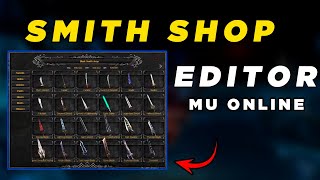 Editor SmithShop Louis Emulator Mu Online
GamesWTeam Solutions · 13:55 · 2024
 Tool to redo the Message txt MuOnline
GamesWTeam Solutions · 3:11 · 2024
 Refazendo Item txt e Organizando IDs de forma automatica Mu Online
GamesWTeam Solutions · 7:00 · 2024
 Criando Servidor de MuOnline Parte 2 http://www.formspring.me/kcajbr
Jacksonds · 7:42 · 2010