MuADMINS
Mga Solusyon
Maiikling fix para sa mga karaniwang problema sa MU Online server, client at website, bawat isa ay may source at petsa. Ang ibig sabihin ng “Kinumpirma” ay sinabi ng nagtanong na gumana ang fix.
9 solusyon para sa “tooltip” sa Game client · I-clear
Client BMD (Louis Update 13, S6E3): error for data/local/spn/MasterSkillTooltip_Spn.bmd when the client starts in Spanish
1. The Spanish copy Data\Local\Spn\MasterSkillTooltip_spn.bmd is corrupt; the English one in Data\Local\Eng is fine. 2. Copy MasterSkillTooltip_eng.bmd from the Eng folder into the Spn fo...
✓ Kinumpirma ng nagsimula ng topicTUServerMU · 2020-02-16Ancient set options do not show in the item tooltip, although ItemSetType and ItemSetOption are correct
A client effects plugin was breaking the tooltip. 1. The asker had added the TronEffects DLL (a free effects plugin shared in the forum) to the client. 2. Remove that DLL and the files it...
✓ Kinumpirma ng nagsimula ng topicTUServerMU · 2020-09-02Edits to ItemTooltip_eng.bmd and ItemTooltipText_eng.bmd never show in game (client built from the Louis Season 5.2 main source)
1. The Season 5.2 main built from the Louis source does not read ItemTooltip_eng.bmd or ItemTooltipText_eng.bmd at all, so editing, copying or even deleting those files changes nothing. 2...
✓ Kinumpirma ng nagsimula ng topicRaGEZONE · 2026-07-02MuEmu S6E3 client shows an error at start about a damaged MasterSkillTooltip file (Spanish client).
1. Go to the client folder Data/Local/Eng and copy MasterSkillTooltip_eng. 2. Paste it into the folder of the language that fails and rename _eng to _spn (replace the damaged file). 3. St...
✓ Kinumpirma ng nagsimula ng topicTuServerMU · 2019-02-25Data\Local\Spn\MasterSkillTooltip_spn.bmd 'file corrupted' for only some players (MuEmu S6 client).
The client data is English only, and players with Spanish selected load the Spn folder. 1. Set the language to English in the launcher config, or 2. copy the Eng files into the Spn folder...
✓ Kinumpirma ng nagsimula ng topicTuServerMU · 2016-12-17Item descriptions show in strange colors and with wrong extra lines in the client
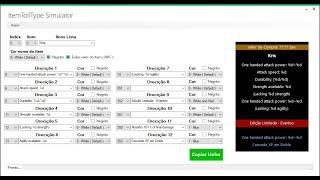
1. In the files client tools, open the EncryptBMD folder. 2. Edit JCItemtooltip.txt and JCTexttooltip.txt (item tooltip texts and colors). 3. Encode them back to .bmd with the encoder of...
✓ Kinumpirma ng nagsimula ng topicTUServerMU · 2021-04-29KoshGames S6 files: the Seal of experience shows '150%' in game but the server gives only 15%; where is that text edited?
The text shown for the seal buff is not in ItemTooltipText or Text.bmd. 1. Open the client file BuffEffect.bmd (client Data folder) with a BMD editor (the thread mentions BMD Editor or Ma...
✓ Kinumpirma ng nagsimula ng topicTUServerMU · 2020-08-03Louis update 29: the custom buff icons show no text when pointing at them.
1. You built the client from your old MainInfo. 2. Use the default MainInfo of the new update (or merge the update into yours correctly). 3. Generate the main info again and copy it into...
✓ Kinumpirma ng nagsimula ng topicCreandoMU · 2023-01-25A custom jewel shows on the ground but has no image in the inventory (IGC Season 9.5 files).
The jewel was missing from itemTRSData.bmd in the client. Add the item there as well as in item.bmd and the tooltip files.
✓ Kinumpirma ng nagsimula ng topicRaGEZONE · 2025-11-01