MuADMINS
Solutions
Short fixes for common MU Online server, client and website problems, each with its source and date. “Confirmed” means the person who asked said the fix worked.
2 solutions for “database editor” in Game client · Clear
Serial does not match the client and the main is encrypted, so HxD and main editors fail (0.97 + Retail2 files).
1. Restore the MuOnline.bak shipped in C:\MuServer\DB. 2. Create the ODBC entry (64 bit). 3. Delete the CheckSum file in C:\MuServer\data\lang\kor. After this the client connected.
✓ Confirmed by the topic starterTuServerMU · 2020-03-28MuEmu S6 client: how to remove WCoinP and Goblin Points from the game window title and rename WCoinC
That text is not in the text.bmd files nor in the database: it is written by the client main.dll. 1. If you have the main source, change it there and rebuild. 2. Without source, open main...
✓ Confirmed by the topic starterTUServerMU · 2021-02-16
More answers for “database editor”
2 in Game client, 82 in other categories and server files:
Titan Editor: cannot connect to the MU database to create accounts (single MuOnline database)
1. Open the Titan Editor config. With only one database (MuOnline) both ODBC names point to it: [Connection] ODBC=MuOnline, ODBC_Me=MuOnline, User=sa, Password=yourpass, SQLServer=(local)...
✓ Confirmed by the topic starterRaGEZONE · 2013-09-25MuEditor 2.1 / MuMaker: 'SQL Connection failed' with a 97d+99i server, even when run as administrator
1. Running the editor as administrator did not help. 2. The editors connect through the ODBC data sources of the server (MuOnline, MuOnlineJoinDB and so on), so these must be registered c...
✓ Confirmed by the topic starterDarksTeam · 2016-05-07MU DB Helper: how do I install the item, inventory and vault database editor for Ex702 and newer servers?
1. Requirements: Visual Studio 2013, SQL Server 2012 or newer, ODBC Driver 13 and a MU Online Ex702+ database. 2. Clone the repository and make sure a MuOnline database exists (CREATE DAT...
MFS Database Tool: the backup gives the same error as other backup managers, even with (local), Windows authentication or 127.0.0.1
1. Connect to your SQL Server as usual (the tool supports SQL Server 2000 and 2008 style connections). 2. Do not pick the database with the drop down button: type the database name (for e...
✓ Confirmed by the topic starterRaGEZONE · 2014-02-11CzF MU Editor 1.5: DBNETLIB error at install; it only finds the SQL Server 2019 instance, not the 2008 R2 one with the MU database
1. The editor setup only lists the database options when it reaches the newer SQL Server instance; with two instances (2008 R2 and 2019) it failed with the DBNETLIB error on the old one....
✓ Confirmed by the topic starterRaGEZONE · 2020-07-10MuEditor and MuEditorDeCuenta (account editor) cannot connect to SQL Server on the VPS, both show connection errors at start
1. Configure both editors with the IP of your VPS, the SQL user sa and its password. 2. Open the SQL Server port (1433 unless you changed it) in the Windows Firewall of the VPS. 3. In SQL...
✓ Confirmed by the topic starterCreandoMU · 2023-01-01MuEditor on the host PC cannot connect to the SQL Server that runs inside a local virtual machine
1. In SQL Server Configuration Manager inside the VM enable TCP/IP (and Named Pipes), restart the SQL service and allow port 1433 in the VM firewall. 2. In the editor config fill both blo...
✓ Confirmed by the topic starterTUServerMU · 2019-11-24MuEmu S8 EP3: the server runs but MuEditor cannot connect to SQL, so I cannot create accounts or items. Changing the SQL password in config.ini did not help.
1. Open the editor's config.ini. 2. In the SERVER field put the name of your computer (right click This PC > Properties shows it), not an IP. 3. Fill in the SQL user (sa) and your passwor...
✓ Confirmed by the topic starterTuServerMU · 2016-09-14
Videos on MUTube
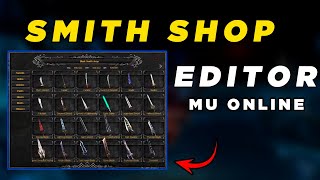 Editor SmithShop Louis Emulator Mu Online
GamesWTeam Solutions · 13:55 · 2024
 Tool to redo the Message txt MuOnline
GamesWTeam Solutions · 3:11 · 2024
 Refazendo Item txt e Organizando IDs de forma automatica Mu Online
GamesWTeam Solutions · 7:00 · 2024
 Criando Servidor de MuOnline Parte 2 http://www.formspring.me/kcajbr
Jacksonds · 7:42 · 2010