MuADMINS
Giải pháp
Các cách sửa ngắn gọn cho những lỗi thường gặp của server, client và website MU Online, mỗi cách đều kèm nguồn và ngày. “Đã xác nhận” nghĩa là người đặt câu hỏi cho biết cách sửa đã hiệu quả.
21 giải pháp cho “interface” · Xóa lọc
MuOnline Interface Express (OGC-Soft, loading screen editor): the program freezes on Windows 10 Enterprise
1. Download the fixed build MuOnline Interface Express 1.0.2 that the authors posted in the thread: it fixes the freeze ("se tildaba el programa"). 2. If an old build still fails, the aut...
Not verifiedTUServerMU · 2018-11-28Pink lines over the MuHelper window in the client; changing the interface image did not help
1. Install QeffectsGL in the client folder (the asker shared a client fix with MuHelper + QeffectsGL). 2. Delete the client Logs folder. 3. Start the client again: the pink lines are gone.
✓ Được người mở chủ đề xác nhậnTUServerMU · 2021-02-10IGCN S6E3 (free files): where to translate client texts that are not in text_eng.bmd or English.xml
1. Normal client texts: Client\Data\Local\Eng\text_eng.bmd. 2. Texts drawn on buttons are pictures: the .ozj files in Client\Data\Interface; edit them with Pentium Tools (convert, edit th...
✓ Được người mở chủ đề xác nhậnRaGEZONE · 2019-10-01MUimgGUI: the map name shown when you move to a city is in Korean; where is it translated?
1. That name is not in text.bmd: it is an image in Data\Interface of the client, for example lorencia.OZT (OZT is a TGA, used because of the transparency). The other map names are .OZT fi...
✓ Được người mở chủ đề xác nhậnImperyus Games Brasil · 2016-03-23MainInfo: after setting SelectCharS13 = 0 in main.info the old Season 6 server and character select screen looks broken
1. The marked solution: most likely the client is missing the textures of that interface; make sure the client has them. 2. Also check the main_info folder, in its customs folder: if ther...
✓ Được người mở chủ đề xác nhậnRaGEZONE · 2025-08-19The master skill tree shows black icons with numbers such as 549 and 550 instead of the skill images
1. The client is missing the master skill tree interface textures for its version. 2. Replace the files in the client Data\Interface\ folder with the matching ones (the helper uploaded a...
✓ Được người mở chủ đề xác nhậnRaGEZONE · 2017-10-02The whole PC slows down (mouse lag) when the windowed client is not in focus (ZxGames V6.0 Full Premium files).
In MainInfo.ini set CustomInterfaceType = 0 (S6 original). Type 4 (Legends) caused the lag. Then regenerate the client main files.
✓ Được người mở chủ đề xác nhậnTuServerMU · 2025-07-18MuLogo maker: how to make a custom loading screen or logo, and why the right half stays white or the logo is upside down
1. Run mu logo maker.exe (needs .NET Framework 3.5), choose the season whose loading screen you want and convert your image. 2. The image is split in parts: a part that shows white in gam...
MagicHand: how to change the names on the credits screen (STAFF text) of a 1.04e Season 6 client
1. The credits text is not in the OZT images: it is in Data\Local\credit.bmd of the client. 2. Open credit.bmd with MagicHand editor (or another BMD editor that supports it), change or re...
✓ Được người mở chủ đề xác nhậnRaGEZONE · 2016-10-17MuOnline Img Convert Tools 2.0.0: replacing the loading screen image breaks the client (main does not open after editing one piece and deleting the rest)
1. Do not delete any of the original loading screen files: the image is split in several pieces (2 big parts plus smaller squares) and the client needs all of them. 2. Put back the origin...
✓ Được người mở chủ đề xác nhậnTUServerMU · 2020-07-17Windows 10: the inventory and skill menus are invisible or transparent (Season 8 client, Intel HD graphics).
1. Remove the current Intel display driver through Device Manager (not Add/Remove Programs). 2. Install an older Intel HD Graphics driver (people used the Windows 8.1 or HD 4000 driver)....
✓ Được người mở chủ đề xác nhậnRaGEZONE · 2023-02-03Minimap BMD (S6E3): how to change, remove or add the location points shown on the map screen
1. The points of each map are in the client Data\Local\Eng\Minimap\ folder, one .bmd per map. 2. Open it with Pentium Tools or MagicHand and change the text and coordinates of the existin...
✓ Được người mở chủ đề xác nhậnRaGEZONE · 2017-12-04RanSoft Launcher: how to change the server name, the launcher texts and the theme (and set up its auto update)
1. Server name: ldata\conf\config.cfg, line ServerName. 2. Other texts inside the exe: search them with a hex editor (fill with 00 to blank them); if the hex editor cannot find a string,...
✓ Được người mở chủ đề xác nhậnRaGEZONE · 2013-05-31MagicHand: which client files hold the server names, skill names and other texts of a MuEmu S6E3 client
1. Open the client files with MagicHand. 2. Skill names: Data/Local/Eng/skill_eng.bmd. 3. Server names in the server list: Data/Local/ServerList.bmd. 4. Other game texts: Data/Local/Eng/t...
✓ Được người mở chủ đề xác nhậnTUServerMU · 2018-02-04MuEmu files: screenshots taken in game carry a logo watermark; how to remove it
1. In the files Tool folder open MainInfo.ini and find the 'Enable Print Screen + logo' block. 2. PrintLogo values: 0 = disabled, 1 left top, 2 right top, 3 left bottom, 4 right bottom, 5...
✓ Được người mở chủ đề xác nhậnTUServerMU · 2023-08-07S6 files with LuckyWheel (KoshGames based): changed the rewards, but the wheel still shows the old pictures and the edited message does not change
1. Texts: these files have the message file in several languages (Message.txt in three languages, also Data\Util\Mensaje_xxx.txt); edit the message in every language copy, then restart th...
✓ Được người mở chủ đề xác nhậnTUServerMU · 2020-10-25Season 9 client: how do I remove the pop-up window that opens as soon as you enter the game?
1. The pop-up is the event notice interface of the client. 2. Delete (or move out) Data\Interface\GFx\Notice\Eventnotice.OZP from the client. 3. Start the client again; the pop-up is gone...
✓ Được người mở chủ đề xác nhậnRaGEZONE · 2018-07-18MuMain: how do I install an HD texture pack without overwriting the original OZJ and OZT files?
1. Copy the pack folder into Data/TexturePacks/. It mirrors Data/, for example Data/TexturePacks/upscaled/World1/TileGrass01.OZJ. 2. Open the options, Interface tab, choose the pack under...
Mu Online World Editor S16 (solarismu): which client it loads and what to copy when you convert a map for a lower season
1. The open source editor is made for Season 16 part 1.1 (main 1.19.46) world files; the author gives no support for other versions. Use the loading world tab and the tutorial in the rele...
MUWorldEditor 0.2.0 (orz8): how to add, delete and move objects and move the camera on a map
1. Open the map folder and load the encrypted EncTerrainX.map of that map. 2. Go to the object sub interface on the toolbar and pick the object in the object menu. 3. Hold Ctrl and left c...
Video trên MUTube
 MuOnline Season 6.3 - Sửa lỗi Custom Interface Ex700, Legend C,V vạch đen ở Inventory
CuCuMaLu · :28 · 2020
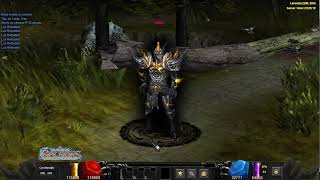 Mu Online 5.2 - Demostración de Interface Skin Black | Custom Main
muserverfiles · :17 · 2026
 Skin giao diện Multi Launcher cho Mu Server
Game Templates · 1:28 · 2026
 Chỉnh sửa MiniMap MuOnlineS16
[GM]KING · 7:05 · 2021