MuADMINS
Çözümler
Yaygın MU Online sunucu, client ve web sitesi sorunları için kısa düzeltmeler; her biri kaynağı ve tarihiyle. “Onaylanmış”, soruyu soran kişinin düzeltmenin işe yaradığını söylediği anlamına gelir.
30 çözüm “disabled” için · Temizle
CzF Editor 1.5a: creating a new account gives an error although MD5 is disabled in the editor options
1. With MD5 off in the editor, the password column must be plain text, but in this database memb__pwd was still binary. 2. Open Enterprise Manager (or Management Studio) > Databases > MuO...
✓ Konu sahibi tarafından onaylandıRaGEZONE · 2007-10-05DMN CMS 1.1.8: reset and grand reset show as disabled on the site and the level/zen requirements do not apply, although register and login work.
1. Open the DMN reset and grand reset settings in the admin panel. 2. The reset ranges must start from 0, not from 1 (a player with 0 resets otherwise matches no range). 3. Save and test...
✓ Konu sahibi tarafından onaylandıRaGEZONE · 2018-12-08How do I turn MD5 passwords on or off (enable / disable) on IGCN files (PasswordEncryptType, memb__pwd)?
On IGCN files the password mode is chosen in the DataServer and the database column must be of the matching type. If they do not match, nobody can log in. 1. Close the whole server and ba...
Not verifiedMuADMINS tarafından yazıldıMixing the Dark Lord cape (Crest of Monarch) always gives Elf level 2 wings.
1. Open Common.dat, section Disable Wings Class Mix. 2. Set DisableWingMixDL = 0 (and the other classes you want enabled). 3. Restart the GameServer.
✓ Konu sahibi tarafından onaylandıCreandoMU · 2020-08-05Louis S6 Up19: only 1 in 8 to 15 monsters seems to give experience, and some maps none.
1. The EXP message was turned off, so gains were not shown. 2. In GameServer/Data/Common set DisableExpMessage = 0. 3. Restart and check again.
✓ Konu sahibi tarafından onaylandıCreandoMU · 2023-02-09Louis S6 Up19: how do I disable the stats/rank box shown when pointing at a character?
1. Open GameServer/Data/GameServerInfo - Custom.txt. 2. Find the Custom RankUser settings and set CustomRankUserSwitch to 0. 3. Restart the GameServer.
✓ Konu sahibi tarafından onaylandıCreandoMU · 2023-02-08Players cannot leave a guild: the game asks for the personal ID and rejects it (DarkMaster 97d+99i Beta 25)
1. Open DTData\Common.ini. 2. Set DisablePersonalID = 0 (the value given in the confirmed answer). 3. Restart the GameServer and leave the guild again.
✓ Konu sahibi tarafından onaylandıDarksTeam · 2012-10-03GameServer 0.97 (DarksTeam 97d Beta 41) disconnects Dark Wizard / Soul Master with [ClientHack Detected : Editing AttackSpeed]
The characters wear items that need more Strength or Agility than they have, so the attack speed check fires. 1. Either give the characters the stat points the items require, or 2. Open D...
✓ Konu sahibi tarafından onaylandıDarksTeam · 2018-12-29How to disable or remove a skill (the Dark Lord Chaotic Diseier skill) from the server
1. Open the server skill list in the Data folder (Skill.txt). 2. Put // at the start of the skill line to comment it out (in the thread: //238 "Birds" 190 50 15 0 6 0 ...). 3. Restart the...
✓ Konu sahibi tarafından onaylandıTUServerMU · 2020-12-25Louis S6 EP3: how to disable the VIP purchase option for now
1. On Louis S6 Episode 3 files the VIP purchase options are set in MuServer\Data\Custom\CustomBuyVip (server side). 2. Edit that file to switch off or remove the VIP packages you do not w...
✓ Konu sahibi tarafından onaylandıTUServerMU · 2020-08-06Season 6 (main 1.04 based, S6.15 files): Rage Fighter gloves show in the wrong position
1. Add the gloves to CustomGlove.txt in the GetMainInfo folder. 2. In MainInfo.ini make sure the custom gloves system is on: DisableCustomClaws = 0 and DisableCustomGlove = 0 (0 means ena...
✓ Konu sahibi tarafından onaylandıTUServerMU · 2021-09-29How to disable the guild warehouse (Royal Guard Captain NPC) on MuEmu S6 files.
1. Open MuServer/GameServer/Data/GameServerInfo - Custom.txt. 2. In the Custom Guild Warehouse block set GuildWarehouseEnable = 0. 3. GuildWarehouseStatus sets who may use it when enabled...
✓ Konu sahibi tarafından onaylandıTuServerMU · 2020-09-07P4F Launcher System 2.3 Lite: Run button greyed out, website box empty and error 12029; it only works with the LAN IP
1. The update server UpdSrv (in the UpdSrv folder of the release) must be configured and running, or the launcher shows no site and no Run button. 2. In UpdSrv set Game File = your main e...
✓ Konu sahibi tarafından onaylandıRaGEZONE · 2013-06-03Louis update 32: every socket item shows the option error "0 15 15" (visual only, the item works).
1. Open the MainInfo settings. 2. Disable AllowSocketHarmony. 3. Generate the main info again and copy it into the client.
✓ Konu sahibi tarafından onaylandıCreandoMU · 2023-01-28Ancient items set for Kundun, bosses and the CS map never drop.
1. Check the Drop column of those items in Item.txt. 2. It was 0 (drop disabled). 3. Set it to 1 for the items that must drop and restart.
✓ Konu sahibi tarafından onaylandıCreandoMU · 2021-09-22Louis update 24 Premium: the MU Helper is set correctly but does not pick up items.
1. The asker had enabled the option that lets the MU Helper use the inventory. 2. That option broke the pick up. 3. Disable it again and the helper picks items normally.
✓ Konu sahibi tarafından onaylandıCreandoMU · 2021-02-18Louis files: killing a certain monster (Hound) shows numbers in the middle of the screen
It is not the experience message setting: a custom monster mod had an announcement set for that monster. 1. Open the CustomMonster config of your files and find the line of that monster....
✓ Konu sahibi tarafından onaylandıTUServerMU · 2020-11-05The in-game menu shows no WCoinC or Goblin Points in finances, VIP cannot be bought and the NPC that sells for WCoinC refuses
The coins in the in-game menu depend on the cash shop (X-Shop) being active. 1. Open the server config where the cash shop (X-Shop) is switched on or off and enable it again. 2. Restart o...
✓ Konu sahibi tarafından onaylandıTUServerMU · 2020-07-14MuEmu files: screenshots taken in game carry a logo watermark; how to remove it
1. In the files Tool folder open MainInfo.ini and find the 'Enable Print Screen + logo' block. 2. PrintLogo values: 0 = disabled, 1 left top, 2 right top, 3 left bottom, 4 right bottom, 5...
✓ Konu sahibi tarafından onaylandıTUServerMU · 2023-08-07TitansTech 11.70.24: how do I limit the number of resets? SCF_Resets.ini has no limit
1. The limit is in the VIP config: open GameServer\scf_vip.ini. 2. Change SCFIsResetFreeLimit=0 to SCFIsResetFreeLimit=1. 3. Set SCFFreeResetMax to the maximum number of resets (for examp...
✓ Konu sahibi tarafından onaylandıRaGEZONE · 2013-03-16
MUTube videoları
 MUONLINE FPS LAG'I NASIL KALDIRILIR - KESİN ÇÖZÜM - TEST AŞAMASI
Gui PvP · 8:52 · 2024
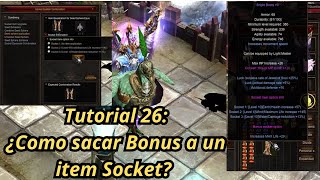 Mu Online Eğitim 26: Socket itemden bonus opsiyonu nasıl çıkarılır?
NaQuEvEr · 7:52 · 2025
 MU Online'da LAG nasıl KALDIRILIR * Programsız* #muonline #antilag #mmorpgs
JeongGuwonYT · 7:07 · 2020
 MuOnline emülatörünün Print Screen logosunu kaldırma/değiştirme
Josue Ochoa · 22:36 · 2022