MuADMINS
Решения
Короткие исправления частых проблем серверов, клиентов и сайтов MU Online, каждое с источником и датой. “Подтверждено” означает, что автор вопроса сообщил, что исправление сработало.
Решений: 8 по запросу “glow editor” · Сбросить
Glow Editor (97d+99i): 'Parâmetros insuficientes. Eram esperados 1.' after adding your own items
1. The error comes from the item database the Glow Editor reads: something was added wrongly in the Items.mdb of MuEditor. 2. Review the items you added there and correct them; the asker...
✓ Подтверждено автором темыImperyus Games Brasil · 2012-04-18Glow Editor: changing the glow does nothing on the 99.28 client; which offset and calls patch glow.dll
1. The Glow Editor changes only work once glow.dll is patched for this main. 2. For the 99.28 client shared in TUServerMU topic 16 the asker posted these values: Offset 1B9, Call 1 004CB0...
✓ Подтверждено автором темыTUServerMU · 2018-03-30GlowEditor: an item added with its index and all the data does not appear in the list when the editor is opened again
1. Check the two numbers you typed for the item: the asker had them swapped and put the TYPE where the INDEX goes. 2. Enter the item group (type) and the item index in their own fields. 3...
✓ Подтверждено автором темыTUServerMU · 2021-06-16Glow Editor (Gembrid, 500+ custom items): how to start editing item glow colors
1. Download the editor and replace your glow.gld and glow.dll with the ones that come with it (the client must load glow.dll). 2. Open the editor and change the glow of each item; colors...
Glow Editor (Gembrid, TRN edit with 500+ custom items): how to start changing the glow of items
1. The Glow Editor changes the look (glow color) of items in the game. 2. Download it and replace glow.gld and glow.dll of your server with the ones from the editor package; then you can...
SSeMU Season 3: +13 weapons glow like +6 items
1. The item glow comes from the client file glow.gld (in the Data folder). 2. Open glow.gld with a glow editor, find the item by its id and fix its glow entry. 3. Save, copy it into the c...
✓ Подтверждено автором темыRaGEZONE · 2023-01-08KayitoTools (MuEmu 0.97k kayito): which tool edits Item.bmd, Skill.bmd and Text.bmd, and why do +15 items look broken?
1. No external BMD tool is needed: Tools/KayitoTools in the kayito repository edits all Client/Data/Local files, such as Item.bmd, Skill.bmd, Text.bmd and Dialog.bmd. 2. All 0.97 mains su...
InfoEncoder (Kayito MainInfo, 0.97k Update 19): GetMainInfo makes the files but the client no longer shows the server at start
1. Since Update 19 the MainInfo tool is called InfoEncoder and uses a new folder layout (the same as the GitHub repository). 2. The InfoEncoder folder holds the files only the encoder rea...
✓ Подтверждено автором темыTUServerMU · 2023-11-12
Видео на MUTube
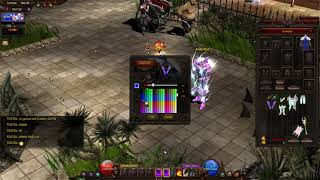 Mu Online Custom Glow System (смена цвета предмета)
Solaris Mu · 3:00 · 2021
 Добавление динамических эффектов в файлы Muemu
Josue Ochoa · 33:06 · 2020
 [Mu online] исправление лагов от эффектов с помощью GLTools 3.01
Hiệp (Trà Thái 44) · 14:11 · 2017
 glow.dll: исправление, main распознаёт glow.gld, использование glow editor Mu Online
Mundo Kurono · 7:34 · 2012