MuADMINS
Решения
Короткие исправления частых проблем серверов, клиентов и сайтов MU Online, каждое с источником и датой. “Подтверждено” означает, что автор вопроса сообщил, что исправление сработало.
Решений: 49 по запросу “delete” · Сбросить
DarksWeb 0.1: the news cannot be deleted from the site admin
The news and admin data of DarksWeb are stored in the database, not in the PHP files. 1. Open SQL Server and go to Databases > MuOnline > table MuWeb_admin. 2. Edit or delete the news row...
✓ Подтверждено автором темыDarksTeam · 2011-04-14SQL query to delete only characters and guilds but keep the accounts and their warehouse
1. Make a full backup of the database first. 2. In SQL Server Management Studio run: USE MuOnline; DELETE Character (characters). 3. For guilds run: DELETE Guild; DELETE GuildMember. 4. M...
✓ Подтверждено автором темыTUServerMU · 2021-03-30I cannot delete a MU database in SQL Server Management Studio, it gives an error because it is in use. How do I remove it?
1. Stop DataServer, JoinServer, the editors and the web that use the database. 2. In Management Studio right click the database > Delete. 3. In the Delete Object window tick Close existin...
✓ Подтверждено автором темыTuServerMU · 2018-01-06MUWorldEditor 0.2.0 (orz8): how to add, delete and move objects and move the camera on a map
1. Open the map folder and load the encrypted EncTerrainX.map of that map. 2. Go to the object sub interface on the toolbar and pick the object in the object menu. 3. Hold Ctrl and left c...
Louis files: after testing the auction system no new auction starts (or it starts and ends at once).
1. A finished auction does not run again. 2. Back up the database, then run on MuOnline: DELETE FROM EventAuction and DELETE FROM EventAuctionReward. 3. Restart the GameServer to start ne...
✓ Подтверждено автором темыCreandoMU · 2020-12-02How to remove the master skill tree skills from every character at once (S6 Up15 GamingMaster files); DELETE MasterSkillTree did not remove them
The learned skills are stored in the MagicList column of the Character table. 1. Back up the database and close the server. 2. Run: USE MuOnline; UPDATE Character SET [MagicList] = CONVER...
✓ Подтверждено автором темыTUServerMU · 2021-05-09Why did IGCN CreateDatabase.sql delete my databases, and what must I change before running it?
Database\1. Full Scripts\CreateDatabase.sql starts with two switches: - DECLARE @DropExistingDatabases INT = 1: with 1 it DROPS existing databases named Me_MuOnline, MuOnline, Events, Ran...
Not verifiedНаписано MuADMINSPentium Tools: maps removed from move.txt still show in the warp (M) window (Flawless Emu S6)
1. The warp window list comes from the client MoveReq.bmd, not from the server move file. 2. Open MoveReq.bmd with Pentium Tools (or MU S@nek Tools) and delete the row of the map; if the...
✓ Подтверждено автором темыRaGEZONE · 2024-10-27MagicHand: "Decoding Graphics Files: error" with "Warning: Missing argument 2 for deco_gmu()"
1. Open function.php in the editor folder. 2. Search for function deco_gmu($archivo,$medio){. 3. Delete ,$medio so the line reads function deco_gmu($archivo){ (the second argument belonge...
✓ Подтверждено автором темыRaGEZONE · 2010-02-07MU World Editor: a removed object (a tree) still shows in game in Lorencia but is not visible in the editor
1. Back up the map files first. 2. Quick test from the thread: open the client Object1 folder, find the .bmd model of that tree and delete it, then check in game (this removes that model...
✓ Подтверждено автором темыRaGEZONE · 2024-03-20MagicHand: which client files hold the server names, skill names and other texts of a MuEmu S6E3 client
1. Open the client files with MagicHand. 2. Skill names: Data/Local/Eng/skill_eng.bmd. 3. Server names in the server list: Data/Local/ServerList.bmd. 4. Other game texts: Data/Local/Eng/t...
✓ Подтверждено автором темыTUServerMU · 2018-02-04Hex editor: after changing the no-ip host inside main.exe to a shorter one, the main stops working (white icon) or does not connect
1. Never delete bytes from main.exe: removing the extra letters with Delete shifts the file and breaks it. 2. Overwrite the old host with the new one in place (example: emma.sytes.net cha...
✓ Подтверждено автором темыTUServerMU · 2018-09-03MuOnline Img Convert Tools 2.0.0: replacing the loading screen image breaks the client (main does not open after editing one piece and deleting the rest)
1. Do not delete any of the original loading screen files: the image is split in several pieces (2 big parts plus smaller squares) and the client needs all of them. 2. Put back the origin...
✓ Подтверждено автором темыTUServerMU · 2020-07-17CzF Editor: after restoring the databases the editor login fails with 'ID not authenticated or banned' (1.02n + S2)
1. The editor login you created on the first run was lost when the databases were restored. 2. Close the editor and open its folder. 3. Delete (or edit) CzFMuEditor.ini. Its [ODBCConnecti...
✓ Подтверждено автором темыImperyus Games Brasil · 2011-06-03OpenMU: after a restart all my configuration and data were gone and the database was initialized again.
1. With Docker the Postgres data must live in a volume. 2. The provided docker-compose files persist it in volumes, so the data was lost because the volumes were deleted or the setup did...
✓ Подтверждено в issueGitHub (MUnique/OpenMU) · 2023-11-11After restoring an old backup, characters with the same name can be created on different accounts.
1. The name primary key was lost. 2. Delete the duplicated rows one by one. 3. Restore the primary key before allowing new characters.
✓ Подтверждено автором темыImperyus Games Brasil · 2010-12-170.97d: every item (even shop items) gets serial 00000000.
1. The trigger that creates item serials was deleted when the server was reset. 2. Recreate the serial trigger (run its script with the server off) and check the item serial counter is no...
✓ Подтверждено автором темыImperyus Games Brasil · 2013-05-26Morpheus web install stops with error 47.
1. Back up the database first. 2. Delete the columns Credits, indocation and indicated from MEMB_INFO. 3. Run the Morpheus installer again.
✓ Подтверждено автором темыCreandoMU · 2020-08-08Louis update 25: custom rank titles show errors even with a correct CustomRankUser.txt.
1. The cause was a comment line placed after end in Muserver/Data/Customs/CustomPet.txt (path as posted). 2. Delete comments after end (keep notes before it) in custom txt files. 3. Resta...
✓ Подтверждено автором темыCreandoMU · 2021-05-28Louis S8 update 24: the GameServer crashes when a player picks up an excellent item.
1. Open custom.dat in the Custom Pick Message section. 2. Delete the PickMessageExcellent line, it does not exist in S8. 3. Keep PickMessageSwitch and PickMessageColor and restart.
✓ Подтверждено автором темыCreandoMU · 2021-02-07
Видео на MUTube
 КАК УБРАТЬ ЛАГИ FPS В MUONLINE - ОКОНЧАТЕЛЬНОЕ РЕШЕНИЕ - ТЕСТОВАЯ СТАДИЯ
Gui PvP · 8:52 · 2024
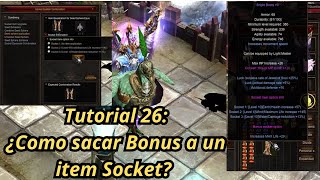 Mu Online Туториал 26: как снять бонусную опцию с socket предмета?
NaQuEvEr · 7:52 · 2025
 Как УБРАТЬ ЛАГИ в MU Online * Без программ* #muonline #antilag #mmorpgs
JeongGuwonYT · 7:07 · 2020
 Удаление/смена логотипа Print Screen в эмуляторе MuOnline
Josue Ochoa · 22:36 · 2022