MuADMINS
Soluções
Correções curtas para problemas comuns de servidor, cliente e site de MU Online, cada uma com a fonte e a data. “Confirmado” significa que quem perguntou disse que a correção funcionou.
3 soluções para “object1” · Limpar
MU World Editor: a removed object (a tree) still shows in game in Lorencia but is not visible in the editor
1. Back up the map files first. 2. Quick test from the thread: open the client Object1 folder, find the .bmd model of that tree and delete it, then check in game (this removes that model...
✓ Confirmado pelo autor do tópicoRaGEZONE · 2024-03-20How to install a downloaded Lorencia map skin (client folders and server .att file)
1. Read the notes in the archive or its release thread first. 2. Put the two folders of the skin into the client Data\ folder and replace all files. 3. On the server, copy the skin's .att...
✓ Confirmado pelo autor do tópicoRaGEZONE · 2017-01-09GFxDec (myheart): how to decrypt the Data folder of a new Webzen client (S18 to S20) to use its maps and models in a lower season
1. Run GFxDec.exe "path/to/Data" from CMD, or drag and drop the client Data folder on GFxDec.exe. 2. It decrypts almost everything into a Decrypted folder, including EncTerrain .obj files...
Vídeos no MUTube
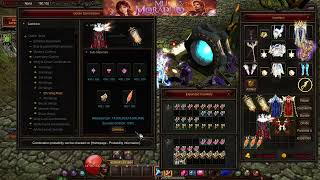 Criar Divine Object de Wing Lv. 5 ou Wing Relic de 5º nível [Parte 1 Wings Lv.5] [Mu Online]
ABC Mu Online · :23 · 2026
 Modificando as texturas e formas de objetos do MuOnline
Josue Ochoa · 1:11:52 · 2021
 Mapa Custom para o Evento Pandora #muonline
Keky MapMaker · 1:19 · 2025
 60 Mystic Gift Boxes Sem Gastar 💲💰💸! Veja O Que Eu Consegui... MU Online 2025 Webzen
mutrax · 8:14 · 2025