MuADMINS
Soluzioni
Fix brevi per i problemi comuni di server, client e siti web di MU Online, ognuno con la sua fonte e la sua data. “Confermato” significa che chi ha fatto la domanda ha detto che il fix ha funzionato.
31 soluzioni per “make item” · Azzera
97d item hex (web item script): how to make a generated item Ancient (set 1 or set 2)
1. In the 97d item hex, set characters 17 and 18 of the hex string to 05 for ancient set 1 or 10 for ancient set 2. 2. In a PHP script that builds the hex with sprintf, the easiest place...
✓ Confermato dall'autore della discussioneDarksTeam · 2023-03-10MuMaker: Season 6 Tier 2 sets (Moros, Diones, Hades ...) are missing from the Item Maker list
1. MuMaker reads its item list from mumaker.mdb: use an updated mdb that has the new items (the one shared in the thread adds the Tier 2 sets, socket items and Jewel of Harmony options)....
✓ Confermato dall'autore della discussioneRaGEZONE · 2016-11-13MuMaker 1.12 / 1.13: warehouse and inventory items do not load on a Season 4.5 database (other MuMaker builds fail too)
1. The cause is the database layout of these files, not the MuMaker install: reinstalling, MSSQL 2005 vs 2014, an Items column set to varbinary(1920) and five other MuMaker builds gave th...
✓ Confermato dall'autore della discussioneRaGEZONE · 2021-04-11MuMaker: an error box appears every time after adding new sets to MuMaker.mdb, although the items still get added after Continue
1. The error comes from a wrong row you added to MuMaker.mdb, for example an item id or an option value that does not exist (Louis gives 56 as the example). 2. Open MuMaker.mdb and check...
✓ Confermato dall'autore della discussioneCreandoMU · 2021-03-19GM item code maker: how to make the /item command line for an item and what it cannot make
1. The GameServer must have the GM /item command enabled, and you must be a GM, or the code does nothing. 2. Open maker.exe and pick the item and its options. 3. Click copy to clipboard,...
MuMaker 1.13: how to use a new item database (.mdb) with tier sets, and socket options that do not appear
1. Replace MuMaker.mdb in the MuMaker folder with the new .mdb and open mumaker.exe. 2. The items only work in game if your server files already have those tier sets. 3. In the shared .md...
MuMaker 13: other item editors break socket items on Louis MuEmu S6 files (items turn ancient colored or normal, options blank)
1. The editors the asker tried could not write socket options for these files correctly. 2. Use the MuMaker 13 build shared on the forum (the reply links it): with it the socket editing w...
✓ Confermato dall'autore della discussioneTUServerMU · 2018-11-07MuMaker: Rage Fighter gloves and weapons are missing, only helm, armor, pants and boots are listed
1. Rage Fighter gloves are weapons for that class, so MuMaker does not list them under Gloves. 2. Open the sword (weapons) category in the item maker: the RF gloves are there.
✓ Confermato dall'autore della discussioneRaGEZONE · 2012-05-19GM-Navigator V.3: how to make the GM move command and the item drop command
1. GM-Navigator is a Flash program for GMs that writes the in-game commands for you. 2. Move: type your GM nick, tick the box if your server uses /gmove, pick the map, then click the spot...
Items put on a character with Titan Editor Premium cannot be taken off: 'Este es un elemento duplicado'
The files block items with a repeated serial (anti dupe), and items written by the editor got repeated serials. 1. Delete the items that were added with the editor. 2. Create items in gam...
✓ Confermato dall'autore della discussioneTUServerMU · 2020-05-17IGCN S9 E2 repack: MagicHand does not save item_eng.bmd edits (for example to make socket items for Rage Fighter)
1. Open the Server Manager of the repack and start the client tools, then the BMD decrypter. 2. In the ex803 section pick item.bmd mode, select your item_eng.bmd and decrypt it to a text...
✓ Confermato dall'autore della discussioneRaGEZONE · 2018-02-04How do I make a monster drop one specific item with full options and +15 (item drop file columns)?
1. In the item drop file each line has: Index Level Grade Option0 Option1 Option2 Option3 Option4 Option5 Option6 Duration MapNumber MonsterClass MonsterLevelMin MonsterLevelMax DropRate....
✓ Confermato dall'autore della discussioneRaGEZONE · 2020-01-13MuMaker for Season 6 (TMT, TRN edit): what each module does and how it connects (local, remote IP or no-ip DNS)
1. It supports Season 1 to Season 6, including Rage Fighter and the first master quest classes. 2. AccountMaker edits accounts and characters (stats, quest, class, PK) and supports MD5; I...
MuMaker 1.13 (TMT): which client mains and new content this version supports
1. Version 1.13, posted by the MuMaker author (TMT), supports the KOR 1.07K main and adds support for the CHN 1.03H and JPN 1.03K mains. 2. It adds MelpMaker ("Help of MuMaker") and suppo...
MuEmu MuEditor (Louis 2017): how to make a new wing or custom item show in the editor, and "Error Items 380"
1. The editor has its own item list: convert item.bmd in the editor's Data folder to txt with BMD DEC, add the new items and convert it back. 2. Put the item picture in the editor's item...
MuMaker 1.13: ancient sets made with full excellent options lose the options in game (Titan Tech repack)
1. The editor writes the options, but the server removes excellent options from ancient items unless it is allowed. 2. Open Server\SCFData\Items\SCF_Items.ini, find the [Ancient] section...
✓ Confermato dall'autore della discussioneRaGEZONE · 2013-11-23Castle Siege mark registration says 'Incorrect Item was Registered' although the character has Signs of Lord
1. The signs in this test were created with a GM command, and those are refused by the registration NPC. 2. Use Signs of Lord that dropped from monsters; those register normally. 3. Test...
✓ Confermato dall'autore della discussioneRaGEZONE · 2020-03-26MuMaker (custom Season 6 build): an error pops up at start, even after installing .NET Framework 3.5 and running as admin
1. Install .NET Framework 3.5 and run MuMaker as administrator (this alone did not fix it here). 2. Install a clean MuMaker build (the one linked in the reply) with Run as administrator....
✓ Confermato dall'autore della discussioneRaGEZONE · 2012-01-14ItemToolTip_eng.bmd: after about 1153 lines the item tooltips no longer show in game (ExTeam files)
1. There is no line limit: the tooltips after a certain line stop showing because of a duplicate entry. 2. Open the decoded ItemToolTip file and look for a repeated item: make sure no ite...
✓ Confermato dall'autore della discussioneRaGEZONE · 2020-02-15MuEditor (MuEmu S6E3): items made with sockets or excellent options arrive clean in game (+15 with no options)
1. Look at the option 380 check box in the MuEditor item window. 2. Uncheck 380 when you make an item with sockets: with it checked the editor saves the item without its socket and option...
✓ Confermato dall'autore della discussioneTUServerMU · 2019-05-28
Video su MUTube
 Come fare item +15 Mu Online (passaggi semplici)
Cahe TUTORIALES · 9:16 · 2018
 Mu Online. Creare un item +15
Mu Online Guide · :58 · 2019
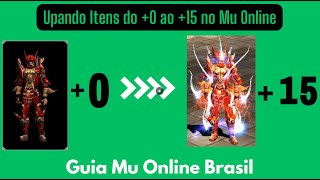 Potenziare gli item da +0 a +15 in Mu Online
Fw Games · 2:38 · 2017
 ✅ GUIDA: CONFIGURARE RATE DROP ITEM EXC, ACC e altro 😱 | LEVELS ⏩ OPZIONE | ECC | MuEmu #muonline
Xiris · 24:10 · 2024