MuADMINS
Solutions
Des correctifs courts pour les problèmes courants de serveur, de client et de site web MU Online, chacun avec sa source et sa date. “Confirmé” signifie que la personne qui a posé la question a indiqué que le correctif a fonctionné.
17 solutions pour “resolution” · Effacer
OllyDbg: how to give a 97d+99i main.exe a widescreen resolution (for example 1366x768)
1. You need OllyDbg and an unpacked 97d+99i main.exe. 2. Open main.exe in OllyDbg, right click > Search for > All referenced text strings, find Resolution and double click it. 3. Below it...
✓ Confirmé par l'auteur du sujetDarksTeam · 2019-05-25A resolution .reg file sets the wrong resolution: index 4 gives 1600x1200 instead of 1366x768.
1. A broken ExMain.dll in that client rewrote the resolution index when main.exe started; use a clean client. 2. Each client family (Louis, IGCN and others) uses its own resolution index...
✓ Confirmé par l'auteur du sujetRaGEZONE · 2020-04-26DV-Team Season 19 client: how to change resolution and fullscreen without editing LauncherOption.if by hand every time
1. Unzip the launcher into the client main folder and install the runtime the release post links. 2. Run it with administrator rights: it reads and writes the registry and starts main.exe...
MUOnlineSetup: how do I change the MU client resolution, window mode and sound without editing the registry?
1. The MU client keeps music on or off, sound effects on or off, window or full screen mode and the resolution in the Windows registry, which is tedious to edit by hand. 2. MUOnlineSetup...
MuCFG V3 (client configurator): how to set resolution, window mode, language and sound for a MU client, and why the settings may not apply
1. MuCFG only writes the client settings to the Windows Registry (regedit), so run it as administrator or it cannot save them. 2. Install .NET Framework 3.5, which the tool needs. 3. Choo...
MU Launcher + Autoupdate (myheart): changing resolution, sound and other options does nothing on a Season 9 client
1. The first builds did not write the Season 9 client options. 2. Download the updated version from the first post of the thread: the author added Season 9 support (December 2018). 3. Rep...
✓ Confirmé par l'auteur du sujetRaGEZONE · 2018-12-14Resolution Changer (HTA, Mr-K): how it sets the client resolution and how to make it fill in the saved account ID
1. The tool is an HTA (HTML application): it runs on any Windows and you edit it with right click, Edit, in any text editor. 2. It writes the resolution (and a saved account) into the Win...
After upgrading Windows 8.1 to 10 the client shows graphic artifacts in window mode (ATI card).
The ATI OpenGL file atioglxx.dll was missing although the client gave no error. Restoring atioglxx.dll (part of the AMD/ATI display driver) fixed it.
✓ Confirmé par l'auteur du sujetRaGEZONE · 2015-12-26Client 1.0L / 99b: letters show bigger and some in Chinese
1. Right click the desktop > Properties > Settings. 2. Set the screen resolution to 1280x1024 (the resolution the client expects). 3. Start the game again.
✓ Confirmé par l'auteur du sujetDarksTeam · 2008-05-25Mu CLI Launcher: a simple launcher for Season 19 clients that keep their settings in the registry, what it does and does not do
1. Run Mu Launcher.exe. 2. Optionally open the settings: account name, resolution, window mode, audio settings and the game path. They are written to the registry, so it works with the S1...
The whole PC slows down (mouse lag) when the windowed client is not in focus (ZxGames V6.0 Full Premium files).
In MainInfo.ini set CustomInterfaceType = 0 (S6 original). Type 4 (Legends) caused the lag. Then regenerate the client main files.
✓ Confirmé par l'auteur du sujetTuServerMU · 2025-07-18The Season 12 client opens shifted and not centered on the screen.
Edit LauncherOption.if in the client folder and set 'DevModeIndex:0' and 'WindowMode:1' (keep the ID line). Start the client again.
✓ Confirmé par l'auteur du sujetTuServerMU · 2019-04-04MUimgGUI: how to recolor a set (or any other texture) of the client with Photoshop
1. Set textures are the .OZJ files in Data\Player (the models are the .BMD files). Copy the files of the set to a new folder first; the guide uses the Guardian set. 2. Open each .OZJ in M...
✓ Confirmé par l'auteur du sujetZone-Game.info · 2008-06-23WinHex: how to find the IP and serial offsets inside main.exe (1.02R KOR) to use them in a DLL
1. Start the client (main.exe) normally, in window mode or with a minimizer. 2. Open WinHex and choose Tools > Open RAM (or press Alt+F9). 3. In the process list pick the running main.exe...
✓ Confirmé par l'auteur du sujetImperyus Games Brasil · 2012-10-19myheart's MU Launcher repacked for IGCN S9: how to force players to start the game through the launcher
1. The repack (by Desperate) adds auto update, resolution, window mode and serial key sync with main.exe for the IGCN Season 9 client only; IGCN uses its own resolution system, so it does...
GlobalMu Launcher 2009: how to change the news or a word shown in the launcher
1. Open the launcher message.wtf with an editor for .wtf files and change the news or the text, then save. 2. The launcher also has AutoUpdate, WinModem, resolution and color options.
MuTexConv (muonline-appz): how do I convert OZJ, OZB and OZT textures to JPG, BMP and TGA and back?
1. muonline-appz by tehKaiN holds small MU tools written from 2006 to 2014 (Pascal sources with Polish comments; no further updates). 2. MuTexConv is a command line tool: it converts OZJ,...
Vidéos sur MUTube
 Comment CHANGER la RÉSOLUTION dans MU ONLINE
Vídeo Tutoriais · :36 · 2026
 Comment changer la résolution dans MU ONLINE sur PC
b1984 · :20 · 2021
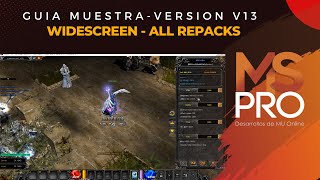 MSPro - Écran large (tous les repacks)
MSPro - MuServerPro - Desarrollo de MuOnline · 3:14 · 2023
 Playpark MU : résolution d'écran et erreur de connexion Gmail/FB, astuces rapides
Adikz_EdsGamer · 4:49 · 2020