MuADMINS
Mga Solusyon
Maiikling fix para sa mga karaniwang problema sa MU Online server, client at website, bawat isa ay may source at petsa. Ang ibig sabihin ng “Kinumpirma” ay sinabi ng nagtanong na gumana ang fix.
9 solusyon para sa “glow” · I-clear
Glow Editor (97d+99i): 'Parâmetros insuficientes. Eram esperados 1.' after adding your own items
1. The error comes from the item database the Glow Editor reads: something was added wrongly in the Items.mdb of MuEditor. 2. Review the items you added there and correct them; the asker...
✓ Kinumpirma ng nagsimula ng topicImperyus Games Brasil · 2012-04-18Glow Editor: changing the glow does nothing on the 99.28 client; which offset and calls patch glow.dll
1. The Glow Editor changes only work once glow.dll is patched for this main. 2. For the 99.28 client shared in TUServerMU topic 16 the asker posted these values: Offset 1B9, Call 1 004CB0...
✓ Kinumpirma ng nagsimula ng topicTUServerMU · 2018-03-30GlowEditor: an item added with its index and all the data does not appear in the list when the editor is opened again
1. Check the two numbers you typed for the item: the asker had them swapped and put the TYPE where the INDEX goes. 2. Enter the item group (type) and the item index in their own fields. 3...
✓ Kinumpirma ng nagsimula ng topicTUServerMU · 2021-06-16SSeMU Season 3: +13 weapons glow like +6 items
1. The item glow comes from the client file glow.gld (in the Data folder). 2. Open glow.gld with a glow editor, find the item by its id and fix its glow entry. 3. Save, copy it into the c...
✓ Kinumpirma ng nagsimula ng topicRaGEZONE · 2023-01-08Glow Editor (Gembrid, 500+ custom items): how to start editing item glow colors
1. Download the editor and replace your glow.gld and glow.dll with the ones that come with it (the client must load glow.dll). 2. Open the editor and change the glow of each item; colors...
Glow Editor (Gembrid, TRN edit with 500+ custom items): how to start changing the glow of items
1. The Glow Editor changes the look (glow color) of items in the game. 2. Download it and replace glow.gld and glow.dll of your server with the ones from the editor package; then you can...
Season 5.2 main source: Wings of Eternal look dark or black on dark maps and only the lightning effect glows
1. In the client source open ZzzObject.cpp, function RenderPartObjectBody. 2. The render override block for MODEL_WING+37 (Wing of Eternal) is commented out, so the wing mesh takes the da...
✓ Kinumpirma ng nagsimula ng topicRaGEZONE · 2026-07-13InfoEncoder (Kayito MainInfo, 0.97k Update 19): GetMainInfo makes the files but the client no longer shows the server at start
1. Since Update 19 the MainInfo tool is called InfoEncoder and uses a new folder layout (the same as the GitHub repository). 2. The InfoEncoder folder holds the files only the encoder rea...
✓ Kinumpirma ng nagsimula ng topicTUServerMU · 2023-11-12KayitoTools (MuEmu 0.97k kayito): which tool edits Item.bmd, Skill.bmd and Text.bmd, and why do +15 items look broken?
1. No external BMD tool is needed: Tools/KayitoTools in the kayito repository edits all Client/Data/Local files, such as Item.bmd, Skill.bmd, Text.bmd and Dialog.bmd. 2. All 0.97 mains su...
Muling isinulat ng MuADMINS mula sa sourceNot verifiedGitHub (nicomuratona/MuEmu-0.97k-kayito) · 2025-05-14
Mga video sa MUTube
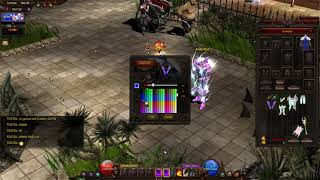 Mu Online Custom Glow System (Pagpalit ng Kulay ng Item)
Solaris Mu · 3:00 · 2021
 Pagdaragdag ng Dynamic Effects sa Muemu Files
Josue Ochoa · 33:06 · 2020
 [Mu online] ayusin ang lag ng effect gamit ang GLTools 3.01
Hiệp (Trà Thái 44) · 14:11 · 2017
 glow.dll fix para makilala ng main ang glow.gld, gamitin ang glow editor Mu Online
Mundo Kurono · 7:34 · 2012