MuADMINS
Soluciones
Arreglos breves para problemas comunes de servidores, clientes y sitios web de MU Online, cada uno con su fuente y su fecha. “Confirmado” significa que la persona que preguntó dijo que el arreglo funcionó.
45 soluciones para “pick” · Limpiar
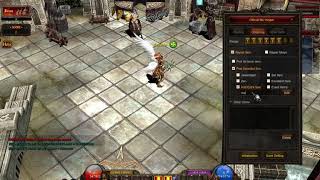
Louis update 24 Premium: the MU Helper is set correctly but does not pick up items.
1. The asker had enabled the option that lets the MU Helper use the inventory. 2. That option broke the pick up. 3. Disable it again and the helper picks items normally.
✓ Confirmado por el autor del temaCreandoMU · 2021-02-18Louis S8 update 24: the GameServer crashes when a player picks up an excellent item.
1. Open custom.dat in the Custom Pick Message section. 2. Delete the PickMessageExcellent line, it does not exist in S8. 3. Keep PickMessageSwitch and PickMessageColor and restart.
✓ Confirmado por el autor del temaCreandoMU · 2021-02-07WebEngine CMS: official plugins always show the default language, not the language the visitor picked
1. The official plugins' loader.php loads languages/ + config('language_default', true) + /language.php, so the visitor's choice is ignored. 2. In the plugin's loader.php take the session...
✓ Confirmado en el issueGitHub (lautaroangelico/WebEngine) · 2024-12-27MuEmu S6 (Louis): the client reaches the server selection, but when I pick the server it disconnects. What is missing?
1. The ConnectServer port works, but the GameServer port (55901 by default) is blocked. 2. For a local test, add an inbound firewall rule for the GameServer port (or briefly turn off Wind...
✓ Confirmado por el autor del temaTuServerMU · 2018-11-16Pentium Tools: how to know which OZJ texture belongs to a BMD model taken from another Season 6 client
1. Open the BMD in Pentium Tools to see the model. 2. Use the image viewer option of the same Pentium Tools (View Image or similar) to browse the OZJ files of that client. 3. Pick the OZJ...
✓ Confirmado por el autor del temaTUServerMU · 2016-12-01MFS Database Tool: the backup gives the same error as other backup managers, even with (local), Windows authentication or 127.0.0.1
1. Connect to your SQL Server as usual (the tool supports SQL Server 2000 and 2008 style connections). 2. Do not pick the database with the drop down button: type the database name (for e...
✓ Confirmado por el autor del temaRaGEZONE · 2014-02-11MuMain: the macOS build fails with Homebrew LLVM 23: 'use of undeclared identifier malloc' in the spdlog bundled format.h
1. The macOS toolchain picks Homebrew LLVM when it is installed. With LLVM 23.1.1 the build stops with format.h:747:28: error: use of undeclared identifier 'malloc' (spdlog v1.15.3 bundle...
✓ Confirmado en el issueGitHub (sven-n/MuMain) · 2026-10-08MuMain: with the UI language set to Traditional Chinese (zh-TW) every Chinese character renders as an empty box
1. The cause: the fonts bundled with the client had no CJK glyphs, so the existing zh-TW translations could not be drawn. Latin and Cyrillic text rendered fine. 2. Update the client to a...
✓ Confirmado en el issueGitHub (sven-n/MuMain) · 2026-09-26Pentium Tools + MilkShape: the OZJ textures of a custom set clash with files already in Data/Player; how to rename the texture a BMD uses
1. Convert the set BMD to SMD with Pentium Tools (or another converter). 2. In MilkShape use File > Import to open the SMD (it does not open SMD with Open). 3. In the Materials tab change...
✓ Confirmado por el autor del temaTUServerMU · 2018-05-04MainInfo (Louis Update 13): how to remove the rank icons (Custom Rank User, patentes) shown over the characters
1. Open the main info config you use to generate the Main (Premium) and find the block Custom Rank User (Patentes). 2. Pick the mouse over type with RankUserType: 0 complete, 1 no stats,...
✓ Confirmado por el autor del temaTUServerMU · 2018-12-16WinHex: how to find the IP and serial offsets inside main.exe (1.02R KOR) to use them in a DLL
1. Start the client (main.exe) normally, in window mode or with a minimizer. 2. Open WinHex and choose Tools > Open RAM (or press Alt+F9). 3. In the process list pick the running main.exe...
✓ Confirmado por el autor del temaImperyus Games Brasil · 2012-10-19IGCN S9 E2 repack: MagicHand does not save item_eng.bmd edits (for example to make socket items for Rage Fighter)
1. Open the Server Manager of the repack and start the client tools, then the BMD decrypter. 2. In the ex803 section pick item.bmd mode, select your item_eng.bmd and decrypt it to a text...
✓ Confirmado por el autor del temaRaGEZONE · 2018-02-04How do I make a monster drop one specific item with full options and +15 (item drop file columns)?
1. In the item drop file each line has: Index Level Grade Option0 Option1 Option2 Option3 Option4 Option5 Option6 Duration MapNumber MonsterClass MonsterLevelMin MonsterLevelMax DropRate....
✓ Confirmado por el autor del temaRaGEZONE · 2020-01-13OpenMU starts with -demo but -reinit fails: Postgres says column ExcellentItemDropLevelDelta of GameConfiguration does not exist.
1. Two recent EF migrations were not picked up during a Postgres reinit, so the table was created without the new column. 2. Update your OpenMU checkout or image to a build that contains...
✓ Confirmado en el issueGitHub (MUnique/OpenMU) · 2026-04-11Files 99b MC v3 on Windows 7 32-bit: DataServer shows "has stopped working" as soon as it starts.
1. Temporarily disable the antivirus or add the MuServer folder to its exclusions. 2. Open System Properties > Advanced > Performance Settings > Data Execution Prevention. 3. Pick Turn on...
✓ Confirmado por el autor del temaTuServerMU · 2018-01-09SQL Server 2012 installed without errors but SQL Server Agent will not start (Browser starts fine) when preparing MU files. What fixed it?
1. In services.msc set SQL Server Agent to Automatic and try to start it. 2. If it still fails, the instance was installed with the wrong authentication choice. 3. Reinstall SQL Server an...
✓ Confirmado por el autor del temaTuServerMU · 2018-11-19Installing WebEngine CMS 1.2.5 with the ODBC driver fails with '[ODBC SQL Server Driver] The data types varchar(max) and text are incompatible in the equal to operator'.
1. Do not use the old ODBC SQL Server driver for the install. 2. Install the Microsoft PHP SQLSRV / PDO_SQLSRV drivers that match your PHP version and enable them in php.ini. 3. Restart A...
✓ Confirmado en el issueGitHub (lautaroangelico/WebEngine) · 2025-02-20'You are disconnected from the server' at server select on an Amazon AWS VPS, even with all ports open in the Windows firewall (MuDevs S16 free files).
Open the ports in the AWS console too: Security Groups > pick the right VPC/instance group > add inbound rules for the game ports. AWS blocks inbound traffic by default even when Windows...
✓ Confirmado por el autor del temaTuServerMU · 2021-04-27Restoring the MuOnline database fails in SQL Server 2022 (MSPro v17 files)
1. In SQL Server Management Studio right click Databases > Restore Database, choose Device and pick the .bak file that came with the files. 2. Open the Options page. 3. Tick "Overwrite th...
✓ Confirmado por el autor del temaTUServerMU · 2026-09-27Which website CMS expects which MU database columns (WebEngine table maps, DmN)
WebEngine 1.2.7 picks a table map by server files (includes/config): - igcn.tables.php / custom.tables.php: resets = Character.RESETS, grand resets = Character.GrandResets, VIP = T_VIPLis...
Not verifiedEscrito por MuADMINS