MuADMINS
Soluciones
Arreglos breves para problemas comunes de servidores, clientes y sitios web de MU Online, cada uno con su fuente y su fecha. “Confirmado” significa que la persona que preguntó dijo que el arreglo funcionó.
1 solución para “editing attackspeed” · Limpiar
GameServer 0.97 (DarksTeam 97d Beta 41) disconnects Dark Wizard / Soul Master with [ClientHack Detected : Editing AttackSpeed]
The characters wear items that need more Strength or Agility than they have, so the attack speed check fires. 1. Either give the characters the stat points the items require, or 2. Open D...
✓ Confirmado por el autor del temaDarksTeam · 2018-12-29
Coincidencias con algunas de tus palabras
Estas soluciones tienen algunas de las palabras de “editing attackspeed”:
EncTerrain.obj: how to edit object placement in hex, or move a copied map's objects to a new World number
1. The client EncTerrainX.obj is encrypted: decrypt it first with the Enc to Normal map/obj converter that comes in the guide's mapedit pack. Hex editing the encrypted file shows nothing...
✓ Confirmado por el autor del temaRaGEZONE · 2006-04-23MuEmu S8 client: NPC names on the transparent (TAB) map do not change after editing minimap_eng.bmd in the client
1. A reply points to the client Data\Local\Eng\minimap_eng.bmd for the coordinates, but in these MuEmu S8 files the NPC names shown on the transparent map come from the server. 2. Edit th...
✓ Confirmado por el autor del temaRaGEZONE · 2016-06-09Item.bmd editor: a new item added to item.bmd still shows wrong in game (client with language selection, Season 6)
1. A client with language selection does not read Data/Local/item.bmd for item names and data: it reads the language file, for English Data/Local/Eng/item_eng.bmd. 2. Show hidden files in...
✓ Confirmado por el autor del temaRaGEZONE · 2012-01-06Hex editor: make main.exe load text.bmd instead of texttest.bmd (old 0.97 / 1.0 era client without launcher)
1. Open main.exe in a hex editor and search the text texttest.bmd. 2. Overwrite it with text.bmd. 3. The new name is shorter: set the leftover bytes after it to 00, then save and start th...
✓ Confirmado por el autor del temaRaGEZONE · 2007-06-15CzF Editor 1.5a: creating a new account gives an error although MD5 is disabled in the editor options
1. With MD5 off in the editor, the password column must be plain text, but in this database memb__pwd was still binary. 2. Open Enterprise Manager (or Management Studio) > Databases > MuO...
✓ Confirmado por el autor del temaRaGEZONE · 2007-10-05Titan Editor: "Item [0, 107]. Doesnt exist in DB" and custom items do not show in the vault or inventory (TT 6.3)
1. The editor only knows the items listed in its own item database, so custom items (here section 0, index 107) are unknown to it. 2. Add the custom items to the Titan Editor item databas...
✓ Confirmado por el autor del temaRaGEZONE · 2016-05-17MagicHand does not work to edit ServerList.bmd of a Season 6 client
1. MagicHand is a PHP editor: it does not run by opening its files directly. Put it in the XAMPP htdocs folder, next to your web site files. 2. Start Apache in XAMPP and open the editor f...
✓ Confirmado por el autor del temaRaGEZONE · 2011-05-27MagicHand Mu Editor: how to install and run it (it is a web editor) next to an existing MuWeb site in XAMPP
1. MagicHand runs in the browser through your local web server: make a new folder in htdocs named editor (your MuWeb site can stay where it is) and put the MagicHand files in it. 2. Open...
✓ Confirmado por el autor del temaRaGEZONE · 2011-07-02
Videos en MUTube
 Mu Online Tutorial 19: ¿Como usar los Reset Fruit? / Rompiendo los 230 de Attack Speed
NaQuEvEr · 11:50 · 2025
 Attack Speed Rage Fighter ⚡ MU Online 2025 | Build & Gameplay 🔥
MaseGamesX · :21 · 2025
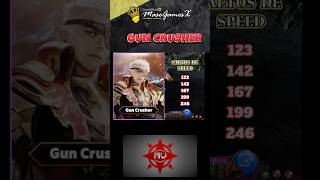 Attack Speed Gun Crusher 💪 Mu Online S20.1 💥#mmorpg #muonline #gaming
MaseGamesX · :11 · 2025
 Builds - White Wizard Kundun Attack Speed Gap (Subtítulos en inglés/español).
Manual do Mu · 2:34 · 2023