MuADMINS
Soluciones
Arreglos breves para problemas comunes de servidores, clientes y sitios web de MU Online, cada uno con su fuente y su fecha. “Confirmado” significa que la persona que preguntó dijo que el arreglo funcionó.
1 solución para “socket” en Sitio web · Limpiar
WebEngine on Nginx: module links like /register or /rankings give 404 because .htaccess is ignored.
1. Nginx does not read .htaccess, so add the rewrite rules to the server block. 2. Rewrite /page/subpage/request to index.php with page, subpage and request parameters. 3. Leave /admincp...
Más respuestas para “socket”
1 en Sitio web, 17 en otras categorías y archivos de servidor:
MuMaker 13: other item editors break socket items on Louis MuEmu S6 files (items turn ancient colored or normal, options blank)
1. The editors the asker tried could not write socket options for these files correctly. 2. Use the MuMaker 13 build shared on the forum (the reply links it): with it the socket editing w...
✓ Confirmado por el autor del temaTUServerMU · 2018-11-07MuEditor (MuEmu S6E3): items made with sockets or excellent options arrive clean in game (+15 with no options)
1. Look at the option 380 check box in the MuEditor item window. 2. Uncheck 380 when you make an item with sockets: with it checked the editor saves the item without its socket and option...
✓ Confirmado por el autor del temaTUServerMU · 2019-05-28Item.bmd (Season 8 client): every custom item shows its name in purple like a socket item, editing ItemTooltip does not change it
1. The color does not come from itemtooltip_eng.txt (or the por / spn copies): copying the line of a basic item there changes nothing. 2. Open the client item.bmd with your BMD editor and...
✓ Confirmado por el autor del temaCreandoMU · 2020-12-13Louis update 32: every socket item shows the option error "0 15 15" (visual only, the item works).
1. Open the MainInfo settings. 2. Disable AllowSocketHarmony. 3. Generate the main info again and copy it into the client.
✓ Confirmado por el autor del temaCreandoMU · 2023-01-28NuTT MuShop Editor: how to edit .txt NPC shops with full item codes (JoH, ancient, sockets)
1. Copy the item.txt of your server into the ShopEditor folder. 2. Open the shop .txt file and work on it. 3. Unlike older shop editors that write only Group, Index, Level, Dur, Skill, Lu...
MuMaker 1.13: how to use a new item database (.mdb) with tier sets, and socket options that do not appear
1. Replace MuMaker.mdb in the MuMaker folder with the new .mdb and open mumaker.exe. 2. The items only work in game if your server files already have those tier sets. 3. In the shared .md...
JoinServer and DataServer show "[SocketManager] WSAAccept() failed with error: 10061" on start.
1. Check DataServerAddress in common.dat. 2. Leave it at the default 127.0.0.1, it does not need your public IP. 3. Start the servers again.
✓ Confirmado por el autor del temaCreandoMU · 2022-02-21"error-L1 : CloseClient INVALID_SOCKET": after some time online the GameServer disconnects all players (97d+99i, after moving from Windows Server 2003 to Windows Server 2012 R2)
Reinstalling Windows, all updates and compatibility modes did not help; the fix was the newer DLL for the files. 1. Download the newer DLL that the developer uploaded for these 97d+99i fi...
✓ Confirmado por el autor del temaDarksTeam · 2017-02-14
Videos en MUTube
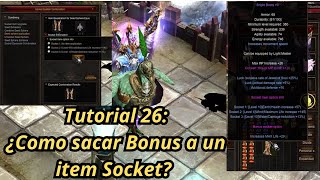 Mu Online Tutorial 26: ¿Como sacar opción bonus a item socket?
NaQuEvEr · 7:52 · 2025
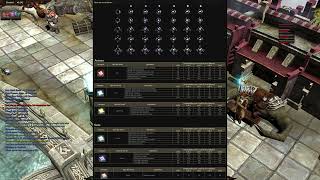 TODO SOBRE SEED SPHERE SOCKET ⚔️ MU ONLINE ACTUALIZADO | ITEMS 380LVL [parte 1]
Almacen Gamer TV · 12:33 · 2022
 Guía para principiantes: Sistema de Socket
MU online official · 3:32 · 2022
 Mu Online: COMO SOCKEAR SET SOCKET S4 PARA TODAS LAS RAZAS!!!!
Blody industries · 7:15 · 2021