MuADMINS
Solutions
Short fixes for common MU Online server, client and website problems, each with its source and date. “Confirmed” means the person who asked said the fix worked.
1 solution for “editor drop” in Website · Clear
What does the DmN CMS setup change in the MU database (columns, Character.id, WZ_CONNECT_MEMB) and what can break?
The DmN CMS 1.2.3 setup does more than create its own tables: 1. It ALTERs the game databases: adds columns from its version files, for example MEMB_INFO Admin, last_login, activated, act...
Not verifiedWritten by MuADMINS
More answers for “editor drop”
1 in Website, 30 in other categories and server files:
AIO Mu Editor for MuDevs files: what it edits (spots, NPCs, shops, monster drops) and its known limits
1. Map Monster Editor: shows the game maps and lets you place spots (groups with coordinates, amount and type), custom NPCs and normal or event monsters (Blood Castle, Devil Square and ot...
MU Online Web Editor: 'Node is not recognized' or 'File Not Found' when editing server drops, shops and monsters
1. Install Node.js 18 or newer first and restart the PC; without it you get *Node is not recognized*. 2. Run Start-Editor.bat and keep the black window open; the browser opens the dashboa...
Editor Drop + Shop + Spot V2 (MuHelper by Manrique, S15 / S16): load errors with a JIT debugging message at start and only Lost Tower in the map list
1. The errors came from the tool itself: the author fixed the load error and the user error that did not add items in an update posted in the thread on 2021-12-19. 2. Download that update...
✓ Confirmed by the topic starterTUServerMU · 2021-12-19Items put on a character with Titan Editor Premium cannot be taken off: 'Este es un elemento duplicado'
The files block items with a repeated serial (anti dupe), and items written by the editor got repeated serials. 1. Delete the items that were added with the editor. 2. Create items in gam...
✓ Confirmed by the topic starterTUServerMU · 2020-05-17Season 16 item.bmd: old item editors do not work (item section above 15, type above 255)
1. Old tools stop at item section 15 and type 255; use the small drag and drop converter for S16 posted in the thread (the link needs a free RaGEZONE login; later in the thread the same p...
✓ Confirmed by the topic starterRaGEZONE · 2021-05-07IGCN S9 E2 repack: Package boxes (a, b, c...) say 'This item cannot be dropped'
1. The package boxes are cash shop items and cannot be dropped when they are made another way. 2. Add them to the cash shop and buy them there to get usable boxes. 3. When you add items t...
✓ Confirmed by the topic starterRaGEZONE · 2019-04-14Where are the box drops (Box of Luck, Box of Kundun) edited
1. Open the EventItemBag files in the server Data folder (one file per box). 2. Edit the item list of the box you want. 3. Restart the GameServer.
✓ Confirmed by the topic starterDarksTeam · 2010-11-19MuEditor 2.1 (0.97 / 0.99 versions): how to get the item id the editor needs (Blood Castle entry 13 18 shows as B2)
1. Take the item type and index from item(kor).txt, for example 13 18. 2. In these versions each type has 32 items, so the number is type x 32 + index: 13 x 32 + 18 = 434. 3. Convert it t...
✓ Confirmed by the topic starterTUServerMU · 2020-06-26
Videos on MUTube
 🔥 MU ONLINE SEASON 3 UPDATE 3 INSANE! 😱 InGame Editors + Drops that Reward You with Balance!
Aprendiz Mu Online® · 6:58 · 2026
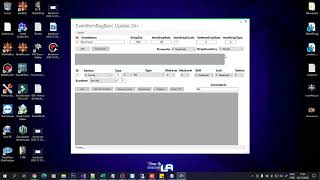 EventItemBag Editor Mu Online
GamesWTeam Solutions · 6:18 · 2020
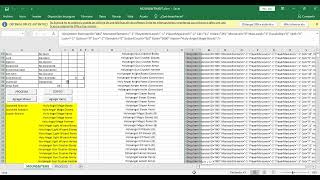 Item drop editor for all maps Season S-17
Mu Online configuration · 2:11 · 2022
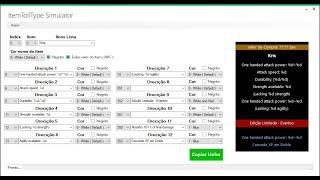 ItemTooltip Editor - MuOnline
GamesWTeam Solutions · 32:10 · 2021