MuADMINS
Solutions
Short fixes for common MU Online server, client and website problems, each with its source and date. “Confirmed” means the person who asked said the fix worked.
29 solutions for “character” in Tools · Clear
MainInfo: after setting SelectCharS13 = 0 in main.info the old Season 6 server and character select screen looks broken
1. The marked solution: most likely the client is missing the textures of that interface; make sure the client has them. 2. Also check the main_info folder, in its customs folder: if ther...
✓ Confirmed by the topic starterRaGEZONE · 2025-08-19OpenMU admin panel: how can I reset or edit the master skill points a character already spent?
1. Older admin panels only let you set the Master Level Up Points of a character; spent points could not be reset. 2. Update OpenMU to a version with PR #1084, feat(adminpanel): editor fo...
✓ Confirmed in the issueGitHub (MUnique/OpenMU) · 2026-10-05MuEditor (MuEmu): which build works with Louis files Update 31+ where accounts have 10 character slots?
1. Use the MuEditor build that Louis released for accounts with 10 characters: it is required with Louis emulator Update 31 and newer (S4, S6 and S8 sources are included). 2. For Update 2...
MU World Editor 0.3: after moving the Lorencia ring the character walks inside it instead of on top
1. Map objects have no walkable geometry: the character always walks on the terrain, and the .att file only decides where you can walk or collide. 2. So a raised object (like the Lorencia...
✓ Confirmed by the topic starterRaGEZONE · 2015-12-31MoveReq.bmd: a map (Barracks) added at the bottom of the M list does not show in game (ENC Season 6)
1. The client does not read new rows added to the end of movereq.bmd, and a movereq.bmd from other files can show as jumbled ASCII characters in a different client. 2. Instead of adding a...
✓ Confirmed by the topic starterRaGEZONE · 2011-05-14MagicHand: characters cannot buy items after I replaced the client CashShop files generated by the editor (SCF files)
1. Replace the two files the author posted in the editor's work folder and generate the CashShop files again. 2. In SCF_CashShop.ini keep [Common] SCFIsCashShopEnabled=1. 3. The three [In...
✓ Confirmed by the topic starterRaGEZONE · 2012-01-19Season 1 main.exe 1.00.08: how to remove the Dark Lord (or Magic Gladiator) create button with a custom DLL
1. Write the change in a custom DLL loaded by the main (recommended in the thread; a byte change made with OllyDbg made the client close after character select). 2. For main 1.00.08, to r...
✓ Confirmed by the topic starterRaGEZONE · 2018-11-13MainInfo (Louis Update 13): how to remove the rank icons (Custom Rank User, patentes) shown over the characters
1. Open the main info config you use to generate the Main (Premium) and find the block Custom Rank User (Patentes). 2. Pick the mouse over type with RankUserType: 0 complete, 1 no stats,...
✓ Confirmed by the topic starterTUServerMU · 2018-12-16Titan Editor: "Item [0, 107]. Doesnt exist in DB" and custom items do not show in the vault or inventory (TT 6.3)
1. The editor only knows the items listed in its own item database, so custom items (here section 0, index 107) are unknown to it. 2. Add the custom items to the Titan Editor item databas...
✓ Confirmed by the topic starterRaGEZONE · 2016-05-17Launcher auto update (Titan Tech SCF ConnectServer) never downloads the patch from a hosting FTP account
1. The update FTP is set in the ConnectServer SCF_Config.ini, sections [FtpServerInfo] and [HttpServerInfo] (SCFAddress, SCFPort, SCFID, SCFPASS), with SCFClientVersion and SCFVersionFile...
✓ Confirmed by the topic starterRaGEZONE · 2015-02-23main.exe version: 22345 plus the version number gives 112344 for 9.99.99 and the hex editor finds nothing
1. The version in main.exe is 5 ASCII characters: each digit of the version gets its position (1 to 5) added. For 1.04.16 the quick rule works: 10416 minus 10000 = 416, 22345 + 416 = 2276...
✓ Confirmed by the topic starterRaGEZONE · 2007-07-17RanSoft Launcher: how to change the server name, the launcher texts and the theme (and set up its auto update)
1. Server name: ldata\conf\config.cfg, line ServerName. 2. Other texts inside the exe: search them with a hex editor (fill with 00 to blank them); if the hex editor cannot find a string,...
✓ Confirmed by the topic starterRaGEZONE · 2013-05-31MagicHand: which client files hold the server names, skill names and other texts of a MuEmu S6E3 client
1. Open the client files with MagicHand. 2. Skill names: Data/Local/Eng/skill_eng.bmd. 3. Server names in the server list: Data/Local/ServerList.bmd. 4. Other game texts: Data/Local/Eng/t...
✓ Confirmed by the topic starterTUServerMU · 2018-02-04Hex editor: after changing the no-ip host inside main.exe to a shorter one, the main stops working (white icon) or does not connect
1. Never delete bytes from main.exe: removing the extra letters with Delete shifts the file and breaks it. 2. Overwrite the old host with the new one in place (example: emma.sytes.net cha...
✓ Confirmed by the topic starterTUServerMU · 2018-09-03Kayito MuEmu 0.97k files: where is the client BMD editor, and where do I set IP, port, version and serial of the main
1. The open source project (MuEmu adapted to the original 0.97.11 main, by kayito) ships MuServer, Client, Encoder files, the tools and the source code on its GitHub. 2. The BMD / TXT edi...
MuMaker for Season 6 (TMT, TRN edit): what each module does and how it connects (local, remote IP or no-ip DNS)
1. It supports Season 1 to Season 6, including Rage Fighter and the first master quest classes. 2. AccountMaker edits accounts and characters (stats, quest, class, PK) and supports MD5; I...
Reset Generator: how to make the SQL reset script and run it automatically with SQL Server Agent
1. Tick the options you want for a character reset (the settings of your server) and press Generate Reset. 2. The program writes the SQL code (script) of your reset system. 3. Copy it and...
SkynetMU Full Option Cleaner: how do I find and remove full excellent items from warehouses and inventories of a 97/97D SQL database?
1. Install Python 3.11 or 3.12 on Windows, then run py -m pip install -r requirements.txt and py SkynetMU_FullOption_Cleaner.py. 2. For ODBC install Microsoft ODBC Driver 17 or 18 for SQL...
MU DB Helper: how do I install the item, inventory and vault database editor for Ex702 and newer servers?
1. Requirements: Visual Studio 2013, SQL Server 2012 or newer, ODBC Driver 13 and a MU Online Ex702+ database. 2. Clone the repository and make sure a MuOnline database exists (CREATE DAT...
MU Online Client Editor (muonline-bmd-viewer): how do I view a .bmd model with its textures and export it to GLB?
1. Use the web app or install the desktop app (Windows NSIS installer, Linux AppImage, macOS DMG). To build it yourself: Node.js 22+, npm install, then npm run dev (opens http://localhost...
Videos on MUTube
 The MU ONLINE TIER LIST! 🤩 | The BEST CHARACTER right now in 2023🤔 | by OSNAR ONLINE 🔥
OSNAR ONLINE · 16:25 · 2023
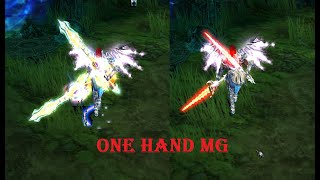 Class Renewal One Hand Magic Gladiator LvL 970 - Mu Online Webzen S18.2.2
Seiti Mu · 5:45 · 2024
 Crusader - The New Class of Season 21 | Artic MU No-Reset
articmu Online · :21 · 2026
 😱 O char mais FORTE do Mu Online? Summoner! Olha esse DANO!! Build, dicas, itens e guia completo!!
SanTiago - MMORPG · 19:55 · 2025