MuADMINS
Giải pháp
Các cách sửa ngắn gọn cho những lỗi thường gặp của server, client và website MU Online, mỗi cách đều kèm nguồn và ngày. “Đã xác nhận” nghĩa là người đặt câu hỏi cho biết cách sửa đã hiệu quả.
3 giải pháp cho “wing model” trong Công cụ · Xóa lọc
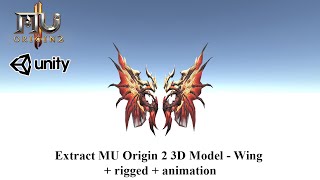
MilkShape 3D: after scaling a wing model down with Scale All, the wing no longer moves in game
1. Resize the model in MilkShape 3D with Tools > Scale All. 2. Scale every animation SMD file too (_001, _002 and so on), not only the main model. 3. Export the main SMD as Reference and...
✓ Được người mở chủ đề xác nhậnRaGEZONE · 2018-06-06Pentium Tools: how to know which OZJ texture belongs to a BMD model taken from another Season 6 client
1. Open the BMD in Pentium Tools to see the model. 2. Use the image viewer option of the same Pentium Tools (View Image or similar) to browse the OZJ files of that client. 3. Pick the OZJ...
✓ Được người mở chủ đề xác nhậnTUServerMU · 2016-12-01IGC.ToolKit: how to add a custom item to the IGCN client (Item.bmd sub group, model file name, ItemTRSData in Lang.mpr)
1. Edit the BMD files in \Data\Local\ of the client with IGC.ToolKit (Free or Premium). ToolKit Premium can add the item on the client first and export it to the server format, and its It...