MuADMINS
Çözümler
Yaygın MU Online sunucu, client ve web sitesi sorunları için kısa düzeltmeler; her biri kaynağı ve tarihiyle. “Onaylanmış”, soruyu soran kişinin düzeltmenin işe yaradığını söylediği anlamına gelir.
22 çözüm “custom items” için Araçlar kategorisinde · Temizle
Titan Editor: "Item [0, 107]. Doesnt exist in DB" and custom items do not show in the vault or inventory (TT 6.3)
1. The editor only knows the items listed in its own item database, so custom items (here section 0, index 107) are unknown to it. 2. Add the custom items to the Titan Editor item databas...
✓ Konu sahibi tarafından onaylandıRaGEZONE · 2016-05-17MainInfo (MuEmu S6): a new custom item shows no model, texture or tooltip in game although item.bmd, tooltips and customitem.txt are edited
1. Add the item on both sides: server item.txt, client Item.bmd, Itemtooltip.bmd, Eng/Item_eng.bmd and the tooltip files, and the model (sword101.bmd plus textures) in Data/Item. 2. Add t...
✓ Konu sahibi tarafından onaylandıRaGEZONE · 2016-10-26GetMainInfo (SSeMU 2.0.7 source): after adding Custom Item Position the license is not generated, the tool hangs and closes
1. The new Custom Item Position data no longer fits in the stack that the GetMainInfo build used, so it hangs and closes while making the license. 2. Open the GetMainInfo project and give...
✓ Konu sahibi tarafından onaylandıTUServerMU · 2023-12-02Item.bmd (Season 8 client): every custom item shows its name in purple like a socket item, editing ItemTooltip does not change it
1. The color does not come from itemtooltip_eng.txt (or the por / spn copies): copying the line of a basic item there changes nothing. 2. Open the client item.bmd with your BMD editor and...
✓ Konu sahibi tarafından onaylandıCreandoMU · 2020-12-13MuEmu MainInfo: how to set the color of a custom item in CustomItem.txt (RGB values)
1. Open ToolsX603\MAIN_INFO\CustomItem.txt of your MuEmu tools. 2. Find the line of your custom item: only the 3 color boxes (R, G, B) need to change. 3. Pick the color you want in any RG...
Pentium Tools: a custom item model (item701.bmd) still uses its old texture after editing the OZJ; how to point it to a new texture name
1. Convert the model (for example item701.bmd) to .smd with Pentium Tools. 2. Open the .smd in Notepad and change the texture image name to your new .OZJ file name. 3. Convert the .smd ba...
✓ Konu sahibi tarafından onaylandıRaGEZONE · 2020-10-11Glow Editor (Gembrid, 500+ custom items): how to start editing item glow colors
1. Download the editor and replace your glow.gld and glow.dll with the ones that come with it (the client must load glow.dll). 2. Open the editor and change the glow of each item; colors...
Glow Editor (Gembrid, TRN edit with 500+ custom items): how to start changing the glow of items
1. The Glow Editor changes the look (glow color) of items in the game. 2. Download it and replace glow.gld and glow.dll of your server with the ones from the editor package; then you can...
ItemToolTip.bmd (MagicHand): where to add new custom items when Tipo 1 has no free lines, and "file corrupted" after saving
1. Open your ItemToolTip.bmd with MagicHand (on a 1.04D client it is in Data\Local\Eng, or Por / Spn). 2. Find the LAST original item, normally on Tipo 2, and add your items on the lines...
MuEmu MuEditor (Louis 2017): how to make a new wing or custom item show in the editor, and "Error Items 380"
1. The editor has its own item list: convert item.bmd in the editor's Data folder to txt with BMD DEC, add the new items and convert it back. 2. Put the item picture in the editor's item...
IGC.ToolKit: how to add a custom item to the IGCN client (Item.bmd sub group, model file name, ItemTRSData in Lang.mpr)
1. Edit the BMD files in \Data\Local\ of the client with IGC.ToolKit (Free or Premium). ToolKit Premium can add the item on the client first and export it to the server format, and its It...
GetMainInfo (MuEmu source 1.4e): item damage or defense above 255 shows wrong in the client; how the asker removed the limit
1. The client side value comes from item.bmd and the BMD editors only read and write up to 255 in those fields. 2. The asker changed the main.dll and GetMainInfo sources (MuEmu source 1.4...
✓ Konu sahibi tarafından onaylandıTUServerMU · 2020-06-12MainInfo (Louis files): new items show sideways in the inventory; how to rotate them, and why Season 4 Update 15 has no option
1. The item position and rotation is set in CustomItemPosition.txt of the MainInfo (the Louis video shows it with Update 16). 2. Add a line for your new item there, generate the Main.info...
Not verifiedCreandoMU · 2020-08-13MuMaker 1.12 / 1.13: warehouse and inventory items do not load on a Season 4.5 database (other MuMaker builds fail too)
1. The cause is the database layout of these files, not the MuMaker install: reinstalling, MSSQL 2005 vs 2014, an Items column set to varbinary(1920) and five other MuMaker builds gave th...
✓ Konu sahibi tarafından onaylandıRaGEZONE · 2021-04-11ENC MuOnline DB Editor (ENCGames): first setup, and why it cannot open item(kor).txt
1. Start the .exe and point it to your server item(kor).txt: the editor builds its item list from that file, so custom items show up too. 2. Wait while it loads the items, then fill in yo...
KayitoTools (MuEmu 0.97k kayito): which tool edits Item.bmd, Skill.bmd and Text.bmd, and why do +15 items look broken?
1. No external BMD tool is needed: Tools/KayitoTools in the kayito repository edits all Client/Data/Local files, such as Item.bmd, Skill.bmd, Text.bmd and Dialog.bmd. 2. All 0.97 mains su...
Kaynağın MuADMINS tarafından yeniden yazılmış haliNot verifiedGitHub (nicomuratona/MuEmu-0.97k-kayito) · 2025-05-14MainInfo (MuEmu S6): new sets added to the client files do not show in game after building the client with the tools
1. Copying the set files into the client is not enough: every new item must also be listed in CustomItem.txt of MAIN_INFO. 2. Add one line per part with Index ColorR ColorG ColorB ModelNa...
✓ Konu sahibi tarafından onaylandıTUServerMU · 2018-07-02MainInfo (Louis files Update 15): NPC shops show 'Could not find Message 55' (up to 64) instead of the item prices
1. Those texts come from the CustomMessage file of MainInfo: the lines with those numbers are missing in your copy. 2. Open the CustomMessage file in your MainInfo folder and add the miss...
✓ Konu sahibi tarafından onaylandıCreandoMU · 2020-08-08MuMaker (custom Season 6 build): an error pops up at start, even after installing .NET Framework 3.5 and running as admin
1. Install .NET Framework 3.5 and run MuMaker as administrator (this alone did not fix it here). 2. Install a clean MuMaker build (the one linked in the reply) with Run as administrator....
✓ Konu sahibi tarafından onaylandıRaGEZONE · 2012-01-14MuEditor (MuEmu): which build works with Louis files Update 31+ where accounts have 10 character slots?
1. Use the MuEditor build that Louis released for accounts with 10 characters: it is required with Louis emulator Update 31 and newer (S4, S6 and S8 sources are included). 2. For Update 2...
MUTube videoları
 MU ONLINE SUNUCUSUNUN ODA ADI NASIL DEĞİŞTİRİLİR VE İTEM EKLENİR | 97D DOWNGRADE SEASON 6
Syntax · 19:20 · 2020
 Tek derste Mu Online 📍 Bölüm 5: Item ekleme + Wings + Kundun Config (SsEmu)
BethanMu · 1:30:24 · 2025
 Exprojectmu - Repack Season10 Item Blood Angel / Custom Petler
EXProject Mu - Desarrollo de MuOnline · 7:05 · 2026
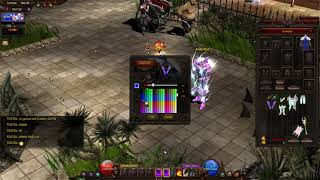 Mu Online Custom Glow Sistemi (Item Rengini Değiştirme)
Solaris Mu · 3:00 · 2021