MuADMINS
Çözümler
Yaygın MU Online sunucu, client ve web sitesi sorunları için kısa düzeltmeler; her biri kaynağı ve tarihiyle. “Onaylanmış”, soruyu soran kişinin düzeltmenin işe yaradığını söylediği anlamına gelir.
6 çözüm “/item command” için Araçlar kategorisinde · Temizle
GM item code maker: how to make the /item command line for an item and what it cannot make
1. The GameServer must have the GM /item command enabled, and you must be a GM, or the code does nothing. 2. Open maker.exe and pick the item and its options. 3. Click copy to clipboard,...
GM-Navigator V.3: how to make the GM move command and the item drop command
1. GM-Navigator is a Flash program for GMs that writes the in-game commands for you. 2. Move: type your GM nick, tick the box if your server uses /gmove, pick the map, then click the spot...
BMD converter: how to edit ItemLevelTooltip_eng.bmd of a Season 9 client (no editor opens it)
1. Get the command line bmd-converter.exe from the solution post (the link needs a free RaGEZONE login). 2. Put the exe and your ItemLevelTooltip_eng.bmd in the same folder (the reply use...
✓ Konu sahibi tarafından onaylandıRaGEZONE · 2025-02-11BMDdecoder: how to decode a client .bmd (text.bmd, item.bmd, movereq.bmd) to .txt and encode it back from the command line
1. Copy the tool to a short folder, for example C:\b\bmddecoder.exe, and put the .bmd you want to edit in the same folder. 2. Open CMD and go to that folder (cd \ then cd b). 3. Decode: b...
MuMain-translator: how do I translate the MuMain client UI strings and item names into a new language?
1. Get what to translate: a MuMain checkout (UI strings in src/Localization/*.resx plus item names) or a game folder (item names in Data/Items only). 2. Run the tool: the release zip (MuM...
Kaynağın MuADMINS tarafından yeniden yazılmış haliNot verifiedGitHub (nguyenhuutuananh/MuMain-translator) · 2026-10-02MuMaker 1.13: ancient sets made with full excellent options lose the options in game (Titan Tech repack)
1. The editor writes the options, but the server removes excellent options from ancient items unless it is allowed. 2. Open Server\SCFData\Items\SCF_Items.ini, find the [Ancient] section...
✓ Konu sahibi tarafından onaylandıRaGEZONE · 2013-11-23
MUTube videoları
 make server komutuyla item düzenleme mu Files OBBY
Tus Videojuegos de Confianza · 5:49 · 2023
 MrPround.com'dan GM komutlu Offline MU MOBILE sunucu kurulum rehberi
PRIVATE GAME SERVERS · 9:15 · 2016
 Creando un pj con privilegios de Administrador MuEmu
Josue Ochoa · 10:45 · 2020
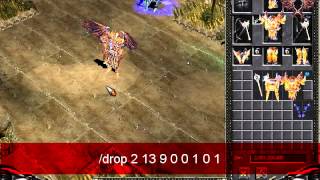 MuServer Premium 97D+99i
Lucas Soares · 9:58 · 2014