MuADMINS
Soluții
Rezolvări scurte pentru probleme frecvente ale serverelor, clienților și site-urilor MU Online, fiecare cu sursa și data ei. “Confirmată” înseamnă că persoana care a întrebat a spus că rezolvarea a funcționat.
Soluții: 11 pentru “resolution” în Instrumente · Șterge
OllyDbg: how to give a 97d+99i main.exe a widescreen resolution (for example 1366x768)
1. You need OllyDbg and an unpacked 97d+99i main.exe. 2. Open main.exe in OllyDbg, right click > Search for > All referenced text strings, find Resolution and double click it. 3. Below it...
✓ Confirmată de autorul topiculuiDarksTeam · 2019-05-25DV-Team Season 19 client: how to change resolution and fullscreen without editing LauncherOption.if by hand every time
1. Unzip the launcher into the client main folder and install the runtime the release post links. 2. Run it with administrator rights: it reads and writes the registry and starts main.exe...
MuCFG V3 (client configurator): how to set resolution, window mode, language and sound for a MU client, and why the settings may not apply
1. MuCFG only writes the client settings to the Windows Registry (regedit), so run it as administrator or it cannot save them. 2. Install .NET Framework 3.5, which the tool needs. 3. Choo...
MU Launcher + Autoupdate (myheart): changing resolution, sound and other options does nothing on a Season 9 client
1. The first builds did not write the Season 9 client options. 2. Download the updated version from the first post of the thread: the author added Season 9 support (December 2018). 3. Rep...
✓ Confirmată de autorul topiculuiRaGEZONE · 2018-12-14Resolution Changer (HTA, Mr-K): how it sets the client resolution and how to make it fill in the saved account ID
1. The tool is an HTA (HTML application): it runs on any Windows and you edit it with right click, Edit, in any text editor. 2. It writes the resolution (and a saved account) into the Win...
Mu CLI Launcher: a simple launcher for Season 19 clients that keep their settings in the registry, what it does and does not do
1. Run Mu Launcher.exe. 2. Optionally open the settings: account name, resolution, window mode, audio settings and the game path. They are written to the registry, so it works with the S1...
MUimgGUI: how to recolor a set (or any other texture) of the client with Photoshop
1. Set textures are the .OZJ files in Data\Player (the models are the .BMD files). Copy the files of the set to a new folder first; the guide uses the Guardian set. 2. Open each .OZJ in M...
✓ Confirmată de autorul topiculuiZone-Game.info · 2008-06-23WinHex: how to find the IP and serial offsets inside main.exe (1.02R KOR) to use them in a DLL
1. Start the client (main.exe) normally, in window mode or with a minimizer. 2. Open WinHex and choose Tools > Open RAM (or press Alt+F9). 3. In the process list pick the running main.exe...
✓ Confirmată de autorul topiculuiImperyus Games Brasil · 2012-10-19myheart's MU Launcher repacked for IGCN S9: how to force players to start the game through the launcher
1. The repack (by Desperate) adds auto update, resolution, window mode and serial key sync with main.exe for the IGCN Season 9 client only; IGCN uses its own resolution system, so it does...
GlobalMu Launcher 2009: how to change the news or a word shown in the launcher
1. Open the launcher message.wtf with an editor for .wtf files and change the news or the text, then save. 2. The launcher also has AutoUpdate, WinModem, resolution and color options.
MuTexConv (muonline-appz): how do I convert OZJ, OZB and OZT textures to JPG, BMP and TGA and back?
1. muonline-appz by tehKaiN holds small MU tools written from 2006 to 2014 (Pascal sources with Polish comments; no further updates). 2. MuTexConv is a command line tool: it converts OZJ,...
Videoclipuri pe MUTube
 Cum să SCHIMBI REZOLUȚIA în MU ONLINE
Vídeo Tutoriais · :36 · 2026
 Cum să schimbi rezoluția în MU ONLINE pe PC
b1984 · :20 · 2021
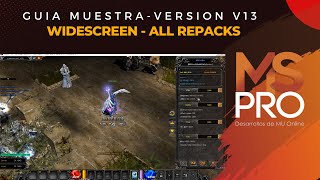 MSPro - Widescreen (Toate Repack-urile)
MSPro - MuServerPro - Desarrollo de MuOnline · 3:14 · 2023
 Playpark MU: rezoluția ecranului și sfaturi rapide pentru eroarea de login Gmail/FB
Adikz_EdsGamer · 4:49 · 2020