MuADMINS
Soluții
Rezolvări scurte pentru probleme frecvente ale serverelor, clienților și site-urilor MU Online, fiecare cu sursa și data ei. “Confirmată” înseamnă că persoana care a întrebat a spus că rezolvarea a funcționat.
Soluții: 15 pentru “delete” în Instrumente · Șterge
I cannot delete a MU database in SQL Server Management Studio, it gives an error because it is in use. How do I remove it?
1. Stop DataServer, JoinServer, the editors and the web that use the database. 2. In Management Studio right click the database > Delete. 3. In the Delete Object window tick Close existin...
✓ Confirmată de autorul topiculuiTuServerMU · 2018-01-06MUWorldEditor 0.2.0 (orz8): how to add, delete and move objects and move the camera on a map
1. Open the map folder and load the encrypted EncTerrainX.map of that map. 2. Go to the object sub interface on the toolbar and pick the object in the object menu. 3. Hold Ctrl and left c...
Pentium Tools: maps removed from move.txt still show in the warp (M) window (Flawless Emu S6)
1. The warp window list comes from the client MoveReq.bmd, not from the server move file. 2. Open MoveReq.bmd with Pentium Tools (or MU S@nek Tools) and delete the row of the map; if the...
✓ Confirmată de autorul topiculuiRaGEZONE · 2024-10-27MagicHand: "Decoding Graphics Files: error" with "Warning: Missing argument 2 for deco_gmu()"
1. Open function.php in the editor folder. 2. Search for function deco_gmu($archivo,$medio){. 3. Delete ,$medio so the line reads function deco_gmu($archivo){ (the second argument belonge...
✓ Confirmată de autorul topiculuiRaGEZONE · 2010-02-07MU World Editor: a removed object (a tree) still shows in game in Lorencia but is not visible in the editor
1. Back up the map files first. 2. Quick test from the thread: open the client Object1 folder, find the .bmd model of that tree and delete it, then check in game (this removes that model...
✓ Confirmată de autorul topiculuiRaGEZONE · 2024-03-20MagicHand: which client files hold the server names, skill names and other texts of a MuEmu S6E3 client
1. Open the client files with MagicHand. 2. Skill names: Data/Local/Eng/skill_eng.bmd. 3. Server names in the server list: Data/Local/ServerList.bmd. 4. Other game texts: Data/Local/Eng/t...
✓ Confirmată de autorul topiculuiTUServerMU · 2018-02-04Hex editor: after changing the no-ip host inside main.exe to a shorter one, the main stops working (white icon) or does not connect
1. Never delete bytes from main.exe: removing the extra letters with Delete shifts the file and breaks it. 2. Overwrite the old host with the new one in place (example: emma.sytes.net cha...
✓ Confirmată de autorul topiculuiTUServerMU · 2018-09-03MuOnline Img Convert Tools 2.0.0: replacing the loading screen image breaks the client (main does not open after editing one piece and deleting the rest)
1. Do not delete any of the original loading screen files: the image is split in several pieces (2 big parts plus smaller squares) and the client needs all of them. 2. Put back the origin...
✓ Confirmată de autorul topiculuiTUServerMU · 2020-07-17CzF Editor: after restoring the databases the editor login fails with 'ID not authenticated or banned' (1.02n + S2)
1. The editor login you created on the first run was lost when the databases were restored. 2. Close the editor and open its folder. 3. Delete (or edit) CzFMuEditor.ini. Its [ODBCConnecti...
✓ Confirmată de autorul topiculuiImperyus Games Brasil · 2011-06-03ZeroLauncher v3.1 applies updates but shows an error page when it opens.
In the launcher encryptor/config delete the left and right web news entries and put your own site URL there, then rebuild the launcher config.
✓ Confirmată de autorul topiculuiTuServerMU · 2018-02-26MU Map & Move Manager: how do I add a new map with its gate and M window move entry on MuEmu kayito files?
1. Run python app.py (or Ejecutar.bat) and select the main Data folder of the server, for example C:\MuServerKayito\Data. Do not select Data\Move: the tool also needs Data\MapManager.txt....
MuMain Launcher: how do I publish a client update so the players' launchers download it?
1. Once: set ManifestUrl, LinuxManifestUrl and LauncherManifestUrl in src/Launcher.Core/LauncherConfig.cs to your patch host (use a domain, not a raw IP) and build the launcher with ./bui...
Zyth3 Launcher: it says it is checking for updates but never downloads them (or only the first update)
1. Open updates.xml on your update server. 2. Set the master version to the LATEST update you published, for example <master version="00.03.00" /> when your newest update is 00.03.00. The...
MU Studio online Spot, NPC and MonsterSetBase editor (Louis UP43): how to place spots and NPCs on the map and get the file
1. Open the online editor from the release post (no install). 2. Start a new MonsterSetBase file or import an existing map TXT file to keep working on it. 3. Pick the map, search a monste...
P4F Serial Calculator: how to turn the server ClientExeVersion (for example 1.01.02) into the main.exe version and set version and serial with a hex editor
1. Read the version and serial the server expects in MuServer\Data\lang\kor\commonloc.cfg, for example ClientExeVersion = 1.01.02 and ClientExeSerial = MuOnlineSerever1. 2. Open [P4F] Ser...
Videoclipuri pe MUTube
 CUM SĂ ELIMINI LAGUL DE FPS DIN MUONLINE - SOLUȚIE DEFINITIVĂ - FAZĂ DE TEST
Gui PvP · 8:52 · 2024
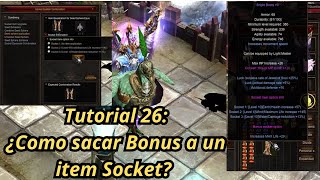 Mu Online Tutorial 26: cum să scoți opțiunea bonus de pe un item socket?
NaQuEvEr · 7:52 · 2025
 Cum să ELIMINI LAGUL în MU Online * Fără programe* #muonline #antilag #mmorpgs
JeongGuwonYT · 7:07 · 2020
 Eliminarea/schimbarea logoului Print Screen al emulatorului MuOnline
Josue Ochoa · 22:36 · 2022