MuADMINS
Soluções
Correções curtas para problemas comuns de servidor, cliente e site de MU Online, cada uma com a fonte e a data. “Confirmado” significa que quem perguntou disse que a correção funcionou.
52 soluções para “server code” em Ferramentas · Limpar
ServerList (MuEmu): two sub servers both show as Gold in the server list; how the server code decides Gold or Free
1. MuEmu splits the server codes in ranges: ServerCode 0 to 8 (servers 1 to 9) show as Gold. 2. ServerCode 9 to 19 (servers 10 to 20) show as Free, with no label; code 19 is the one that...
✓ Confirmado pelo autor do tópicoTUServerMU · 2017-07-26InfoEncoder (Kayito MainInfo, 0.97k Update 19): GetMainInfo makes the files but the client no longer shows the server at start
1. Since Update 19 the MainInfo tool is called InfoEncoder and uses a new folder layout (the same as the GitHub repository). 2. The InfoEncoder folder holds the files only the encoder rea...
✓ Confirmado pelo autor do tópicoTUServerMU · 2023-11-12IGC.EssentialTools: creating an account fails with "Could not find stored procedure master.dbo.XP_MD5_EncodeKeyVal"
1. The tool hashes the password with the MD5 extended procedure, which is not installed in your SQL Server. 2. Install the MD5 procedure for your SQL Server: the fix in the thread is the...
✓ Confirmado pelo autor do tópicoRaGEZONE · 2018-10-21GM item code maker: how to make the /item command line for an item and what it cannot make
1. The GameServer must have the GM /item command enabled, and you must be a GM, or the code does nothing. 2. Open maker.exe and pick the item and its options. 3. Click copy to clipboard,...
Season 2 and 3 client: which editor opens which Data\Local file (MuTool 0.82, ExtreMuEdit, MUimgGUI, BmdDecoder, DGE Text Editor)
1. MuTool 0.82: Dialog.bmd, filter.bmd, gate.bmd, item.bmd, item2.bmd, Movereq.bmd, skill.bmd and slide.bmd. 2. ExtreMuEdit: filtername.bmd, itemsettype.bmd and Monsterskill.bmd. 3. MUimg...
kayito Mu Launcher: how do the Encoder, Generator, Updater and Launcher work together for client auto updates?
1. The launcher is written in C# (.NET Framework 4.8, WinForms) and has four parts. 2. Encoder: saves the launcher settings (window name, mutex, updates URL, panel URL and more) in an enc...
XV-TEAM Encoder Protector V2: the new main.exe made after adding the client DLLs does not run ('no se puede ejecutar main.exe')
1. The tool joins the DLLs of your client into main.exe and builds a new binary (like Molebox): open main.exe, add the libraries and click Encode. 2. It does not work when the main you lo...
Not verifiedTUServerMU · 2020-07-01MagicHand: how to decode an edited map .att file for the server (Encterrain to Decterrain)
1. Put the .att file in the editor's att folder. 2. Open the editor and go to the .att menu, click decode.att. 3. The decode.att entry turns red: double click the .att image you want to d...
BMDdecoder: how to decode a client .bmd (text.bmd, item.bmd, movereq.bmd) to .txt and encode it back from the command line
1. Copy the tool to a short folder, for example C:\b\bmddecoder.exe, and put the .bmd you want to edit in the same folder. 2. Open CMD and go to that folder (cd \ then cd b). 3. Decode: b...
IGC.ToolKit: how to set the client language and code page (config.ini Language Set or ServerInfo.xml) and encode ServerInfo.bmd
1. Versions 21.1.2.3 and newer: in the client config.ini, section [Language], set Set (up to 6 languages, one character each, for example 76201A = ANSI, Russian, Chinese Simplified, Thai,...
IGC.ToolKit: how to encode an edited XML into a client BMD and decode a BMD back to XML (IGC File Enc/Dec)
1. Open the XML in \Data\Local\ of the game client (Notepad++ is recommended), make the changes and save. The header of each file says what it contains. 2. Note the Password attribute at...
Bmd to Txt Converter (IAT Group): how to turn the client Item.bmd into an Item(kor).txt style file and encode or decode Text.bmd
1. Copy the client Item.bmd into the same folder as the converter. 2. Run the converter on Item.bmd: it writes an Items.txt laid out so it can be used directly as the server Item(kor).txt...
OllyDbg: after Copy to executable > Save file, the saved main.exe shows different code at the offset when it is opened again
1. Check that code analysis is not active on that part: select the text and press Ctrl+BackSpace, or right click > Analysis > Remove analysis. 2. After removing the analysis the asker's s...
✓ Confirmado pelo autor do tópicoImperyus Games Brasil · 2012-05-11MuMaker: "MuMaker has stopped working" on Windows 7 although .NET Framework is installed
1. Check the Windows regional settings: open Region (Regional and Language Options) > Administrative > "Language for non-Unicode programs". 2. Here it was set to Japanese, which made MuMa...
✓ Confirmado pelo autor do tópicoRaGEZONE · 2011-03-02MuClientTools16: after encoding ItemToolTip.bmd again, all item descriptions are gone in the client
1. It was a bug in the ItemToolTip.bmd encoder of MuClientTools16. 2. Get the current version of the tools (the author fixed it on 2021-08-05). 3. Decode and encode ItemToolTip.bmd again...
✓ Confirmado na issueGitHub (VDraven/MuClientTools16) · 2021-08-05MuWorldEditor 0.3.0: after editing Lorencia, how to make the server terrain file (Terrain1.att) from the edited map
1. Open the MagicHand web tool and go to the .att / map section. 2. Choose Decode .att and select the client EncTerrain1.att from the World1 folder. 3. It gives you a file named DecTerrai...
✓ Confirmado pelo autor do tópicoTUServerMU · 2017-10-19Kayito MuEmu 0.97k files: where is the client BMD editor, and where do I set IP, port, version and serial of the main
1. The open source project (MuEmu adapted to the original 0.97.11 main, by kayito) ships MuServer, Client, Encoder files, the tools and the source code on its GitHub. 2. The BMD / TXT edi...
IGC.ToolKit Premium: how to activate it after purchase and move the license to another PC
1. ToolKit Premium is not ready to use right after purchase: submit a support ticket to the ToolKit Premium (License Request) department; if you own more than one ToolKit Premium license,...
NuTT MuShop Editor: how to edit .txt NPC shops with full item codes (JoH, ancient, sockets)
1. Copy the item.txt of your server into the ShopEditor folder. 2. Open the shop .txt file and work on it. 3. Unlike older shop editors that write only Group, Index, Level, Dur, Skill, Lu...
Pentium Tools: I chose Korean language before opening a bmd file but I still see junk signs instead of Korean text
1. Open Windows Control Panel, then Regional and Language Options. 2. Go to the Languages tab and tick Install files for East Asian languages (Windows may ask for its install CD). 3. Then...
Vídeos no MUTube
 🚀 CodeMesh MU Files — Modern Launcher & Multi Window System
CodeMeshDevsMU · 1:25 · 2026
 Como criar server de mu online 1.1e Season 2 ATUALIZADO 2021
Caos MuOnline · 11:00 · 2022
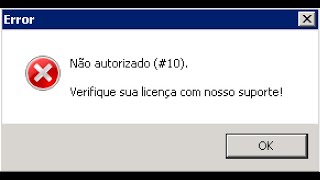 Significados Codigos de Erros Louis Emulator
GamesWTeam Solutions · 7:38 · 2020
 JOGUE ESTE SERVIDOR DE MU ON-LINE MOBILE!! Danki.mu
Guilherme Grillo | Danki Code · :09 · 2024