MuADMINS
Soluções
Correções curtas para problemas comuns de servidor, cliente e site de MU Online, cada uma com a fonte e a data. “Confirmado” significa que quem perguntou disse que a correção funcionou.
6 soluções para “lorencia” em Ferramentas · Limpar
MU World Editor 0.3: after moving the Lorencia ring the character walks inside it instead of on top
1. Map objects have no walkable geometry: the character always walks on the terrain, and the .att file only decides where you can walk or collide. 2. So a raised object (like the Lorencia...
✓ Confirmado pelo autor do tópicoRaGEZONE · 2015-12-31MU World Editor: a removed object (a tree) still shows in game in Lorencia but is not visible in the editor
1. Back up the map files first. 2. Quick test from the thread: open the client Object1 folder, find the .bmd model of that tree and delete it, then check in game (this removes that model...
✓ Confirmado pelo autor do tópicoRaGEZONE · 2024-03-20MuWorldEditor 0.3.0: after editing Lorencia, how to make the server terrain file (Terrain1.att) from the edited map
1. Open the MagicHand web tool and go to the .att / map section. 2. Choose Decode .att and select the client EncTerrain1.att from the World1 folder. 3. It gives you a file named DecTerrai...
✓ Confirmado pelo autor do tópicoTUServerMU · 2017-10-19MUimgGUI: the map name shown when you move to a city is in Korean; where is it translated?
1. That name is not in text.bmd: it is an image in Data\Interface of the client, for example lorencia.OZT (OZT is a TGA, used because of the transparency). The other map names are .OZT fi...
✓ Confirmado pelo autor do tópicoImperyus Games Brasil · 2016-03-23WorldEditor: a new area of the map sends the player back to Lorencia; which file does the server need after editing EncTerrain?
1. Know the three client files: .map holds the ground design and heights, .obj the objects, .att the zone attributes (walkable, safe zone, PvP). 2. When you save in WorldEditor, EncTerrai...
✓ Confirmado pelo autor do tópicoTUServerMU · 2019-10-10MuWorldEditor: objects, height and lights change in game but the ground texture stays the original after saving the map
1. Look at the files the editor saves: EncTerrain1.att, EncTerrain1.obj, TerrainHeight.ozb and a file named only EncTerrain1 with no extension. 2. That last file is the ground texture map...
✓ Confirmado pelo autor do tópicoTUServerMU · 2020-04-06
Vídeos no MUTube
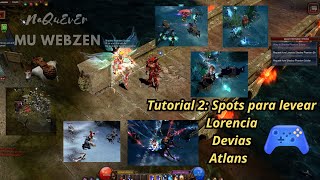 Mu Online Web Zen: Melhores Spots para subir de nível em Lorencia, Devias, Atlans
NaQuEvEr · 17:09 · 2024
 ⚡️ Spots de Farm em Lorencia 😱 Como Upar no Mu Online Guia 💰 Mu Online Webzen S18.1.3
MaseGamesX · 6:43 · 2024
 Cidade de Lorencia - MU online
CaMap · 1:06:14 · 2020
 MU Online - Ambiente - Lorencia
YvanStreams · 1:00:01 · 2020