MuADMINS
Soluções
Correções curtas para problemas comuns de servidor, cliente e site de MU Online, cada uma com a fonte e a data. “Confirmado” significa que quem perguntou disse que a correção funcionou.
183 soluções para “igc.toolkit” em Ferramentas · Limpar
IGC.ToolKit Premium: how to activate it after purchase and move the license to another PC
1. ToolKit Premium is not ready to use right after purchase: submit a support ticket to the ToolKit Premium (License Request) department; if you own more than one ToolKit Premium license,...
IGC.ToolKit: where to set the server IP, port, version and serial of an IGCN client (ServerInfo.xml to ServerInfo.bmd)
1. Extract the game client on a normal PC (not on the Windows Server machine) and copy the content of \Client\Client Patch\ from the server package over it. 2. Open \Data\Local\ServerInfo...
IGC.ToolKit: how to translate the IGCN client (Lang.mpr Enc/Dec and BMD files saved in the right encoding)
1. Server files to translate: \Data\Langs\English.xml, \Data\Map\MiniMap.xml, MiniMap_BattleCore.xml, \Data\Monsters\MonsterSpawn_Group.xml, \Data\ShopList.xml and some plugin files. Clie...
IGC.ToolKit: how to set the client language and code page (config.ini Language Set or ServerInfo.xml) and encode ServerInfo.bmd
1. Versions 21.1.2.3 and newer: in the client config.ini, section [Language], set Set (up to 6 languages, one character each, for example 76201A = ANSI, Russian, Chinese Simplified, Thai,...
IGC.ToolKit: how to add a custom item to the IGCN client (Item.bmd sub group, model file name, ItemTRSData in Lang.mpr)
1. Edit the BMD files in \Data\Local\ of the client with IGC.ToolKit (Free or Premium). ToolKit Premium can add the item on the client first and export it to the server format, and its It...
IGC.ToolKit: how to encode an edited XML into a client BMD and decode a BMD back to XML (IGC File Enc/Dec)
1. Open the XML in \Data\Local\ of the game client (Notepad++ is recommended), make the changes and save. The header of each file says what it contains. 2. Note the Password attribute at...
ItemTooltip_eng.bmd: after editing it with IGC toolkit all item information is missing in game (S6E3)
1. The item info vanished only after saving ItemTooltip_eng.bmd with the IGC toolkit, which does not handle that file (BmdFixer did not repair it). 2. Restore the original ItemTooltip_eng...
✓ Confirmado pelo autor do tópicoRaGEZONE · 2016-11-09IGC.EssentialTools crashes after the first-run notice although SQL named pipes and TCP/IP are enabled (crash dump in CrashDumps)
1. Symptoms: the first-run notice pops up, then the tool crashes on every start; compatibility mode and run as admin do not help; a dump such as IGCN.EssentialTools.exe.5908.dmp appears i...
✓ Confirmado pelo autor do tópicoRaGEZONE · 2020-01-05IGC.EssentialTools (compiled IGCN S9 E2): the tool does not respond when opened
1. Close the tool and look at the exe name in the tools folder. 2. Rename IGCN.EssentialTools.exe to IGC.EssentialTools.exe (the name the tool expects), then start it again.
✓ Confirmado pelo autor do tópicoRaGEZONE · 2020-04-04IGC.EssentialTools opens and closes by itself after about 3 seconds, even with the SQL user, password and server filled in.
1. In the EssentialTools config set IP = (local) when SQL Server is on the same PC (it does not accept DNS names). 2. Port = 1433. 3. SQLInstance empty when there is a single SQL instance...
✓ Confirmado pelo autor do tópicoRaGEZONE · 2020-05-17IGC.EssentialTools: creating an account fails with "Could not find stored procedure master.dbo.XP_MD5_EncodeKeyVal"
1. The tool hashes the password with the MD5 extended procedure, which is not installed in your SQL Server. 2. Install the MD5 procedure for your SQL Server: the fix in the thread is the...
✓ Confirmado pelo autor do tópicoRaGEZONE · 2018-10-21IGCN Essential Tools (S9 E2 repack) shows an error pop-up as soon as it is opened.
1. Open SQL Server Configuration Manager > SQL Server Network Configuration > Protocols. 2. Enable Named Pipes and TCP/IP. 3. In TCP/IP properties > IP Addresses set TCP Port 1433 (IPAll)...
✓ Confirmado pelo autor do tópicoRaGEZONE · 2018-06-18Pentium Tools: how to convert JPG to OZJ and TGA to OZT (a new login_back.ozt shows a white square)
1. In Pentium Tools open the graphic (OZJ / OZT) converter, tick the img > mu option at the bottom and double click your image. 2. A .jpg becomes .OZJ and a .tga becomes .OZT; other forma...
✓ Confirmado pelo autor do tópicoRaGEZONE · 2014-10-12Pentium Tools: maps removed from move.txt still show in the warp (M) window (Flawless Emu S6)
1. The warp window list comes from the client MoveReq.bmd, not from the server move file. 2. Open MoveReq.bmd with Pentium Tools (or MU S@nek Tools) and delete the row of the map; if the...
✓ Confirmado pelo autor do tópicoRaGEZONE · 2024-10-27Item.bmd editor: a new item added to item.bmd still shows wrong in game (client with language selection, Season 6)
1. A client with language selection does not read Data/Local/item.bmd for item names and data: it reads the language file, for English Data/Local/Eng/item_eng.bmd. 2. Show hidden files in...
✓ Confirmado pelo autor do tópicoRaGEZONE · 2012-01-06Hex editor: make main.exe load text.bmd instead of texttest.bmd (old 0.97 / 1.0 era client without launcher)
1. Open main.exe in a hex editor and search the text texttest.bmd. 2. Overwrite it with text.bmd. 3. The new name is shorter: set the leftover bytes after it to 00, then save and start th...
✓ Confirmado pelo autor do tópicoRaGEZONE · 2007-06-15CzF Editor 1.5a: creating a new account gives an error although MD5 is disabled in the editor options
1. With MD5 off in the editor, the password column must be plain text, but in this database memb__pwd was still binary. 2. Open Enterprise Manager (or Management Studio) > Databases > MuO...
✓ Confirmado pelo autor do tópicoRaGEZONE · 2007-10-05Titan Editor: "Item [0, 107]. Doesnt exist in DB" and custom items do not show in the vault or inventory (TT 6.3)
1. The editor only knows the items listed in its own item database, so custom items (here section 0, index 107) are unknown to it. 2. Add the custom items to the Titan Editor item databas...
✓ Confirmado pelo autor do tópicoRaGEZONE · 2016-05-17MagicHand Mu Editor: how to install and run it (it is a web editor) next to an existing MuWeb site in XAMPP
1. MagicHand runs in the browser through your local web server: make a new folder in htdocs named editor (your MuWeb site can stay where it is) and put the MagicHand files in it. 2. Open...
✓ Confirmado pelo autor do tópicoRaGEZONE · 2011-07-02MU World Editor 0.3: after moving the Lorencia ring the character walks inside it instead of on top
1. Map objects have no walkable geometry: the character always walks on the terrain, and the .att file only decides where you can walk or collide. 2. So a raised object (like the Lorencia...
✓ Confirmado pelo autor do tópicoRaGEZONE · 2015-12-31
Vídeos no MUTube
 IGC.ToolKit [Premium] - Shop Editor Overview
DrabanL · 1:38 · 2013
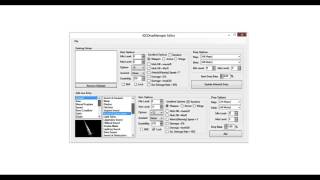 IGC.ToolKit [Premium] - IGCDropManager Editor Overview
DrabanL · 1:21 · 2013
 IGC.ToolKit [Premium] - Visão Geral do Editor de BMD Files
DrabanL · 5:19 · 2013
 IGC.ToolKit [Premium] - Visão Geral do Monster Set Base e do Monster Editor
DrabanL · 4:16 · 2013