MuADMINS
Soluções
Correções curtas para problemas comuns de servidor, cliente e site de MU Online, cada uma com a fonte e a data. “Confirmado” significa que quem perguntou disse que a correção funcionou.
25 soluções para “drop file” em Ferramentas · Limpar
GM-Navigator V.3: how to make the GM move command and the item drop command
1. GM-Navigator is a Flash program for GMs that writes the in-game commands for you. 2. Move: type your GM nick, tick the box if your server uses /gmove, pick the map, then click the spot...
OpenMU admin panel: where do I change the item drops, and why does my change not show in the game?
1. Open Configuration, Item drops (/edit-item-drops). It shows the drop groups of maps, monsters and boxes, the drop levels and the option chances on one page. 2. Edit a group in *Map dro...
Editor Drop + Shop + Spot V2 (MuHelper by Manrique, S15 / S16): load errors with a JIT debugging message at start and only Lost Tower in the map list
1. The errors came from the tool itself: the author fixed the load error and the user error that did not add items in an update posted in the thread on 2021-12-19. 2. Download that update...
✓ Confirmado pelo autor do tópicoTUServerMU · 2021-12-19AIO Mu Editor for MuDevs files: what it edits (spots, NPCs, shops, monster drops) and its known limits
1. Map Monster Editor: shows the game maps and lets you place spots (groups with coordinates, amount and type), custom NPCs and normal or event monsters (Blood Castle, Devil Square and ot...
MU Online Web Editor: 'Node is not recognized' or 'File Not Found' when editing server drops, shops and monsters
1. Install Node.js 18 or newer first and restart the PC; without it you get *Node is not recognized*. 2. Run Start-Editor.bat and keep the black window open; the browser opens the dashboa...
Season 16 item.bmd: old item editors do not work (item section above 15, type above 255)
1. Old tools stop at item section 15 and type 255; use the small drag and drop converter for S16 posted in the thread (the link needs a free RaGEZONE login; later in the thread the same p...
✓ Confirmado pelo autor do tópicoRaGEZONE · 2021-05-07I cannot delete a MU database in SQL Server Management Studio, it gives an error because it is in use. How do I remove it?
1. Stop DataServer, JoinServer, the editors and the web that use the database. 2. In Management Studio right click the database > Delete. 3. In the Delete Object window tick Close existin...
✓ Confirmado pelo autor do tópicoTuServerMU · 2018-01-06MainInfo (MuEmu S6): a new custom item shows no model, texture or tooltip in game although item.bmd, tooltips and customitem.txt are edited
1. Add the item on both sides: server item.txt, client Item.bmd, Itemtooltip.bmd, Eng/Item_eng.bmd and the tooltip files, and the model (sword101.bmd plus textures) in Data/Item. 2. Add t...
✓ Confirmado pelo autor do tópicoRaGEZONE · 2016-10-26MFS Database Tool: the backup gives the same error as other backup managers, even with (local), Windows authentication or 127.0.0.1
1. Connect to your SQL Server as usual (the tool supports SQL Server 2000 and 2008 style connections). 2. Do not pick the database with the drop down button: type the database name (for e...
✓ Confirmado pelo autor do tópicoRaGEZONE · 2014-02-11MuEditor 2.1 (0.97 / 0.99 versions): how to get the item id the editor needs (Blood Castle entry 13 18 shows as B2)
1. Take the item type and index from item(kor).txt, for example 13 18. 2. In these versions each type has 32 items, so the number is type x 32 + index: 13 x 32 + 18 = 434. 3. Convert it t...
✓ Confirmado pelo autor do tópicoTUServerMU · 2020-06-26MUnique SimpleModulus key generator: how to create new Enc/Dec key files or get the matching key of a Dec*.dat or Enc*.dat
1. Start the exe normally to make a brand new key pair: it takes a few seconds and then asks whether to save the keys. 2. To get the counterpart of a key you already have, drag and drop t...
OpenMU Network Analyzer (MUnique): how to capture and read the packets between a MU client and a game server
1. The analyzer is a proxy: it listens for the client, connects to the real server and forwards, decrypts and encrypts all traffic so you can read it. 2. Enter the local port it should li...
GFxDec (myheart): how to decrypt the Data folder of a new Webzen client (S18 to S20) to use its maps and models in a lower season
1. Run GFxDec.exe "path/to/Data" from CMD, or drag and drop the client Data folder on GFxDec.exe. 2. It decrypts almost everything into a Decrypted folder, including EncTerrain .obj files...
IGC Dashboard: how to assign the dashboard license to a server license (Link URL) and when the servers must be restarted
1. You need an unassigned dashboard license. 2. In the server license data form open the dropdown and click Assign Dashboard. 3. Fill Link URL with the web address where your dashboard is...
SMD to BMD Converter (RPGSky): how to convert MU models and textures (SMD to BMD, JPG to OZJ, TGA to OZT, BMP to OZB) and back
1. Extract the program and drag the file you want onto it: it encrypts or decrypts it depending on the format you drop. 2. It converts .SMD and .BMD both ways, and the textures .JPG and ....
IGC.Launcher Premium: how to assign the launcher license to a server license and set the Update URL and Hash URL
1. You need at least one unassigned launcher license. 2. In the server license data form open the dropdown and click Assign Launcher. 3. Fill Update URL and Hash URL: two different web lo...
MU Map & Move Manager: how do I add a new map with its gate and M window move entry on MuEmu kayito files?
1. Run python app.py (or Ejecutar.bat) and select the main Data folder of the server, for example C:\MuServerKayito\Data. Do not select Data\Move: the tool also needs Data\MapManager.txt....
MU Online Client Editor (muonline-bmd-viewer): how do I view a .bmd model with its textures and export it to GLB?
1. Use the web app or install the desktop app (Windows NSIS installer, Linux AppImage, macOS DMG). To build it yourself: Node.js 22+, npm install, then npm run dev (opens http://localhost...
OpenMU admin panel: on a fresh install the client cannot reach the server selection. How do I start the listeners and add a game server?
1. Open Servers (/servers). A fresh install does not start its listeners: start both connect servers and at least one game server. 2. To start them automatically, enable *Auto Start* in t...
OpenMU: after an update a game server stays stopped or the admin panel shows pending updates. How do I apply configuration updates?
1. New versions bring changes to the game configuration data (monster stats, drop groups, plugin configurations, quests). They are not applied to your existing database by the software up...
Vídeos no MUTube
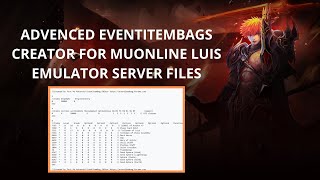 Criador avançado de EventItemBag para Server Files de MuOnline Luis Emulator (MuServer) #luisemulator
Kompulsator · 2:29 · 2025
 DROP da Box mais rara e valiosa do MuAwaY! (drop list 04/24) #muaway #muonline #mmorpg #mu #shorts
DiviX · :33 · 2024
 🔥 MU ONLINE SEASON 3 UPDATE 3 INSANO! 😱 Editores InGame + Drops que Premiam com Saldo!
Aprendiz Mu Online® · 6:58 · 2026
 (Tutorial) Configurar EventItemBag Files MSPRO 💥MuOnline
NOKKE · 8:00 · 2024