MuADMINS
Solutions
Des correctifs courts pour les problèmes courants de serveur, de client et de site web MU Online, chacun avec sa source et sa date. “Confirmé” signifie que la personne qui a posé la question a indiqué que le correctif a fonctionné.
17 solutions pour “maps” dans Outils · Effacer
MonsterSetBaseEditor 2.0: how to use it with any season when my monsters or maps are missing from its lists
1. The editor reads and writes your server MonsterSetBase.txt (monsters, spots and NPCs). 2. It works for every season: the monster and map lists come from the editor's own Monster.txt an...
Kayito 0.97k main: maps from the original 0.97 client do not work with it; which map files does it need?
1. The original 0.97 client uses unencrypted Terrain.att, Terrain.obj and Terrain.map. 2. Kayito adapted this main to read EncTerrain.att, EncTerrain.map and EncTerrain.obj, the format al...
Not verifiedTUServerMU · 2022-05-05GFxDec (myheart): how to decrypt the Data folder of a new Webzen client (S18 to S20) to use its maps and models in a lower season
1. Run GFxDec.exe "path/to/Data" from CMD, or drag and drop the client Data folder on GFxDec.exe. 2. It decrypts almost everything into a Decrypted folder, including EncTerrain .obj files...
MagicHand: the M (move) window sends players to the wrong maps (Devias goes to Kanturu ...) with TitanTech 11.70.28 and a S6E3 client
1. The client move list and the server move list do not match. The client reads Client/Data/Local/Eng/movereq_eng.bmd (not only movereq.bmd); the server reads MuServer/Data/lang/kor/MoveR...
✓ Confirmé par l'auteur du sujetRaGEZONE · 2013-04-22Pentium Tools: maps removed from move.txt still show in the warp (M) window (Flawless Emu S6)
1. The warp window list comes from the client MoveReq.bmd, not from the server move file. 2. Open MoveReq.bmd with Pentium Tools (or MU S@nek Tools) and delete the row of the map; if the...
✓ Confirmé par l'auteur du sujetRaGEZONE · 2024-10-27MainInfo and Louis files on a local PC: the game cannot connect to 127.0.0.1 (nothing on 127.0.0.1 works on that PC)
1. Use the network IP of the PC (the LAN address) instead of 127.0.0.1. 2. Put that IP in MapServerInfo.dat, in the ConnectServer configuration and in MainInfo. 3. Common.dat can stay wit...
✓ Confirmé par l'auteur du sujetCreandoMU · 2021-03-26MuEmu S6E3: after editing movereq_eng.bmd the M window lists the right maps but then breaks, although Move.txt matches
1. The problem was the editor: MagicHand (and Pentium Tools) saved a damaged movereq_eng.bmd for this client. 2. Edit the file again with MU ToolKit Silver Edition and save it. 3. Keep th...
✓ Confirmé par l'auteur du sujetRaGEZONE · 2018-02-20Editor Drop + Shop + Spot V2 (MuHelper by Manrique, S15 / S16): load errors with a JIT debugging message at start and only Lost Tower in the map list
1. The errors came from the tool itself: the author fixed the load error and the user error that did not add items in an update posted in the thread on 2021-12-19. 2. Download that update...
✓ Confirmé par l'auteur du sujetTUServerMU · 2021-12-19MainInfo (Louis Emulator S6): how to rename the sub servers and remove the '(Gold)' label with ServerList.bmd and CustomServerName.txt
1. With Pentium Tools open the client Data/Local/ServerList.bmd: it has 3 entries; give all three the same server name (for example MeuServer). 2. On the server, note the number of each s...
✓ Confirmé par l'auteur du sujetCreandoMU · 2022-10-09Monster Spawn Editor (Louis Season 6 files): how to install it and add monster spawns on a map visually
1. Download the release zip (GitHub Chawron/Mu-monster-spawn-editor), extract it and run MonsterSpawnEditor.exe. It needs Windows 10 or later and nothing else. 2. Pick a map in the Map Se...
CustomNpcMove Enterprise Editor: how do I edit CustomNpcMove.txt of MuEmu 0.97k kayito without breaking it?
1. It needs Windows 10/11 or Server 2022 and Python 3.10 or newer, no extra libraries. 2. Run CustomNpcMove_Enterprise.py. 3. Click Monster.txt and select the GameServer file (for the NPC...
Réécriture de la source par MuADMINSNot verifiedGitHub (Azzlaer/MU_CustomNPCMove_Kayito) · 2026-07-31MU Map & Move Manager: how do I add a new map with its gate and M window move entry on MuEmu kayito files?
1. Run python app.py (or Ejecutar.bat) and select the main Data folder of the server, for example C:\MuServerKayito\Data. Do not select Data\Move: the tool also needs Data\MapManager.txt....
Monster Spawn Editor (MonsterSetBase) for Louis Season 6: how do I add monster spawns on the map visually?
1. Download the latest release, extract the ZIP and run MonsterSpawnEditor.exe (Windows 10 or later, nothing else to install). 2. Select a map in the Map Selection panel and pick a monste...
Réécriture de la source par MuADMINSNot verifiedGitHub (OneAboveAlly/editmonstersetbase) · 2025-05-16MuClientTools16: how do I open Season 16 client files (Lang.mpr, data BMDs, OZJ/OZT textures, BMD models, map files)?
1. The tools target the Season 16 part 1.1 client (Lgd_Test 1.19.46); files of older or newer versions might or might not work. 2. Data files: the tools decode and encode the 45 data BMDs...
OpenMU admin panel: where do I change the item drops, and why does my change not show in the game?
1. Open Configuration, Item drops (/edit-item-drops). It shows the drop groups of maps, monsters and boxes, the drop levels and the option chances on one page. 2. Edit a group in *Map dro...
OpenMU admin panel: on a fresh install the client cannot reach the server selection. How do I start the listeners and add a game server?
1. Open Servers (/servers). A fresh install does not start its listeners: start both connect servers and at least one game server. 2. To start them automatically, enable *Auto Start* in t...
AIO Mu Editor for MuDevs files: what it edits (spots, NPCs, shops, monster drops) and its known limits
1. Map Monster Editor: shows the game maps and lets you place spots (groups with coordinates, amount and type), custom NPCs and normal or event monsters (Blood Castle, Devil Square and ot...
Vidéos sur MUTube
 Mu Online en une leçon 📍 Chapitre 7 : Map Custom + trucs en plus (SsEmu)
BethanMu · 1:59:28 · 2025
 Outil de modding MU Online - MuOZTool v2.6 (visionneuse et convertisseur de textures OZT / OZJ)
Xysad · 2:31 · 2026
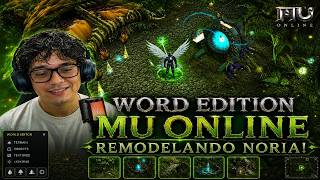 Noria ne sera plus jamais la même ! | Mu Online
BruuH · 7:40 · 2026
 Mu Online : map Atlans Abyss
Fw Games · 4:19 · 2021