MuADMINS
Solutions
Short fixes for common MU Online server, client and website problems, each with its source and date. “Confirmed” means the person who asked said the fix worked.
1 solution for “commonserver.dat” in Tools · Clear
Main CheckSum.dat Generator (Deathway): where the CheckSum.dat goes on the server and what the GameServer needs
1. Open your main.exe in the generator and click Generate. It is very slow: wait some minutes until it writes CheckSum.dat. 2. Put the file in the server lang folder of the language set i...
More answers for “commonserver.dat”
1 in Tools, 10 in other categories and server files:
What does UseNPGGChecksum in commonserver.cfg do?
1. UseNPGGChecksum is for nProtect GameGuard, the official anti cheat; private servers do not use it, so leave it off. 2. It is not the normal main checksum: that one needs a checksum fil...
✓ Confirmed by the topic starterDarksTeam · 2018-10-02Using a skill like Twisting Slash for a few seconds disconnects the player (Season 3.1 KOR files)
1. The disconnect comes from the GameServer antihack checks that treat fast repeated skill use as a hack. 2. Open commonserver.dat and disable the antihack settings (the topic starter dis...
✓ Confirmed by the topic starterRaGEZONE · 2018-03-311.0L server: a Blade Knight with max stats starts Twisting Slash, then the animation stops as if the attack speed is too high
The attack speed limits in the GameServer config are too low for high stats. 1. Open commonserver.cfg. 2. Set the speed block like the answer: AttackSpeedTimeLimit = 2300, IsIgnorePacketH...
✓ Confirmed by the topic starterDarksTeam · 2008-12-31How to make Stones drop
1. Open MuServer\data\commonserver.cfg. 2. Set StoneItemDrop = 1 and set StoneDropRate (1 in the answer). 3. Restart the GameServer.
✓ Confirmed by the topic starterDarksTeam · 2009-01-15Where to change the maximum number of users online (the GameServer shows 6500)
1. Open the server's Data\commonserver.cfg. 2. Find NumberOfMaxUser and set the value you want. 3. Restart the GameServer.
✓ Confirmed by the topic starterDarksTeam · 2009-01-18Players are disconnected from the game about one minute after entering
The anti-hack options in the GameServer config kick legit players. 1. Open MuServer\Data\commonserver.cfg and find SpeedHackPlayerBlock. 2. Set the anti-hack block like the working values...
✓ Confirmed by the topic starterDarksTeam · 2011-01-25GameServer error at start with DarkMaster 97d+99i Beta 13 files, fixed by turning off the EventChip server connection
1. Open Data\commonserver.cfg. 2. Find EventChipServerConnect = 1 and change it to EventChipServerConnect = 0. 3. Restart the GameServer.
✓ Confirmed by the topic starterDarksTeam · 2011-04-23Box of Heaven drops zen and other things instead of only the jewels set in eventitembag.txt
1. eventitembag.txt only decides which items can come out; how often the box gives an item (instead of zen or event chips) is set in CommonServer.cfg. 2. Raise ItemDropRateForBoxOfGold (t...
✓ Confirmed by the topic starterRaGEZONE · 2017-04-20
Videos on MUTube
 Hướng Dẫn Cài Đặt Game Server Mu Online SS6 Full Custom Trên VPS | Góc IT
Góc IT · 26:57 · 2021
 Cài đặt Muserver Season12 trên Vps ( Online) -phần 1
MuOnline PC · 58:10 · 2020
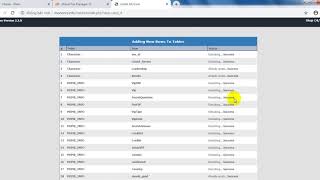 Cài đặt Muserver Season12 trên Vps ( Online) -phần 2 Cài Web trên hosting
MuOnline PC · 26:05 · 2020
 1.Cài đặt khoản và nhân vật bất kì trong game #Muonline làm admin như thế nào ?
MUVN Team - Cài Đặt Server #Muonline · 2:33 · 2023