MuADMINS
Çözümler
Yaygın MU Online sunucu, client ve web sitesi sorunları için kısa düzeltmeler; her biri kaynağı ve tarihiyle. “Onaylanmış”, soruyu soran kişinin düzeltmenin işe yaradığını söylediği anlamına gelir.
13 çözüm “igc.toolkit” için Sunucu kurulumu kategorisinde · Temizle
IGCN S9 E2 repack: IGC tools do not run and the client disconnects with 127.0.0.1 in the configs
1. Do not use 127.0.0.1 in the server IP settings of this repack. 2. Open CMD, run ipconfig and take your IPv4 address. 3. Put that IPv4 address in every server IP setting (and in the cli...
✓ Konu sahibi tarafından onaylandıRaGEZONE · 2019-06-11MuEditor cannot connect to SQL Server (Louis S6 update 15).
1. Follow the Louis setup video for SQL and ODBC. 2. The missing part was opening the SQL port (1433 by default) in the firewall. 3. Open it and connect again.
✓ Konu sahibi tarafından onaylandıCreandoMU · 2020-08-14Nothing is saved in game and editors say the database is read-only
The database that came with a repack can be damaged or incomplete. Here the fix was to use the clean database of the package the files are based on. 1. Download the original package the r...
✓ Konu sahibi tarafından onaylandıTUServerMU · 2024-01-28Mu Linux 97K in Docker: typing 'shop' or '/reload shops' in the server console does not reload the shops
1. The Linux GameServer does not read commands from stdin, so console commands do nothing. 2. From the host, in the Compose folder, write a reload flag: docker compose exec -T mu-server s...
Kaynağın MuADMINS tarafından yeniden yazılmış haliNot verifiedGitHub (EmanuelCatania/Mu-Linux-0.97k) · 2026-10-21Remote tools or the web cannot reach a SQL Express or named instance on port 1433. How do I make SQL listen on a fixed port?
1. Named instances use dynamic ports by default; only the default instance uses 1433. 2. SQL Server Configuration Manager > SQL Server Network Configuration > Protocols for your instance...
How do I change the items new characters start with equipped?
1. Create a character and equip it with MuEditor as you want. 2. Copy that character's Inventory value in SQL. 3. Run UPDATE DefaultClassType SET Inventory = <copied value> WHERE Class =...
✓ Konu sahibi tarafından onaylandıCreandoMU · 2020-08-15Player side: Mu Hack Protection kicks after 5 to 60 minutes with 'suspected executions were found'
The antihack was reacting to another program on the player PC. 1. Check the running processes and browser extensions for tools that inject into other programs. 2. In the thread the cause...
✓ Konu sahibi tarafından onaylandıTUServerMU · 2020-09-04MuEmu (Louis) files: where do I enter the SQL user and password? I cannot find it in any server config
MuEmu servers do not keep the SQL login in their config files: JoinServer and DataServer reach the database through ODBC. 1. Run the ODBC .reg file that comes with the files, or create th...
✓ Konu sahibi tarafından onaylandıTUServerMU · 2020-07-12During SQL Server setup the password for sa is rejected no matter what I type. Why?
1. Setup enforces the Windows password policy on the sa password. 2. Use at least 8 characters that mix uppercase letters, lowercase letters and numbers (a symbol helps too). 3. Do not us...
✓ Konu sahibi tarafından onaylandıTuServerMU · 2017-07-21How do I fix a vault (warehouse): forgotten vault password, or a broken vault that must be emptied safely?
Every MSSQL family we read has warehouse (AccountID, Items varbinary, Money, EndUseDate, pw ...); the Items size differs (IGCN S17 7680 bytes, MuDevs 6000, X-Team S17 4800, WebZen S2 1920...
Not verifiedMuADMINS tarafından yazıldıMSPro: the shipped query "Dar coin ganador gs" (WCoin for the Castle Siege winner) is broken
The file Tools - Querys Y Otros\Query-Sql\Dar coin ganador gs.txt has three problems: 1. Line 1 update CashShopData set WCoinC= WCoinC+1000 where AccountID in has nothing after IN (syntax...
Not verifiedMuADMINS tarafından yazıldıWhat are the MSPro database settings (ODBC, MD5Encryption, DisconnectOnlineAccount) and the update queries?
MSPro files connect through the ODBC DSN named MuOnline: - JoinServer\JoinServer.ini: JoinServerODBC = MuOnline, CaseSensitive = 0, MD5Encryption = 0, MaxIPLimit = 0, MaxHwIDLimit = 0, Di...
Not verifiedMuADMINS tarafından yazıldıConnectServer Cross-Platform (MuEmu kayito): how do I build and run the ConnectServer natively on Linux?
1. Install the build tools: on Ubuntu or Debian sudo apt install build-essential cmake libboost-all-dev (CentOS: gcc-c++ cmake boost-devel; Arch: base-devel cmake boost). On Windows use V...
Kaynağın MuADMINS tarafından yeniden yazılmış haliNot verifiedGitHub (alisacorporation/ConnectServer) · 2025-11-02
MUTube videoları
 IGC.ToolKit [Premium] - Shop Editor Overview
DrabanL · 1:38 · 2013
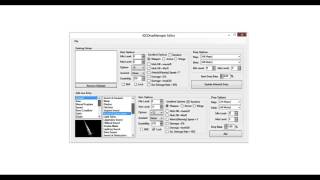 IGC.ToolKit [Premium] - IGCDropManager Editor Overview
DrabanL · 1:21 · 2013
 IGC.ToolKit [Premium] - BMD Files Editor Genel Bakış
DrabanL · 5:19 · 2013
 IGC.ToolKit [Premium] - Monster Set Base ve Monster Editor Genel Bakış
DrabanL · 4:16 · 2013