MuADMINS
Soluții
Rezolvări scurte pentru probleme frecvente ale serverelor, clienților și site-urilor MU Online, fiecare cu sursa și data ei. “Confirmată” înseamnă că persoana care a întrebat a spus că rezolvarea a funcționat.
Soluții: 4 pentru “virus” în Configurarea serverului · Șterge
Files 99b MC v3 on Windows 7 32-bit: DataServer shows "has stopped working" as soon as it starts.
1. Temporarily disable the antivirus or add the MuServer folder to its exclusions. 2. Open System Properties > Advanced > Performance Settings > Data Execution Prevention. 3. Pick Turn on...
✓ Confirmată de autorul topiculuiTuServerMU · 2018-01-09GameServer.exe loads for a long time and then Windows shows "Send error report / Don't Send" with every server pack
The PC was infected with the Win32.Parite (A to C) file infector, which damages .exe files. 1. Download a Parite removal tool (the thread used AntiParite) and let it scan the processes. 2...
✓ Confirmată de autorul topiculuiDarksTeam · 2008-06-19Mu Hack Protection (Rodrigo117): the MHP logo shows, but after it closes main.exe never opens
The protection was packed with the wrong plugin DLL. 1. Open your MHP packaging setup and check the plugin list. 2. Remove any DLL that is not one of your client plugins; the asker had ad...
✓ Confirmată de autorul topiculuiTUServerMU · 2020-08-06The server works on the host PC, but other players cannot get in (MuEmu S8).
1. Exclude main.exe from DEP and add the client folder to the antivirus exceptions. 2. Open the antihack port 55999 in the Windows firewall and in the router. 3. Allow ConnectServer and G...
✓ Confirmată de autorul topiculuiTuServerMU · 2017-01-18
Videoclipuri pe MUTube
 Cum să deschizi porturile în Firewall pentru ca MU să se conecteze la PC-ul tău?
Escola Para Administradores de MuOnline · 1:40 · 2020
 Tutorial SQL Server 2012 MuOnline
LayerGaming · 4:24 · 2021
 Instalarea SQL Server 2019 pentru MuOnline
LayerGaming · 13:42 · 2026
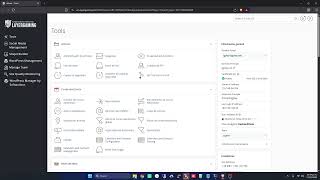 Instalarea Launcher LayerGaming (MuOnline)
LayerGaming · 10:54 · 2026