MuADMINS
Soluções
Correções curtas para problemas comuns de servidor, cliente e site de MU Online, cada uma com a fonte e a data. “Confirmado” significa que quem perguntou disse que a correção funcionou.
5 soluções para “commonserver.dat” em Configuração do servidor · Limpar
What does UseNPGGChecksum in commonserver.cfg do?
1. UseNPGGChecksum is for nProtect GameGuard, the official anti cheat; private servers do not use it, so leave it off. 2. It is not the normal main checksum: that one needs a checksum fil...
✓ Confirmado pelo autor do tópicoDarksTeam · 2018-10-02Using a skill like Twisting Slash for a few seconds disconnects the player (Season 3.1 KOR files)
1. The disconnect comes from the GameServer antihack checks that treat fast repeated skill use as a hack. 2. Open commonserver.dat and disable the antihack settings (the topic starter dis...
✓ Confirmado pelo autor do tópicoRaGEZONE · 2018-03-31Where to change the maximum number of users online (the GameServer shows 6500)
1. Open the server's Data\commonserver.cfg. 2. Find NumberOfMaxUser and set the value you want. 3. Restart the GameServer.
✓ Confirmado pelo autor do tópicoDarksTeam · 2009-01-18Players are disconnected from the game about one minute after entering
The anti-hack options in the GameServer config kick legit players. 1. Open MuServer\Data\commonserver.cfg and find SpeedHackPlayerBlock. 2. Set the anti-hack block like the working values...
✓ Confirmado pelo autor do tópicoDarksTeam · 2011-01-25GameServer error at start with DarkMaster 97d+99i Beta 13 files, fixed by turning off the EventChip server connection
1. Open Data\commonserver.cfg. 2. Find EventChipServerConnect = 1 and change it to EventChipServerConnect = 0. 3. Restart the GameServer.
✓ Confirmado pelo autor do tópicoDarksTeam · 2011-04-23
Vídeos no MUTube
 Hướng Dẫn Cài Đặt Game Server Mu Online SS6 Full Custom Trên VPS | Góc IT
Góc IT · 26:57 · 2021
 Cài đặt Muserver Season12 trên Vps ( Online) -phần 1
MuOnline PC · 58:10 · 2020
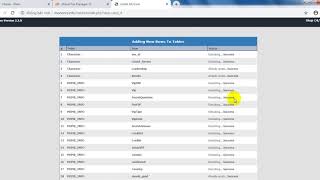 Cài đặt Muserver Season12 trên Vps ( Online) -phần 2 Cài Web trên hosting
MuOnline PC · 26:05 · 2020
 1.Cài đặt khoản và nhân vật bất kì trong game #Muonline làm admin như thế nào ?
MUVN Team - Cài Đặt Server #Muonline · 2:33 · 2023