MuADMINS
Soluzioni
Fix brevi per i problemi comuni di server, client e siti web di MU Online, ognuno con la sua fonte e la sua data. “Confermato” significa che chi ha fatto la domanda ha detto che il fix ha funzionato.
0 soluzioni per “wing model” in Setup del server · Azzera
Ancora niente in Setup del server per queste parole, ma trovano soluzioni in altre categorie e file del server (sotto).
Altre risposte per “wing model”
0 in Setup del server, 5 in altre categorie e file del server:
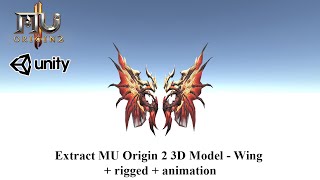
MilkShape 3D: after scaling a wing model down with Scale All, the wing no longer moves in game
1. Resize the model in MilkShape 3D with Tools > Scale All. 2. Scale every animation SMD file too (_001, _002 and so on), not only the main model. 3. Export the main SMD as Reference and...
✓ Confermato dall'autore della discussioneRaGEZONE · 2018-06-06Louis S6 Update 13: a custom cape (or custom wings) is not drawn on the back of the character
1. In the client MainInfo config open the CustomWing section and find the line of that cape. 2. Change ModelType from 0 to 1. 3. Build the main info again (the getmain.premium step of the...
✓ Confermato dall'autore della discussioneTUServerMU · 2020-08-08Season 5.2 main source: Wings of Eternal look dark or black on dark maps and only the lightning effect glows
1. In the client source open ZzzObject.cpp, function RenderPartObjectBody. 2. The render override block for MODEL_WING+37 (Wing of Eternal) is commented out, so the wing mesh takes the da...
✓ Confermato dall'autore della discussioneRaGEZONE · 2026-07-13Pentium Tools: how to know which OZJ texture belongs to a BMD model taken from another Season 6 client
1. Open the BMD in Pentium Tools to see the model. 2. Use the image viewer option of the same Pentium Tools (View Image or similar) to browse the OZJ files of that client. 3. Pick the OZJ...
✓ Confermato dall'autore della discussioneTUServerMU · 2016-12-01IGC.ToolKit: how to add a custom item to the IGCN client (Item.bmd sub group, model file name, ItemTRSData in Lang.mpr)
1. Edit the BMD files in \Data\Local\ of the client with IGC.ToolKit (Free or Premium). ToolKit Premium can add the item on the client first and export it to the server format, and its It...