MuADMINS
Lösungen
Kurze Fixes für häufige Probleme mit Server, Client und Website bei MU Online, jeweils mit Quelle und Datum. “Bestätigt” heißt: Die Person, die gefragt hat, hat gesagt, dass der Fix funktioniert hat.
0 Lösungen für “interface” in Server-Setup · Zurücksetzen
In Server-Setup gibt es für diese Wörter noch nichts, aber sie finden Lösungen in anderen Kategorien und Serverdateien (unten).
Weitere Antworten für „interface“
0 in Server-Setup, 21 in anderen Kategorien und Serverdateien:
MuOnline Interface Express (OGC-Soft, loading screen editor): the program freezes on Windows 10 Enterprise
1. Download the fixed build MuOnline Interface Express 1.0.2 that the authors posted in the thread: it fixes the freeze ("se tildaba el programa"). 2. If an old build still fails, the aut...
Not verifiedTUServerMU · 2018-11-28Pink lines over the MuHelper window in the client; changing the interface image did not help
1. Install QeffectsGL in the client folder (the asker shared a client fix with MuHelper + QeffectsGL). 2. Delete the client Logs folder. 3. Start the client again: the pink lines are gone.
✓ Vom Threadersteller bestätigtTUServerMU · 2021-02-10IGCN S6E3 (free files): where to translate client texts that are not in text_eng.bmd or English.xml
1. Normal client texts: Client\Data\Local\Eng\text_eng.bmd. 2. Texts drawn on buttons are pictures: the .ozj files in Client\Data\Interface; edit them with Pentium Tools (convert, edit th...
✓ Vom Threadersteller bestätigtRaGEZONE · 2019-10-01MUimgGUI: the map name shown when you move to a city is in Korean; where is it translated?
1. That name is not in text.bmd: it is an image in Data\Interface of the client, for example lorencia.OZT (OZT is a TGA, used because of the transparency). The other map names are .OZT fi...
✓ Vom Threadersteller bestätigtImperyus Games Brasil · 2016-03-23MainInfo: after setting SelectCharS13 = 0 in main.info the old Season 6 server and character select screen looks broken
1. The marked solution: most likely the client is missing the textures of that interface; make sure the client has them. 2. Also check the main_info folder, in its customs folder: if ther...
✓ Vom Threadersteller bestätigtRaGEZONE · 2025-08-19The master skill tree shows black icons with numbers such as 549 and 550 instead of the skill images
1. The client is missing the master skill tree interface textures for its version. 2. Replace the files in the client Data\Interface\ folder with the matching ones (the helper uploaded a...
✓ Vom Threadersteller bestätigtRaGEZONE · 2017-10-02The whole PC slows down (mouse lag) when the windowed client is not in focus (ZxGames V6.0 Full Premium files).
In MainInfo.ini set CustomInterfaceType = 0 (S6 original). Type 4 (Legends) caused the lag. Then regenerate the client main files.
✓ Vom Threadersteller bestätigtTuServerMU · 2025-07-18MuLogo maker: how to make a custom loading screen or logo, and why the right half stays white or the logo is upside down
1. Run mu logo maker.exe (needs .NET Framework 3.5), choose the season whose loading screen you want and convert your image. 2. The image is split in parts: a part that shows white in gam...
Videos auf MUTube
 MuOnline Season 6.3 - Fix für Custom-Interface Ex700, schwarze Linie im Legend-C,V-Inventar
CuCuMaLu · :28 · 2020
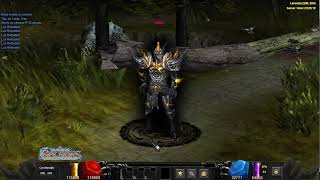 Mu Online 5.2 - Demostración de Interface Skin Black | Custom Main
muserverfiles · :17 · 2026
 Multi Launcher UI-Skins für Mu Server
Game Templates · 1:28 · 2026
 MiniMap von MuOnlineS16 bearbeiten
[GM]KING · 7:05 · 2021