MuADMINS
Soluzioni
Fix brevi per i problemi comuni di server, client e siti web di MU Online, ognuno con la sua fonte e la sua data. “Confermato” significa che chi ha fatto la domanda ha detto che il fix ha funzionato.
0 soluzioni per “release” in Gameplay · Azzera
Ancora niente in Gameplay per queste parole, ma trovano soluzioni in altre categorie e file del server (sotto).
Altre risposte per “release”
0 in Gameplay, 50 in altre categorie e file del server:
MuMain: the downloaded client release has no Data folder. How do I put a working client together?
1. The release archives, for example MuMain-windows-native-x64-release-editor-off-no-data.tar.gz, leave out Data/ and fonts/ on purpose. 2. On the release page follow the Compatible game...
Kayito 0.97k: a Release build of main.dll crashes when entering the game with a character, the Debug build works.
1. The bug is in Window.cpp, function ChangeWindowText: the local char text[256] array goes out of scope before the window uses it. 2. Remove that local variable and make it a member of t...
✓ Confermato nella issueGitHub (nicomuratona/MuEmu-0.97k-kayito) · 2024-11-26Open source client (MuMain): typing a chat message such as ++++++++ crashes the game.
1. The crash happens only in a Debug build. 2. Build and use the Release configuration for players. 3. The reporter confirmed the Release build works.
✓ Confermato nella issueGitHub (sven-n/MuMain) · 2025-07-28JoinServer shows an error at start with the DarksTeam 0.99.62T release files
The JoinServer was started directly, without its start parameters. 1. Do not run joinserver.exe by itself; start it from StartUp.exe. 2. In StartUp.exe give the JoinServer the parameters...
✓ Confermato dall'autore della discussioneDarksTeam · 2012-09-08How to set the server IP in the client for Louis S6 Update 8 Premium files (no tutorial in the release).
1. MAIN_INFO: put your IP in the config, run GetMainInfo, copy everything from the Premium output folder into the client. 2. AH_INFO: put your IP in ClientInfo, run GetClientInfo, copy th...
✓ Confermato dall'autore della discussioneTuServerMU · 2019-05-07How to install a downloaded Lorencia map skin (client folders and server .att file)
1. Read the notes in the archive or its release thread first. 2. Put the two folders of the skin into the client Data\ folder and replace all files. 3. On the server, copy the skin's .att...
✓ Confermato dall'autore della discussioneRaGEZONE · 2017-01-09Mu Linux 97K: the Docker build of the server gets killed (out of memory) during the CMake build
1. The Dockerfile built with cmake --build /build -j, which runs unlimited parallel jobs and can trigger OOM kills on small VPS or CI machines. 2. Limit the parallel jobs: cmake -S . -B /...
✓ Confermato nella issueGitHub (EmanuelCatania/Mu-Linux-0.97k) · 2026-08-17Editor Drop + Shop + Spot V2 (MuHelper by Manrique, S15 / S16): load errors with a JIT debugging message at start and only Lost Tower in the map list
1. The errors came from the tool itself: the author fixed the load error and the user error that did not add items in an update posted in the thread on 2021-12-19. 2. Download that update...
✓ Confermato dall'autore della discussioneTUServerMU · 2021-12-19
Video su MUTube
 COME CAMBIARE IL NOME DELLA SALA DEL SERVER DI MU ONLINE E AGGIUNGERE ITEM | 97D DOWNGRADE SEASON 6
Syntax · 19:20 · 2020
 Mu Online in una lezione 📍 Capitolo 5: Aggiungere oggetti + Wings + Config Kundun (SsEmu)
BethanMu · 1:30:24 · 2025
 MSPro - Video guida - Mostri e NPC custom + Sistemi completi
MSPro - MuServerPro - Desarrollo de MuOnline · 1:00:43 · 2025
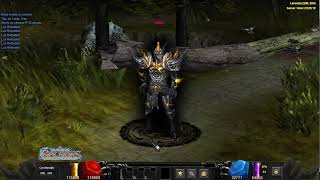 Mu Online 5.2 - Demostración de Interface Skin Black | Custom Main
muserverfiles · :17 · 2026