MuADMINS
Soluzioni
Fix brevi per i problemi comuni di server, client e siti web di MU Online, ognuno con la sua fonte e la sua data. “Confermato” significa che chi ha fatto la domanda ha detto che il fix ha funzionato.
30 soluzioni per “editor” in Gameplay · Azzera
Items put on a character with Titan Editor Premium cannot be taken off: 'Este es un elemento duplicado'
The files block items with a repeated serial (anti dupe), and items written by the editor got repeated serials. 1. Delete the items that were added with the editor. 2. Create items in gam...
✓ Confermato dall'autore della discussioneTUServerMU · 2020-05-17A dialog box appears and the character cannot enter Barracks (Balgass Barracks)
The character had been changed with an editor and had not done any quest, so the Barracks entry check failed. 1. Use a character that really did the required quests (in Season 6 the Barra...
✓ Confermato dall'autore della discussioneTUServerMU · 2020-08-08Every item in the cash shop (X-Shop) gives an error although the configs look right
1. The client and the server must have exactly the same cash shop item data; any difference makes every item fail. 2. Export the cash shop files again with the editor and copy the same ex...
✓ Confermato dall'autore della discussioneRaGEZONE · 2019-02-17Where are the box drops (Box of Luck, Box of Kundun) edited
1. Open the EventItemBag files in the server Data folder (one file per box). 2. Edit the item list of the box you want. 3. Restart the GameServer.
✓ Confermato dall'autore della discussioneDarksTeam · 2010-11-19Where is the welcome message that players see when they enter the game edited?
1. The welcome text comes from the server, not from the client. 2. Open Data\Message.txt in the server files (in the thread it is line 256). 3. Change the text, save, and reload or restar...
✓ Confermato dall'autore della discussioneTUServerMU · 2020-10-06No monsters or NPCs appear in Crywolf after editing the monster spawn file.
1. Crywolf belongs to the Castle Siege GameServer. 2. Edit the CS spawn file (MonsterSpawnCS / MonsterSetBaseCS). 3. Remove the Crywolf map from the normal MonsterSpawn so only the CS fil...
✓ Confermato dall'autore della discussioneTuServerMU · 2019-03-14Louis S6: edits to the bar shop do not show in game even after reload.
1. The wrong shop file was edited: the bar shop is '001 - Liaman the Barmaid'. 2. Use the line format of your update (update 13 lines end with extra columns like 0 0 0 255 255 255 255 255...
✓ Confermato dall'autore della discussioneTuServerMU · 2019-09-29Where do you edit the rewards of events and bosses (Blood Castle, Chaos Castle, Medusa, Selupan) on MuEmu Season 6 Ep3?
1. Open MuServer\Data\EventItemBag; each event and boss has its own bag file. 2. Edit the header (DropZen, ItemDropRate, ItemDropCount, SetItemDropRate) and add the item lines, for exampl...
✓ Confermato dall'autore della discussioneRaGEZONE · 2018-10-22Lorencia NPCs Lumen and Caren show each other's shop items after editing the shops.
1. Open Data/ShopManager and check which shop file is linked to which NPC index. 2. Fix the NPC names and indexes so each shop points to the right NPC. 3. Reload the shops.
✓ Confermato dall'autore della discussioneCreandoMU · 2020-10-23Season 12 shop XML: every shop item gives an error / does not work
1. Open the shop XML files and look at the Exc attribute of the items. 2. In the topic starter's files every item had Exc="-1". 3. Change it to Exc="0" (or a real excellent option value)...
✓ Confermato dall'autore della discussioneRaGEZONE · 2018-08-19IGCN S9 E2 repack: Package boxes (a, b, c...) say 'This item cannot be dropped'
1. The package boxes are cash shop items and cannot be dropped when they are made another way. 2. Add them to the cash shop and buy them there to get usable boxes. 3. When you add items t...
✓ Confermato dall'autore della discussioneRaGEZONE · 2019-04-14How to let the Magic Gladiator wear the Kundun Staff
Which classes can equip an item is set in the item files, on both sides. 1. Server: edit the item's class columns in item.txt (Data folder) so MG is allowed. 2. Client: make the same chan...
✓ Confermato dall'autore della discussioneDarksTeam · 2010-08-30MuEmu: is it possible to give a skill a cooldown?
1. Yes: the skill delay is a column of the skill data. 2. Open skill_eng.bmd with a skill editor and set the Delay column of that skill. 3. Save, update the client and test the skill.
✓ Confermato dall'autore della discussioneRaGEZONE · 2017-10-06How to sell Crest of Monarch in the Cash Shop when only Loch's Feather shows up?
1. Crest of Monarch is Loch's Feather at level 1. 2. In the Cash Shop editor add Loch's Feather with level 1. 3. It still shows the feather icon in the shop but is delivered as Crest of M...
✓ Confermato dall'autore della discussioneTuServerMU · 2018-02-210.97d+99i: /move stadium sends the character to the soccer area.
1. 97d+99i files have no MoveReq.txt. 2. Edit line 50 in the server Gate.txt and in the client Gate.bmd. 3. Save both and test.
✓ Confermato dall'autore della discussioneImperyus Games Brasil · 2011-06-30Moving to Lorencia with M lands on the wrong coordinates (inside the castle area).
1. Find the gate number of that move in the client movereq. 2. Edit its coordinates in the server Gate.txt (and Gate.bmd in the client if needed). 3. The asker only needed to change the c...
✓ Confermato dall'autore della discussioneImperyus Games Brasil · 2010-05-26Which EventItemBag does the New Year event use?
1. New Year is an invasion, its main monster is 365. 2. Its drop bag is 050 - Fortune Pouch.txt. 3. Edit that bag to change the rewards.
✓ Confermato dall'autore della discussioneCreandoMU · 2021-04-22How do I give Elves infinite arrows on Louis files?
1. In Data/Effect.txt edit the line of index 6 (Infinity Arrow). 2. In Data/Custom/CustomStartItem.txt, section 1 (Starter Character Buff), add 0 6 1 0 9999999. 3. Create a new Elf to test.
✓ Confermato dall'autore della discussioneCreandoMU · 2021-07-22How do I remove the timed (expiring) starting items new characters get?
1. Open MuServer/Data/Custom/CustomStartItem. 2. Remove or edit the starting item lines. 3. Restart the GameServer.
✓ Confermato dall'autore della discussioneCreandoMU · 2021-06-03MuEmu: how do I set Castle Siege so registration opens by itself on Monday and the siege runs on Sunday?
1. Edit GameServerCS/Data/Event/MuCastleData.dat: state 7 sets the siege day and start hour, state 8 sets the end hour. 2. In GameServerCS/Data/GameServerInfo - Event.dat set CastleSiegeE...
✓ Confermato dall'autore della discussioneCreandoMU · 2020-09-28
Video su MUTube
 Mu World Editor, Pentium Tools e MuToolkit......d3zc4rg4
Josue Ochoa · 2:45 · 2024
 [EP-Launcher 2026] Launcher AutoUpdate Mu Online + MuLauncher Editor + Generatore di aggiornamenti automatico.
Victhorinox · 9:57 · 2026
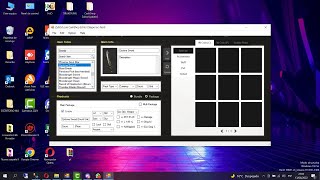 Agregando Items al Editor Cash Shop de Louis
[GM]KING · 23:25 · 2022
 Modificare mappe con l'editor C4nab1s
Josue Ochoa · 26:29 · 2022