MuADMINS
Solutions
Des correctifs courts pour les problèmes courants de serveur, de client et de site web MU Online, chacun avec sa source et sa date. “Confirmé” signifie que la personne qui a posé la question a indiqué que le correctif a fonctionné.
5 solutions pour “commonserver.dat” dans Gameplay · Effacer
1.0L server: a Blade Knight with max stats starts Twisting Slash, then the animation stops as if the attack speed is too high
The attack speed limits in the GameServer config are too low for high stats. 1. Open commonserver.cfg. 2. Set the speed block like the answer: AttackSpeedTimeLimit = 2300, IsIgnorePacketH...
✓ Confirmé par l'auteur du sujetDarksTeam · 2008-12-31How to make Stones drop
1. Open MuServer\data\commonserver.cfg. 2. Set StoneItemDrop = 1 and set StoneDropRate (1 in the answer). 3. Restart the GameServer.
✓ Confirmé par l'auteur du sujetDarksTeam · 2009-01-15Box of Heaven drops zen and other things instead of only the jewels set in eventitembag.txt
1. eventitembag.txt only decides which items can come out; how often the box gives an item (instead of zen or event chips) is set in CommonServer.cfg. 2. Raise ItemDropRateForBoxOfGold (t...
✓ Confirmé par l'auteur du sujetRaGEZONE · 2017-04-20Old 97d Devil Square runs fine but players get no points or ranking when the event ends.
1. Open the commonserver config of the 97d server. 2. Keep DevilSquareEvent = 1 and DevilSquareEventServer = 127.0.0.1. 3. Set DevilSquareEventConnect = 0 (setting it to 1 broke it on thi...
✓ Confirmé par l'auteur du sujetRaGEZONE · 2024-02-19Where to set how many stat points a character gets per level
In these files it is not in CommonServer.cfg but in the GameServer folder. 1. Open D:\MuServer\GameServer\CTGSSet.ini. 2. Set MagSword= (points for DL and MG), Level220Down= (DW, DK, Elf...
✓ Confirmé par l'auteur du sujetDarksTeam · 2009-04-04
Vidéos sur MUTube
 Hướng Dẫn Cài Đặt Game Server Mu Online SS6 Full Custom Trên VPS | Góc IT
Góc IT · 26:57 · 2021
 Cài đặt Muserver Season12 trên Vps ( Online) -phần 1
MuOnline PC · 58:10 · 2020
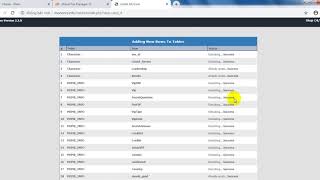 Cài đặt Muserver Season12 trên Vps ( Online) -phần 2 Cài Web trên hosting
MuOnline PC · 26:05 · 2020
 1.Cài đặt khoản và nhân vật bất kì trong game #Muonline làm admin như thế nào ?
MUVN Team - Cài Đặt Server #Muonline · 2:33 · 2023