MuADMINS
Giải pháp
Các cách sửa ngắn gọn cho những lỗi thường gặp của server, client và website MU Online, mỗi cách đều kèm nguồn và ngày. “Đã xác nhận” nghĩa là người đặt câu hỏi cho biết cách sửa đã hiệu quả.
23 giải pháp cho “igc.toolkit” trong Client game · Xóa lọc
Disconnect when entering my 97d+99i server after changing the main.exe settings with a Main Editor
For the 97d+99i files main.exe must not be edited. 1. Put back the original main.exe of the matching client. 2. Connect through the launcher set to your server address. 3. Log in again.
✓ Được người mở chủ đề xác nhậnDarksTeam · 2008-07-04OpenMU: which serial does the Season 6 Episode 3 main.exe need, and is there a launcher instead of hex editing the IP?
1. OpenMU expects the GMO Season 6 Episode 3 serial k1Pk2jcET48mxL3b (hex 6B 31 50 6B 32 6A 63 45 54 34 38 6D 78 4C 33 62). 2. You can see it in the admin panel: Servers, the connect serv...
✓ Đã xác nhận trong issueGitHub (MUnique/OpenMU) · 2020-04-23MuMain: character creation class buttons and the DevEditor panel are invisible but clickable (AMD GPU).
1. Root cause found by the reporter: the 2D projection was not restored after the 3D character preview (plus a second stacking issue). 2. The fix was merged into the repository in Septemb...
✓ Đã xác nhận trong issueGitHub (sven-n/MuMain) · 2026-09-03SSeMU Season 3: +13 weapons glow like +6 items
1. The item glow comes from the client file glow.gld (in the Data folder). 2. Open glow.gld with a glow editor, find the item by its id and fix its glow entry. 3. Save, copy it into the c...
✓ Được người mở chủ đề xác nhậnRaGEZONE · 2023-01-08Serial does not match the client and the main is encrypted, so HxD and main editors fail (0.97 + Retail2 files).
1. Restore the MuOnline.bak shipped in C:\MuServer\DB. 2. Create the ODBC entry (64 bit). 3. Delete the CheckSum file in C:\MuServer\data\lang\kor. After this the client connected.
✓ Được người mở chủ đề xác nhậnTuServerMU · 2020-03-28Changing the main serial with HxD or another hex editor breaks main.exe, and after that the client asks for a new version (MuEmu S6).
1. Do not hex edit the main. 2. Change the serial in the server Common config of both GameServers and in the main tool (GetMainInfo), then regenerate the client files. 3. Keep the exact s...
✓ Được người mở chủ đề xác nhậnTuServerMU · 2018-10-23IGCN Season 12: the server runs, but after loading the client says the game needs to be updated.
1. Open IGCData/IGC_MapServerInfo.xml on the server and read the client version and serial. 2. Put the same IP, version and serial in the client info editor (serverinfo generator). 3. Gen...
✓ Được người mở chủ đề xác nhậnTuServerMU · 2019-04-06Text.bmd: the CashShop window shows strange characters for Portuguese words with ç or accents
1. The strange characters come from letters such as ç and accented letters that this main does not display. 2. Edit text.bmd in Data\Local and replace the word, for example preço with Val...
✓ Được người mở chủ đề xác nhậnImperyus Games Brasil · 2012-06-03Login fails with "error-L1 : serial error [account] WSARecv() failed with error 10038" (Season 2 server)
1. The serial of the main does not match the server: the GameServer window shows its serial (here muservicesinfoss) and the main has another one (here k5lEopalwaudns8h). 2. On the server...
✓ Được người mở chủ đề xác nhậnRaGEZONE · 2017-08-12After changing the Lorencia map skin in the client, characters walk through walls and objects (the server terrain no longer matches)
Every time you change a map on the client side, the server terrain must be made from that same client map. 1. Take the client encrypted terrain of the map (EncTerrain file of Lorencia). 2...
✓ Được người mở chủ đề xác nhậnTUServerMU · 2020-02-07Item descriptions show in strange colors and with wrong extra lines in the client
1. In the files client tools, open the EncryptBMD folder. 2. Edit JCItemtooltip.txt and JCTexttooltip.txt (item tooltip texts and colors). 3. Encode them back to .bmd with the encoder of...
✓ Được người mở chủ đề xác nhậnTUServerMU · 2021-04-29MuEmu S6 client: how to remove WCoinP and Goblin Points from the game window title and rename WCoinC
That text is not in the text.bmd files nor in the database: it is written by the client main.dll. 1. If you have the main source, change it there and rebuild. 2. Without source, open main...
✓ Được người mở chủ đề xác nhậnTUServerMU · 2021-02-16MuEmu S6 Update 13: wings can be equipped by the wrong classes although Item.txt looks right
The class columns of the client item.bmd did not match the server Item.txt. 1. Check the wing lines (in the thread items 204 to 210) in MuServer\Data\Item\Item.txt: each class column says...
✓ Được người mở chủ đề xác nhậnTUServerMU · 2020-08-22Louis S6 Update 13: a custom cape (or custom wings) is not drawn on the back of the character
1. In the client MainInfo config open the CustomWing section and find the line of that cape. 2. Change ModelType from 0 to 1. 3. Build the main info again (the getmain.premium step of the...
✓ Được người mở chủ đề xác nhậnTUServerMU · 2020-08-08KoshGames S6 files: the Seal of experience shows '150%' in game but the server gives only 15%; where is that text edited?
The text shown for the seal buff is not in ItemTooltipText or Text.bmd. 1. Open the client file BuffEffect.bmd (client Data folder) with a BMD editor (the thread mentions BMD Editor or Ma...
✓ Được người mở chủ đề xác nhậnTUServerMU · 2020-08-03Season 4: the 'Buy WCoin' button in the cash shop (X) opens another server's website; where do I change it?
1. The link is not in the server files: it is a text line in the client. 2. Open the client text.bmd with a text.bmd editor; in the topic starter's client the address was at line 2173. 3....
✓ Được người mở chủ đề xác nhậnRaGEZONE · 2015-04-26OpenMU: I start main.exe with the ClientLauncher pointing to 127.0.0.1:44405 and nothing happens, the server never sees a connection.
1. The original client refuses 127.0.0.1. 2. Use another loopback address instead, usually 127.127.127.127, with port 44405. 3. Set it in the ClientLauncher (or in main.exe with a hex edi...
✓ Đã xác nhận trong issueGitHub (MUnique/OpenMU) · 2019-02-15Season 5 files: the client says to update the version (version error) and I cannot log in. What must match?
1. The client version and serial must be exactly the same as the Version and Serial in the GameServer configuration. 2. Compare them character by character: one wrong letter, digit or sym...
✓ Được người mở chủ đề xác nhậnTuServerMU · 2019-08-01The client says "You are disconnected from the server" although the IPs, ah.info and main.info look correct. Where should I look?
1. Check that the basic ports are open: ConnectServer (44405) and GameServer (55901, 55919 for the CS server). 2. Open the client main.info settings again and check every value: IP, port...
✓ Được người mở chủ đề xác nhậnTuServerMU · 2019-04-30Flawless Emulator S6: maps removed from Data/Move/Move.txt still show in the warp command window (they just do not teleport).
1. The warp window list comes from the client file MoveReq.bmd, not only the server Move.txt. 2. Open the client Data/Local MoveReq.bmd in a BMD editor and delete the map rows (or set the...
✓ Được người mở chủ đề xác nhậnRaGEZONE · 2024-10-28
Video trên MUTube
 IGC.ToolKit [Premium] - Shop Editor Overview
DrabanL · 1:38 · 2013
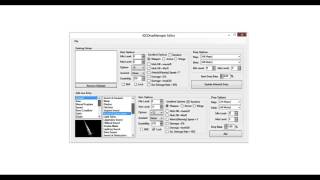 IGC.ToolKit [Premium] - IGCDropManager Editor Overview
DrabanL · 1:21 · 2013
 IGC.ToolKit [Premium] - Tổng quan BMD Files Editor
DrabanL · 5:19 · 2013
 IGC.ToolKit [Premium] - Tổng quan Monster Set Base & Monster Editor
DrabanL · 4:16 · 2013