MuADMINS
Giải pháp
Các cách sửa ngắn gọn cho những lỗi thường gặp của server, client và website MU Online, mỗi cách đều kèm nguồn và ngày. “Đã xác nhận” nghĩa là người đặt câu hỏi cho biết cách sửa đã hiệu quả.
4 giải pháp cho “disabled” trong Client game · Xóa lọc
Season 6 (main 1.04 based, S6.15 files): Rage Fighter gloves show in the wrong position
1. Add the gloves to CustomGlove.txt in the GetMainInfo folder. 2. In MainInfo.ini make sure the custom gloves system is on: DisableCustomClaws = 0 and DisableCustomGlove = 0 (0 means ena...
✓ Được người mở chủ đề xác nhậnTUServerMU · 2021-09-29Louis update 32: every socket item shows the option error "0 15 15" (visual only, the item works).
1. Open the MainInfo settings. 2. Disable AllowSocketHarmony. 3. Generate the main info again and copy it into the client.
✓ Được người mở chủ đề xác nhậnCreandoMU · 2023-01-28MuEmu files: screenshots taken in game carry a logo watermark; how to remove it
1. In the files Tool folder open MainInfo.ini and find the 'Enable Print Screen + logo' block. 2. PrintLogo values: 0 = disabled, 1 left top, 2 right top, 3 left bottom, 4 right bottom, 5...
✓ Được người mở chủ đề xác nhậnTUServerMU · 2023-08-07After extracting the MuEmu S4 client and setting it up, main.exe does not open at all.
1. Make sure Main.dll from the files MAIN folder is in the client. 2. Add main.exe to DEP if it still fails. 3. In this case the cause was Avast: it blocked main.exe without showing a det...
✓ Được người mở chủ đề xác nhậnTuServerMU · 2018-01-31
Video trên MUTube
 Mu Online Mới Nhất | HƯỚNG DẪN TẤT TẦN TẬT VỀ NÂNG CẤP ĐỒ TRONG MU SS6 NON RS | CongTuHL
CongTuHL · 21:50 · 2023
 CÁCH LOẠI BỎ LAG FPS CỦA MUONLINE - GIẢI PHÁP TRIỆT ĐỂ - GIAI ĐOẠN TEST
Gui PvP · 8:52 · 2024
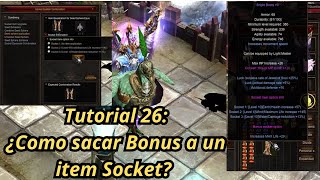 Mu Online Hướng dẫn 26: Cách gỡ option bonus của item socket?
NaQuEvEr · 7:52 · 2025
 Cách LOẠI BỎ LAG trong MU Online * Không cần phần mềm* #muonline #antilag #mmorpgs
JeongGuwonYT · 7:07 · 2020