MuADMINS
Çözümler
Yaygın MU Online sunucu, client ve web sitesi sorunları için kısa düzeltmeler; her biri kaynağı ve tarihiyle. “Onaylanmış”, soruyu soran kişinin düzeltmenin işe yaradığını söylediği anlamına gelir.
4 çözüm “disabled” için Oyun client'ı kategorisinde · Temizle
Season 6 (main 1.04 based, S6.15 files): Rage Fighter gloves show in the wrong position
1. Add the gloves to CustomGlove.txt in the GetMainInfo folder. 2. In MainInfo.ini make sure the custom gloves system is on: DisableCustomClaws = 0 and DisableCustomGlove = 0 (0 means ena...
✓ Konu sahibi tarafından onaylandıTUServerMU · 2021-09-29Louis update 32: every socket item shows the option error "0 15 15" (visual only, the item works).
1. Open the MainInfo settings. 2. Disable AllowSocketHarmony. 3. Generate the main info again and copy it into the client.
✓ Konu sahibi tarafından onaylandıCreandoMU · 2023-01-28MuEmu files: screenshots taken in game carry a logo watermark; how to remove it
1. In the files Tool folder open MainInfo.ini and find the 'Enable Print Screen + logo' block. 2. PrintLogo values: 0 = disabled, 1 left top, 2 right top, 3 left bottom, 4 right bottom, 5...
✓ Konu sahibi tarafından onaylandıTUServerMU · 2023-08-07After extracting the MuEmu S4 client and setting it up, main.exe does not open at all.
1. Make sure Main.dll from the files MAIN folder is in the client. 2. Add main.exe to DEP if it still fails. 3. In this case the cause was Avast: it blocked main.exe without showing a det...
✓ Konu sahibi tarafından onaylandıTuServerMU · 2018-01-31
MUTube videoları
 MUONLINE FPS LAG'I NASIL KALDIRILIR - KESİN ÇÖZÜM - TEST AŞAMASI
Gui PvP · 8:52 · 2024
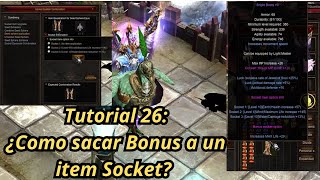 Mu Online Eğitim 26: Socket itemden bonus opsiyonu nasıl çıkarılır?
NaQuEvEr · 7:52 · 2025
 MU Online'da LAG nasıl KALDIRILIR * Programsız* #muonline #antilag #mmorpgs
JeongGuwonYT · 7:07 · 2020
 MuOnline emülatörünün Print Screen logosunu kaldırma/değiştirme
Josue Ochoa · 22:36 · 2022