MuADMINS
Soluții
Rezolvări scurte pentru probleme frecvente ale serverelor, clienților și site-urilor MU Online, fiecare cu sursa și data ei. “Confirmată” înseamnă că persoana care a întrebat a spus că rezolvarea a funcționat.
Soluții: 26 pentru “build error” în Client de joc · Șterge
Kayito 0.97k: a Release build of main.dll crashes when entering the game with a character, the Debug build works.
1. The bug is in Window.cpp, function ChangeWindowText: the local char text[256] array goes out of scope before the window uses it. 2. Remove that local variable and make it a member of t...
✓ Confirmată în raportul problemeiGitHub (nicomuratona/MuEmu-0.97k-kayito) · 2024-11-26Big FPS drops in the open source client when opening the M warp window, chat or typing long messages.
Run the Release build instead of the Debug build. The drop only happens in Debug (text rendering).
✓ Confirmată în raportul problemeiGitHub (MUnique/OpenMU) · 2026-03-28Main 5.2 (Louis) with MuServer Update 15: 'WriteValidation > ProtocolSend Connect [0] Read Header Fail:End of file' when the client connects
1. The asker fixed it (with help from son1xx2 on RaGEZONE) by building both the GameServer and the main without the new protocol system. 2. In the server source set #define NEW_PROTOCOL_S...
✓ Confirmată în raportul problemeiGitHub (LouisEmulator/Main5.2) · 2022-11-23MuOnline Clone (MuMono): the program exits at start with code -532462766 (0xe0434352)
1. The asker fixed it by adding the DirectX package of MonoGame to the project: dotnet add package MonoGame.Framework.WindowsDX --version 3.8.6.0. 2. Build and start MuMono.exe again.
✓ Confirmată în raportul problemeiGitHub (bernatvadell/muonline) · 2026-10-15MuMain: how do I turn on anti-aliasing (MSAA) in the open source client?
1. Turning on the old LDS_ADD_MULTISAMPLEANTIALIASING macro alone changes nothing. 2. Current builds have it built in: open the Options window, Graphics, and set it there (it belongs to t...
✓ Confirmată în raportul problemeiGitHub (sven-n/MuMain) · 2026-10-17MuMain with OpenMU: characters with names longer than 9 letters cannot enter the game ('Could not select character because character not found')
1. Older MuMain builds sent only the first 9 characters of the name, so OpenMU logged Could not select character because character not found: ["ancientEl"] for the character ancientElf. 2...
✓ Confirmată în raportul problemeiGitHub (sven-n/MuMain) · 2026-03-15MuMain: MuError.log fills with 'AUDIO: MiniAudioBackend::PlayMusic -- failed to init stream' and the client can freeze
1. The log line is AUDIO: MiniAudioBackend::PlayMusic -- failed to init stream 'data\music\login_theme.mp3' (-7). The hosted game data release has no Data/Music folder, and older builds r...
✓ Confirmată în raportul problemeiGitHub (sven-n/MuMain) · 2026-09-05MuMain: with the UI language set to Traditional Chinese (zh-TW) every Chinese character renders as an empty box
1. The cause: the fonts bundled with the client had no CJK glyphs, so the existing zh-TW translations could not be drawn. Latin and Cyrillic text rendered fine. 2. Update the client to a...
✓ Confirmată în raportul problemeiGitHub (sven-n/MuMain) · 2026-09-26MuMain: character creation class buttons and the DevEditor panel are invisible but clickable (AMD GPU).
1. Root cause found by the reporter: the 2D projection was not restored after the 3D character preview (plus a second stacking issue). 2. The fix was merged into the repository in Septemb...
✓ Confirmată în raportul problemeiGitHub (sven-n/MuMain) · 2026-09-03Open source client (MuMain): typing a chat message such as ++++++++ crashes the game.
1. The crash happens only in a Debug build. 2. Build and use the Release configuration for players. 3. The reporter confirmed the Release build works.
✓ Confirmată în raportul problemeiGitHub (sven-n/MuMain) · 2025-07-28MuEmu files: screenshots taken in game carry a logo watermark; how to remove it
1. In the files Tool folder open MainInfo.ini and find the 'Enable Print Screen + logo' block. 2. PrintLogo values: 0 = disabled, 1 left top, 2 right top, 3 left bottom, 4 right bottom, 5...
✓ Confirmată de autorul topiculuiTUServerMU · 2023-08-07Louis MuEmu S6 Update 16: how to remove the Rage Fighter class completely
1. Open main_info\maininfo.conf and find the [Custom] section, Remover Classes block. 2. RemoveClass values: 0 = remove nothing, 1 = remove Summoner, Dark Lord and Rage Fighter, 2 = remov...
✓ Confirmată de autorul topiculuiTUServerMU · 2023-07-05Season 6 (main 1.04 based, S6.15 files): Rage Fighter gloves show in the wrong position
1. Add the gloves to CustomGlove.txt in the GetMainInfo folder. 2. In MainInfo.ini make sure the custom gloves system is on: DisableCustomClaws = 0 and DisableCustomGlove = 0 (0 means ena...
✓ Confirmată de autorul topiculuiTUServerMU · 2021-09-29MuEmu S6 client: how to remove WCoinP and Goblin Points from the game window title and rename WCoinC
That text is not in the text.bmd files nor in the database: it is written by the client main.dll. 1. If you have the main source, change it there and rebuild. 2. Without source, open main...
✓ Confirmată de autorul topiculuiTUServerMU · 2021-02-16Turning on CustomCloak shows duplicated cloak textures (Dark Lord and Rage Fighter capes)
Use the cloak animation types of the CEffect section instead of the wing type. 1. Open the CEffect section of the client config (CEffect plugin). 2. The types are: 55 Wings of Power, 56 C...
✓ Confirmată de autorul topiculuiTUServerMU · 2021-01-06MuEmu client: a yellow circle stays on the ground where you click to walk; how to remove it
This is changed in the client main source (the MuEmu main DLL project), not in the server. 1. Remove any older patch you added for the click pointer. 2. Add the lines kayito gave in the t...
✓ Confirmată de autorul topiculuiTUServerMU · 2020-12-31MuEmu S6 (update 13 files): where to change the text shown in the Buy VIP window
1. The Buy VIP window texts are client side, in the MainInfo source files. 2. Edit CustomMessage.txt and CustomBuyVip.txt in the MainInfo folder with your own VIP names, prices and info....
✓ Confirmată de autorul topiculuiTUServerMU · 2020-08-25Louis S6 Update 13: a custom cape (or custom wings) is not drawn on the back of the character
1. In the client MainInfo config open the CustomWing section and find the line of that cape. 2. Change ModelType from 0 to 1. 3. Build the main info again (the getmain.premium step of the...
✓ Confirmată de autorul topiculuiTUServerMU · 2020-08-08S6 E3 client closes when going to Elbeland (all 3) or Kalrutan, but only when the configured CustomItem.txt is used
A broken line in the main info CustomItem.txt crashed those maps. 1. Open CustomItem.txt in the main info folder. 2. Look for a line that has values but no item index (in the thread a str...
✓ Confirmată de autorul topiculuiTUServerMU · 2020-02-23How do I remove the resets number shown in the character window (C) in game?
1. The text comes from the client custom messages, not from the server. 2. Open the MAIN_INFO folder and edit CustomMessage.txt: change Level: %d | Resets: %d to Level: %d. 3. Run GetMain...
✓ Confirmată de autorul topiculuiRaGEZONE · 2021-03-14
Videoclipuri pe MUTube
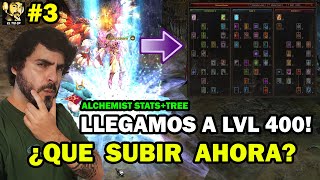 CE STATS ȘI PUNCTE SĂ PUI ÎN TREE LA ÎNCEPUT PENTRU ALCHEMIST? #3😉🔥l Mu online S19.2.3
EltioGP · 19:25 · 2025
 Magic Gladiator Build PVM - HIGH DAMAGE - Erori în formulă!
SpectteR Mu Online · 6:00 · 2022
 Mu Online Webzen: Guía Definitiva📜 - Cómo llenar el Árbol 800 y dónde poner puntos [Segunda parte]
Satorman · 9:14 · 2023
 MU Online Reset Fruits Stats cu bug Ghid de joc
Rina Webb · 5:22 · 2014