MuADMINS
Soluções
Correções curtas para problemas comuns de servidor, cliente e site de MU Online, cada uma com a fonte e a data. “Confirmado” significa que quem perguntou disse que a correção funcionou.
11 soluções para “server code” em Cliente do jogo · Limpar
MuOnline Clone (MuMono): the program exits at start with code -532462766 (0xe0434352)
1. The asker fixed it by adding the DirectX package of MonoGame to the project: dotnet add package MonoGame.Framework.WindowsDX --version 3.8.6.0. 2. Build and start MuMono.exe again.
✓ Confirmado na issueGitHub (bernatvadell/muonline) · 2026-10-15Two separate servers (not subservers) both show in the client as server 1 with the same name
The client serverlist file was broken, not the server codes. 1. Replace the client Data serverlist.bmd with a working one (for example from another client of the same version) and edit th...
✓ Confirmado pelo autor do tópicoTUServerMU · 2021-06-18The server select screen shows my server as 'Name-12'; how do I make it show 1?
1. The number after the name is the GameServer code plus 1: code 11 in the ConnectServer server list shows as 12 in the client. That is normal. 2. Change the server code to 0 in the Conne...
✓ Confirmado pelo autor do tópicoRaGEZONE · 2018-02-01Kayito 0.97k translated to Chinese: item names are fine but the move list and NPC names show garbled characters.
1. Open the client Config.ini. 2. Set the charset for your language, for Chinese FontCharset=134. 3. Restart the client.
✓ Confirmado na issueGitHub (nicomuratona/MuEmu-0.97k-kayito) · 2024-09-06Item descriptions show in strange colors and with wrong extra lines in the client
1. In the files client tools, open the EncryptBMD folder. 2. Edit JCItemtooltip.txt and JCTexttooltip.txt (item tooltip texts and colors). 3. Encode them back to .bmd with the encoder of...
✓ Confirmado pelo autor do tópicoTUServerMU · 2021-04-29Accents and the letter ñ come out as strange symbols after editing text_spn.bmd
The tool used to edit the file broke the encoding. 1. Do not edit the text .bmd with zFileManager (ZManager). 2. Decode it with BmdDec, edit the text, and encode it again with BmdDec. 3....
✓ Confirmado pelo autor do tópicoTUServerMU · 2021-03-22After changing the Lorencia map skin in the client, characters walk through walls and objects (the server terrain no longer matches)
Every time you change a map on the client side, the server terrain must be made from that same client map. 1. Take the client encrypted terrain of the map (EncTerrain file of Lorencia). 2...
✓ Confirmado pelo autor do tópicoTUServerMU · 2020-02-070.97d: maps added on the server (for example Chaos Castle) disconnect the player at the first hit and crash the GameServer
1. The 0.97d main.exe does not know the new maps; it only handles the maps its code knows (there is no tool for that in this main). 2. The topic starter switched the client to a 0.97n mai...
✓ Confirmado pelo autor do tópicoRaGEZONE · 2018-01-09Edits to ItemTooltip_eng.bmd and ItemTooltipText_eng.bmd never show in game (client built from the Louis Season 5.2 main source)
1. The Season 5.2 main built from the Louis source does not read ItemTooltip_eng.bmd or ItemTooltipText_eng.bmd at all, so editing, copying or even deleting those files changes nothing. 2...
✓ Confirmado pelo autor do tópicoRaGEZONE · 2026-07-02Season 5 files: the client says to update the version (version error) and I cannot log in. What must match?
1. The client version and serial must be exactly the same as the Version and Serial in the GameServer configuration. 2. Compare them character by character: one wrong letter, digit or sym...
✓ Confirmado pelo autor do tópicoTuServerMU · 2019-08-01MuMain: Chinese text from an older Chinese client shows as garbled characters after copying its BMD files
1. The open source client keeps all strings as Unicode (UTF-16 on Windows) in memory and reads every BMD file with UTF-8 encoding. 2. Network packets send and receive strings as UTF-8 too...
Vídeos no MUTube
 🚀 CodeMesh MU Files — Modern Launcher & Multi Window System
CodeMeshDevsMU · 1:25 · 2026
 Como criar server de mu online 1.1e Season 2 ATUALIZADO 2021
Caos MuOnline · 11:00 · 2022
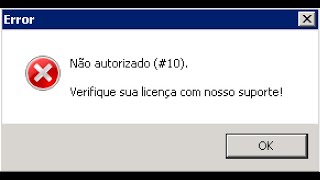 Significados Codigos de Erros Louis Emulator
GamesWTeam Solutions · 7:38 · 2020
 JOGUE ESTE SERVIDOR DE MU ON-LINE MOBILE!! Danki.mu
Guilherme Grillo | Danki Code · :09 · 2024