MuADMINS
Soluzioni
Fix brevi per i problemi comuni di server, client e siti web di MU Online, ognuno con la sua fonte e la sua data. “Confermato” significa che chi ha fatto la domanda ha detto che il fix ha funzionato.
4 soluzioni per “disabled” in Client di gioco · Azzera
Season 6 (main 1.04 based, S6.15 files): Rage Fighter gloves show in the wrong position
1. Add the gloves to CustomGlove.txt in the GetMainInfo folder. 2. In MainInfo.ini make sure the custom gloves system is on: DisableCustomClaws = 0 and DisableCustomGlove = 0 (0 means ena...
✓ Confermato dall'autore della discussioneTUServerMU · 2021-09-29Louis update 32: every socket item shows the option error "0 15 15" (visual only, the item works).
1. Open the MainInfo settings. 2. Disable AllowSocketHarmony. 3. Generate the main info again and copy it into the client.
✓ Confermato dall'autore della discussioneCreandoMU · 2023-01-28MuEmu files: screenshots taken in game carry a logo watermark; how to remove it
1. In the files Tool folder open MainInfo.ini and find the 'Enable Print Screen + logo' block. 2. PrintLogo values: 0 = disabled, 1 left top, 2 right top, 3 left bottom, 4 right bottom, 5...
✓ Confermato dall'autore della discussioneTUServerMU · 2023-08-07After extracting the MuEmu S4 client and setting it up, main.exe does not open at all.
1. Make sure Main.dll from the files MAIN folder is in the client. 2. Add main.exe to DEP if it still fails. 3. In this case the cause was Avast: it blocked main.exe without showing a det...
✓ Confermato dall'autore della discussioneTuServerMU · 2018-01-31
Video su MUTube
 COME ELIMINARE IL LAG DI FPS DI MUONLINE - SOLUZIONE DEFINITIVA - FASE DI TEST
Gui PvP · 8:52 · 2024
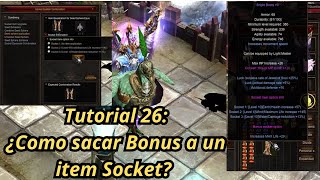 Tutorial Mu Online 26: come rimuovere l'opzione bonus da un item socket?
NaQuEvEr · 7:52 · 2025
 Come ELIMINARE il LAG in MU Online * Senza programmi * #muonline #antilag #mmorpgs
JeongGuwonYT · 7:07 · 2020
 Rimuovere/cambiare il logo Print Screen dell'emulatore MuOnline
Josue Ochoa · 22:36 · 2022