MuADMINS
Solutions
Des correctifs courts pour les problèmes courants de serveur, de client et de site web MU Online, chacun avec sa source et sa date. “Confirmé” signifie que la personne qui a posé la question a indiqué que le correctif a fonctionné.
8 solutions pour “delete” dans Client de jeu · Effacer
Pink lines over the MuHelper window in the client; changing the interface image did not help
1. Install QeffectsGL in the client folder (the asker shared a client fix with MuHelper + QeffectsGL). 2. Delete the client Logs folder. 3. Start the client again: the pink lines are gone.
✓ Confirmé par l'auteur du sujetTUServerMU · 2021-02-10S6 E3 client closes when going to Elbeland (all 3) or Kalrutan, but only when the configured CustomItem.txt is used
A broken line in the main info CustomItem.txt crashed those maps. 1. Open CustomItem.txt in the main info folder. 2. Look for a line that has values but no item index (in the thread a str...
✓ Confirmé par l'auteur du sujetTUServerMU · 2020-02-23Season 9 client: how do I remove the pop-up window that opens as soon as you enter the game?
1. The pop-up is the event notice interface of the client. 2. Delete (or move out) Data\Interface\GFx\Notice\Eventnotice.OZP from the client. 3. Start the client again; the pop-up is gone...
✓ Confirmé par l'auteur du sujetRaGEZONE · 2018-07-18Flawless Emulator S6: maps removed from Data/Move/Move.txt still show in the warp command window (they just do not teleport).
1. The warp window list comes from the client file MoveReq.bmd, not only the server Move.txt. 2. Open the client Data/Local MoveReq.bmd in a BMD editor and delete the map rows (or set the...
✓ Confirmé par l'auteur du sujetRaGEZONE · 2024-10-28ZyGuard antihack loads, then the main fails or closes (server on a VPS).
The antivirus deleted one ZyGuard file as a false positive. Restore the client files and add the client folder to the antivirus exceptions.
✓ Confirmé par l'auteur du sujetTuServerMU · 2018-02-27Serial does not match the client and the main is encrypted, so HxD and main editors fail (0.97 + Retail2 files).
1. Restore the MuOnline.bak shipped in C:\MuServer\DB. 2. Create the ODBC entry (64 bit). 3. Delete the CheckSum file in C:\MuServer\data\lang\kor. After this the client connected.
✓ Confirmé par l'auteur du sujetTuServerMU · 2020-03-28The client closes when talking to the Elf NPC, and every NPC shows the same wrong name (Louis S6 E3 Update 13).
A broken Npcname(eng).txt had been placed in the client. Delete (or restore the original) Npcname(eng).txt in the client and start again.
✓ Confirmé par l'auteur du sujetTuServerMU · 2018-11-24MuMain: how do I install an HD texture pack without overwriting the original OZJ and OZT files?
1. Copy the pack folder into Data/TexturePacks/. It mirrors Data/, for example Data/TexturePacks/upscaled/World1/TileGrass01.OZJ. 2. Open the options, Interface tab, choose the pack under...
Vidéos sur MUTube
 COMMENT SUPPRIMER LE LAG DE FPS DE MUONLINE - SOLUTION DÉFINITIVE - PHASE DE TEST
Gui PvP · 8:52 · 2024
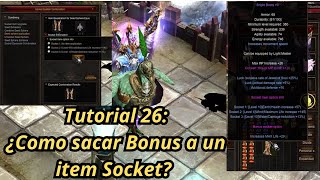 Tutoriel Mu Online 26 : comment retirer l'option bonus d'un item socket ?
NaQuEvEr · 7:52 · 2025
 Comment ÉLIMINER le LAG dans MU Online * Sans programmes * #muonline #antilag #mmorpgs
JeongGuwonYT · 7:07 · 2020
 Retirer/changer le logo Print Screen de l'émulateur MuOnline
Josue Ochoa · 22:36 · 2022