MuADMINS
Mga Solusyon
Maiikling fix para sa mga karaniwang problema sa MU Online server, client at website, bawat isa ay may source at petsa. Ang ibig sabihin ng “Kinumpirma” ay sinabi ng nagtanong na gumana ang fix.
13 solusyon para sa “maps” sa Game client · I-clear
0.97d: maps added on the server (for example Chaos Castle) disconnect the player at the first hit and crash the GameServer
1. The 0.97d main.exe does not know the new maps; it only handles the maps its code knows (there is no tool for that in this main). 2. The topic starter switched the client to a 0.97n mai...
✓ Kinumpirma ng nagsimula ng topicRaGEZONE · 2018-01-09zTeam S8.2 client: Noria and Atlans maps look wrong (broken skin and lighting)
1. Noria in this client is only another skin, and Atlans has corrupt skin files (the lighting files). 2. From a global MU client copy Data\World4 and Data\Object4 (Noria) and Data\World8...
✓ Kinumpirma ng nagsimula ng topicRaGEZONE · 2016-07-20Ultimate Main Second Edition (97d+99, ZergNM): items and maps show broken textures
1. Open the settings file of this main and find the [Opengl] section. 2. Set Linear =0, MaxLinear =0 and Anisotropy =0. 3. Save and start the game again: the asker's textures were all fin...
✓ Kinumpirma ng nagsimula ng topicDarksTeam · 2020-03-13Louis S8 update 23: new maps work but their minimap never opens.
1. The minimap needs the navimap image of the map inside the client. 2. Copy the navimap file for each added map into the client. 3. Restart the client.
✓ Kinumpirma ng nagsimula ng topicCreandoMU · 2020-12-01Season 3: some maps in the M (move) window stay red as if the level is too low, although movereq.bmd and the server move list are right and /warp works
1. Rename the map entries in the move list, for example Lorencia with a capital L, or number them like 1-Lorencia, 2-Noria, 3-Devias. 2. Make the same change in the client movereq.bmd and...
✓ Kinumpirma ng nagsimula ng topicRaGEZONE · 2018-08-15The server select screen shows my server as 'Name-12'; how do I make it show 1?
1. The number after the name is the GameServer code plus 1: code 11 in the ConnectServer server list shows as 12 in the client. That is normal. 2. Change the server code to 0 in the Conne...
✓ Kinumpirma ng nagsimula ng topicRaGEZONE · 2018-02-01Season 5.2 main source: Wings of Eternal look dark or black on dark maps and only the lightning effect glows
1. In the client source open ZzzObject.cpp, function RenderPartObjectBody. 2. The render override block for MODEL_WING+37 (Wing of Eternal) is commented out, so the wing mesh takes the da...
✓ Kinumpirma ng nagsimula ng topicRaGEZONE · 2026-07-13Flawless Emulator S6: maps removed from Data/Move/Move.txt still show in the warp command window (they just do not teleport).
1. The warp window list comes from the client file MoveReq.bmd, not only the server Move.txt. 2. Open the client Data/Local MoveReq.bmd in a BMD editor and delete the map rows (or set the...
✓ Kinumpirma ng nagsimula ng topicRaGEZONE · 2024-10-28IGCN S9: Crywolf (and other maps such as Barracks) do not appear in the move (M) list, even after adding them to the client bmd.
1. The client has one move file per language (ENG, SPN, POR). 2. Add the map (for Crywolf gate 118, index 38 in the thread) to the move bmd of every language, not only ENG. 3. Players usi...
✓ Kinumpirma ng nagsimula ng topicTuServerMU · 2020-06-17'You are disconnected from the server' when selecting the server, after the IP was changed in many config files (MuEmu files).
1. Put your IP only in ConnectServer/ServerList.dat and GameServer Data/MapServerInfo.dat. 2. Leave every other IP entry at 127.0.0.1. 3. If you use the antihack, open its port 55999. 4....
✓ Kinumpirma ng nagsimula ng topicTuServerMU · 2021-02-20Chaos Castle NPCs float above the map and walking in the castle sends the player to Lorencia.
1. This is a client terrain problem. 2. Terrain, World and Object folder numbers are map number plus 1. 3. Here the terrain files 19 (Chaos Castle, map 18) and 24 were rebuilt with a terr...
✓ Kinumpirma ng nagsimula ng topicTuServerMU · 2021-03-26S6 E3 client closes when going to Elbeland (all 3) or Kalrutan, but only when the configured CustomItem.txt is used
A broken line in the main info CustomItem.txt crashed those maps. 1. Open CustomItem.txt in the main info folder. 2. Look for a line that has values but no item index (in the thread a str...
✓ Kinumpirma ng nagsimula ng topicTUServerMU · 2020-02-23IGCN Season 12: the server runs, but after loading the client says the game needs to be updated.
1. Open IGCData/IGC_MapServerInfo.xml on the server and read the client version and serial. 2. Put the same IP, version and serial in the client info editor (serverinfo generator). 3. Gen...
✓ Kinumpirma ng nagsimula ng topicTuServerMU · 2019-04-06
Mga video sa MUTube
 Mu Online sa Isang Aralin 📍 Kabanata 7: Custom Map + Mga Bagay xd (SsEmu)
BethanMu · 1:59:28 · 2025
 MU Online Modding Tool – MuOZTool v2.6 (OZT / OZJ Texture Viewer & Converter)
Xysad · 2:31 · 2026
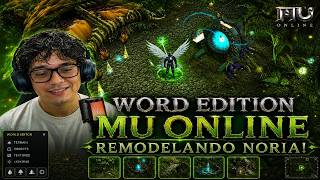 Hindi na kailanman magiging pareho ang Noria! | Mu Online
BruuH · 7:40 · 2026
 Mu Online Atlans Abyss Map
Fw Games · 4:19 · 2021