MuADMINS
Mga Solusyon
Maiikling fix para sa mga karaniwang problema sa MU Online server, client at website, bawat isa ay may source at petsa. Ang ibig sabihin ng “Kinumpirma” ay sinabi ng nagtanong na gumana ang fix.
8 solusyon para sa “interface” sa Game client · I-clear
Pink lines over the MuHelper window in the client; changing the interface image did not help
1. Install QeffectsGL in the client folder (the asker shared a client fix with MuHelper + QeffectsGL). 2. Delete the client Logs folder. 3. Start the client again: the pink lines are gone.
✓ Kinumpirma ng nagsimula ng topicTUServerMU · 2021-02-10The master skill tree shows black icons with numbers such as 549 and 550 instead of the skill images
1. The client is missing the master skill tree interface textures for its version. 2. Replace the files in the client Data\Interface\ folder with the matching ones (the helper uploaded a...
✓ Kinumpirma ng nagsimula ng topicRaGEZONE · 2017-10-02The whole PC slows down (mouse lag) when the windowed client is not in focus (ZxGames V6.0 Full Premium files).
In MainInfo.ini set CustomInterfaceType = 0 (S6 original). Type 4 (Legends) caused the lag. Then regenerate the client main files.
✓ Kinumpirma ng nagsimula ng topicTuServerMU · 2025-07-18Windows 10: the inventory and skill menus are invisible or transparent (Season 8 client, Intel HD graphics).
1. Remove the current Intel display driver through Device Manager (not Add/Remove Programs). 2. Install an older Intel HD Graphics driver (people used the Windows 8.1 or HD 4000 driver)....
✓ Kinumpirma ng nagsimula ng topicRaGEZONE · 2023-02-03MuEmu files: screenshots taken in game carry a logo watermark; how to remove it
1. In the files Tool folder open MainInfo.ini and find the 'Enable Print Screen + logo' block. 2. PrintLogo values: 0 = disabled, 1 left top, 2 right top, 3 left bottom, 4 right bottom, 5...
✓ Kinumpirma ng nagsimula ng topicTUServerMU · 2023-08-07S6 files with LuckyWheel (KoshGames based): changed the rewards, but the wheel still shows the old pictures and the edited message does not change
1. Texts: these files have the message file in several languages (Message.txt in three languages, also Data\Util\Mensaje_xxx.txt); edit the message in every language copy, then restart th...
✓ Kinumpirma ng nagsimula ng topicTUServerMU · 2020-10-25Season 9 client: how do I remove the pop-up window that opens as soon as you enter the game?
1. The pop-up is the event notice interface of the client. 2. Delete (or move out) Data\Interface\GFx\Notice\Eventnotice.OZP from the client. 3. Start the client again; the pop-up is gone...
✓ Kinumpirma ng nagsimula ng topicRaGEZONE · 2018-07-18MuMain: how do I install an HD texture pack without overwriting the original OZJ and OZT files?
1. Copy the pack folder into Data/TexturePacks/. It mirrors Data/, for example Data/TexturePacks/upscaled/World1/TileGrass01.OZJ. 2. Open the options, Interface tab, choose the pack under...
Mga video sa MUTube
 MuOnline Season 6.3 - Ayusin ang Custom Interface Ex700, Legend C,V black line sa Inventory
CuCuMaLu · :28 · 2020
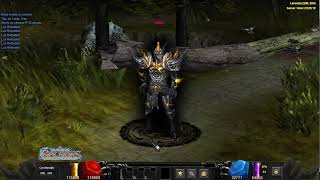 Mu Online 5.2 - Demostración de Interface Skin Black | Custom Main
muserverfiles · :17 · 2026
 Multi Launcher UI Skins para sa Mu Server
Game Templates · 1:28 · 2026
 Pag-edit ng MiniMap MuOnlineS16
[GM]KING · 7:05 · 2021