MuADMINS
Mga Solusyon
Maiikling fix para sa mga karaniwang problema sa MU Online server, client at website, bawat isa ay may source at petsa. Ang ibig sabihin ng “Kinumpirma” ay sinabi ng nagtanong na gumana ang fix.
33 solusyon para sa “custom” sa Game client · I-clear
A custom pet takes too much space in the inventory.
1. Edit CustomItemPosition.txt in the Main Info folder. 2. Set the item size and position you want. 3. Generate the main info and copy it into the client.
✓ Kinumpirma ng nagsimula ng topicCreandoMU · 2020-08-30Louis update 22: bows added as CustomBow show without a model.
1. Open maininfo.ini. 2. Set CustomBowEnable = 1. 3. Generate the main info and copy it into the client.
✓ Kinumpirma ng nagsimula ng topicCreandoMU · 2020-07-31The main closes when clicking a custom sword.
1. Adding it to Item.bmd for Por, Eng and Spn was not enough. 2. Add it also to the Item.bmd in the client Data/Local folder. 3. Also check that the index is not duplicated on server and...
✓ Kinumpirma ng nagsimula ng topicCreandoMU · 2022-10-16Louis S8 update 26: I cannot get the custom flags to show the buy options.
1. Add the flags on the server in data/custom/CustomFlag. 2. Add them in MAIN_INFO v26 - Season 8/CustomItem and put the flag .bmd files in the client data/item folder. 3. Enable CustomFl...
✓ Kinumpirma ng nagsimula ng topicCreandoMU · 2021-07-04Turning on CustomCloak shows duplicated cloak textures (Dark Lord and Rage Fighter capes)
Use the cloak animation types of the CEffect section instead of the wing type. 1. Open the CEffect section of the client config (CEffect plugin). 2. The types are: 55 Wings of Power, 56 C...
✓ Kinumpirma ng nagsimula ng topicTUServerMU · 2021-01-06Louis S6 Update 13: a custom cape (or custom wings) is not drawn on the back of the character
1. In the client MainInfo config open the CustomWing section and find the line of that cape. 2. Change ModelType from 0 to 1. 3. Build the main info again (the getmain.premium step of the...
✓ Kinumpirma ng nagsimula ng topicTUServerMU · 2020-08-08S6 E3 client closes when going to Elbeland (all 3) or Kalrutan, but only when the configured CustomItem.txt is used
A broken line in the main info CustomItem.txt crashed those maps. 1. Open CustomItem.txt in the main info folder. 2. Look for a line that has values but no item index (in the thread a str...
✓ Kinumpirma ng nagsimula ng topicTUServerMU · 2020-02-23A new custom item is invisible in game although item.bmd and the item txt are configured
1. Check the item files: the model .bmd and its texture (.ozj) must be in the client. 2. If they are there, the main.exe itself cannot load new items: the original main does not support c...
✓ Kinumpirma ng nagsimula ng topicRaGEZONE · 2017-04-24MuEmu S6: custom wings cannot be placed in the Chaos Machine to upgrade them from +10 to +15.
1. The client side Mix.bmd decides which items the machine accepts. 2. Add a new section in Mix.bmd for the custom wings. 3. Copy the new Mix.bmd to the client.
✓ Kinumpirma ng nagsimula ng topicTuServerMU · 2019-07-17Adding a custom monster to a map makes the client close as soon as the monster is visible.
1. The custom monster model (Monster332.bmd) was broken. 2. Point the monster to a working model in MAIN_INFO CustomMonster.txt, for example Monster289 with the same id and scale. 3. Rege...
✓ Kinumpirma ng nagsimula ng topicRaGEZONE · 2024-12-12Custom pets added as mounts are invisible (MuEmu S6 Update 22 by Louis).
Use item indexes 200 to 300 for custom pets. Index 151 did not render. Answer came from the files author.
✓ Kinumpirma ng nagsimula ng topicTuServerMU · 2021-02-12Louis update 29: the custom buff icons show no text when pointing at them.
1. You built the client from your old MainInfo. 2. Use the default MainInfo of the new update (or merge the update into yours correctly). 3. Generate the main info again and copy it into...
✓ Kinumpirma ng nagsimula ng topicCreandoMU · 2023-01-25MuEmu S8 update 13: a custom item has no name and wrong position in the inventory.
1. Add the item to the client item bmd of every language (por, spn, eng), not only one. 2. Add it to ItemTRSData as well. 3. Use the client language you added it for and test.
✓ Kinumpirma ng nagsimula ng topicCreandoMU · 2020-07-24Custom HolyAngel sets added with 380 options in 380ItemType.txt, but the armor shows no 380 option.
1. The client side ItemAddOption.bmd needs a line for every set piece. 2. The armor line was missing; add it and update the client.
✓ Kinumpirma ng nagsimula ng topicTuServerMU · 2019-02-09X-Team files: new custom jewels show the image of another jewel (jewel 1 shows the jewel 5 picture).
1. The item index in the client item.bmd was edited wrong. 2. Fix the index with the X-Team item editor (the IGCN editor caused the problem here). 3. Update the client.
✓ Kinumpirma ng nagsimula ng topicTuServerMU · 2020-08-25A custom jewel shows on the ground but has no image in the inventory (IGC Season 9.5 files).
The jewel was missing from itemTRSData.bmd in the client. Add the item there as well as in item.bmd and the tooltip files.
✓ Kinumpirma ng nagsimula ng topicRaGEZONE · 2025-11-01Louis S4 update 25: entering Elbeland always disconnects.
1. Original files do not do this, so check what you added. 2. Here an effect added to a custom item caused it. 3. Remove custom effects one by one to find the bad one.
✓ Kinumpirma ng nagsimula ng topicCreandoMU · 2021-05-18Louis update 23 Premium: the auction (Leilao) window opens with empty texts.
1. The texts come from Maininfo/Common/CustomMessage. 2. Add or fix the auction message lines there. 3. Generate the main info again and copy it into the client.
✓ Kinumpirma ng nagsimula ng topicCreandoMU · 2020-12-02Season 6 (main 1.04 based, S6.15 files): Rage Fighter gloves show in the wrong position
1. Add the gloves to CustomGlove.txt in the GetMainInfo folder. 2. In MainInfo.ini make sure the custom gloves system is on: DisableCustomClaws = 0 and DisableCustomGlove = 0 (0 means ena...
✓ Kinumpirma ng nagsimula ng topicTUServerMU · 2021-09-29MuEmu S6 (update 13 files): where to change the text shown in the Buy VIP window
1. The Buy VIP window texts are client side, in the MainInfo source files. 2. Edit CustomMessage.txt and CustomBuyVip.txt in the MainInfo folder with your own VIP names, prices and info....
✓ Kinumpirma ng nagsimula ng topicTUServerMU · 2020-08-25
Mga video sa MUTube
 PAANO PALITAN ANG PANGALAN NG ROOM NG MU ONLINE SERVER AT MAGDAGDAG NG ITEMS | 97D DOWNGRADE SEASON 6
Syntax · 19:20 · 2020
 Mu Online sa Isang Aralin 📍 Kabanata 5: Pag-add ng items + Wings + Config Kundun (SsEmu)
BethanMu · 1:30:24 · 2025
 MSPro - VideoGabay - Custom Monster at NPC + Kumpletong Sistema
MSPro - MuServerPro - Desarrollo de MuOnline · 1:00:43 · 2025
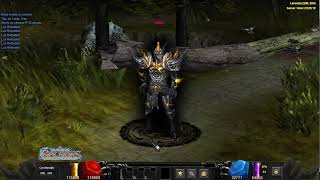 Mu Online 5.2 - Demostración de Interface Skin Black | Custom Main
muserverfiles · :17 · 2026